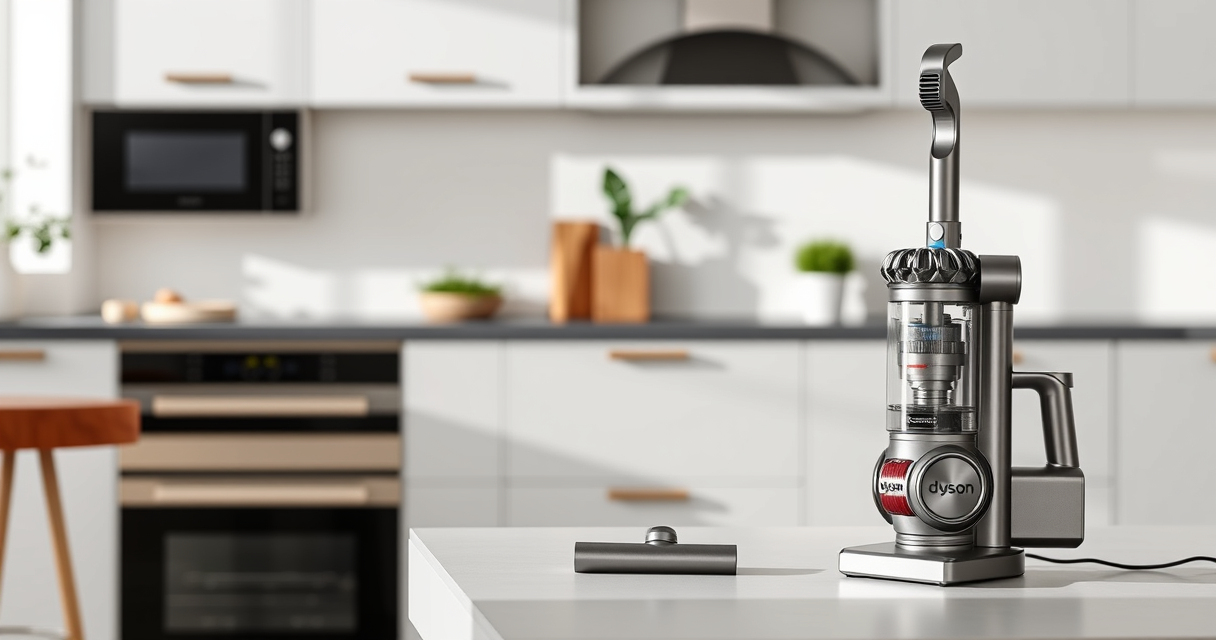
If your Dyson V15 Detect™ Origin cordless vacuum is pulsing on and off during use, it can disrupt your cleaning routine. This issue often relates to blockages, filter problems, or battery concerns. Understanding the root causes and applying proper fixes can restore your vacuum’s smooth operation.

Get home appliances delivered free with Prime
- Fast, free delivery on millions of items
- Prime Video, Amazon Music and more included
- Member-only deals all year
In this guide, you’ll find clear, step-by-step instructions to diagnose and resolve the pulsing issue safely and effectively, ensuring your Dyson performs at its best for deep cleaning across your home and car.
Key Takeaways
| Cause Identification | Pulsing often due to blockages, filters, or battery issues. |
| Filter Maintenance | Regularly clean or replace filters to maintain suction. |
| Clear Blockages | Remove obstructions from the wand, cleaner head, or hose. |
| Battery & Power Check | Ensure the battery is charged and connections are secure. |
Check for Blockages
- Turn off and unplug your Dyson vacuum for safety.
- Remove the wand, cleaner head, and any attachments.
- Inspect the wand, hose, and cleaner head for visible obstructions or debris.
- Clear any blockages carefully using a long, flexible brush or cloth.
- Reassemble and test the vacuum to see if pulsing persists.
Clean or Replace Filters
- Locate the pre-filter and/or HEPA filter according to your model.
- Remove the filters carefully, following your user manual.
- Wash the filters with cold water, avoiding soap or detergents.
- Allow filters to air dry completely (at least 24 hours).
- Reinstall the filters and run your vacuum to check for improvements.
Ensure Proper Battery and Power Connections
- Check that the battery is fully charged and properly seated.
- Inspect for any signs of damage or loose connections.
- If your model has a power button, make sure it is fully engaged.
- Try resetting the vacuum by turning it off, then on again.
Perform a Firmware Reset or Update
Some Dyson models may benefit from a reset or firmware update. Refer to your user manual for specific instructions, which often involve holding certain buttons or reconnecting the vacuum to the Dyson app. This can resolve software glitches causing pulsing issues.
Contact Dyson Support
If your vacuum continues pulsing after these steps, contact Dyson customer support. There may be an internal fault or component needing professional repair or replacement.
The Products in This Guide

Dyson V15 Detect™ Origin Cordless Vacuum
- ✔ Weight: 6.8 lbs
- ✔ Charge Time: 4.5 hours
- ✔ Filter Type: HEPA and pre-filter

LANMU Crevice Tool Vacuum Attachments Compatible
- ✔ Length: 15 inches
- ✔ Weight: 0.5 lbs
- ✔ Color: Black
Dyson V15 Detect™ Origin Cordless Vacuum
The Dyson V15 Detect™ Origin offers powerful suction, intelligent debris detection, and a long-lasting battery. Regular maintenance, like filter cleaning and clearing blockages, keeps it performing optimally and prevents pulsing issues.
Pros:
- Powerful suction
- Intelligent debris detection
- Long battery life
- Multiple cleaning heads
Cons:
- Filter cleaning required periodically
- Weight may be tiring for some users
- Can be costly to repair if broken
Best for: Whole-home deep cleaning, pet hair removal, hard floors, carpets
Not ideal for: Users seeking ultra-lightweight vacuums or budget options
Bottom line: The Dyson V15 Detect™ Origin provides powerful, intelligent cleaning with proper maintenance to prevent pulsing issues.
LANMU Crevice Tool Vacuum Attachments Compatible
The LANMU Crevice Tool offers a narrow, flexible nozzle compatible with Dyson V15 models, ideal for clearing dust from tight corners and small spaces.
Pros:
- Narrow and flexible design
- Compatible with many Dyson models
- Easy to maneuver
- Durable build
Cons:
- Might be too slim for larger debris
- Requires proper attachment fit
- Not a replacement for main cleaner head
Best for: Cleaning corners, car interiors, baseboards
Not ideal for: Heavy-duty cleaning or large debris removal
Bottom line: A versatile crevice tool that enhances your Dyson’s reach and cleaning precision.
Frequently Asked Questions
Why does my Dyson pulsing on and off happen?
This typically results from blockages, dirty filters, or battery issues. Proper maintenance and cleaning often resolve the problem.
How often should I clean the filters?
It’s recommended to wash filters every 1-3 months and replace them every 6-12 months depending on usage and manufacturer advice.
Can I reset my Dyson vacuum if it keeps pulsing?
Yes, some models allow a reset by turning the vacuum off, removing the battery, and then reassembling after a few minutes. Check your user manual for exact instructions.
When should I replace the filters?
Replace filters when they become damaged, excessively dirty, or after the recommended lifespan—usually every 6-12 months to maintain performance.
Restore Your Dyson’s Power and Performance
Addressing the pulsing issue involves checking for blockages, maintaining filters, and ensuring proper power connections. Regular upkeep, including filter cleaning and component inspections, can prevent future problems and keep your Dyson V15 Detect™ Origin working at its best for deep, efficient cleaning. If issues persist, professional support may be necessary to ensure long-term reliability.
Affiliate disclosure: As an Amazon Associate we earn from qualifying purchases. Prices and availability are accurate as of the time of publishing.
Halloween Picks
halloween
As an affiliate, we earn on qualifying purchases.