If your ceiling fan stops randomly, start by checking the remote control for interference, dead batteries, or obstructions. Inspect the wall switch and wiring for loose or damaged connections, and make certain the switch is compatible. Overheating motors or control modules can also cause shutdowns, so keep the fan clean and consider professional help if needed. Power fluctuations or nearby electronic devices might disrupt operation; for more detailed steps, keep exploring the troubleshooting options.

Get home appliances delivered free — and shop member deals
- Fast, free delivery on millions of items
- Access to Prime Big Deal Days deals on October 6–7
- Prime Video, Amazon Music and more included
Key Takeaways
- Check remote batteries, interference, and proper positioning to ensure reliable remote control signals.
- Inspect wiring connections and switches for loose, damaged, or incompatible components.
- Clean blades and motor housing to prevent overheating and control module malfunctions.
- Verify power stability and eliminate electrical fluctuations affecting fan operation.
- Seek professional help for motor or control board issues beyond basic troubleshooting.
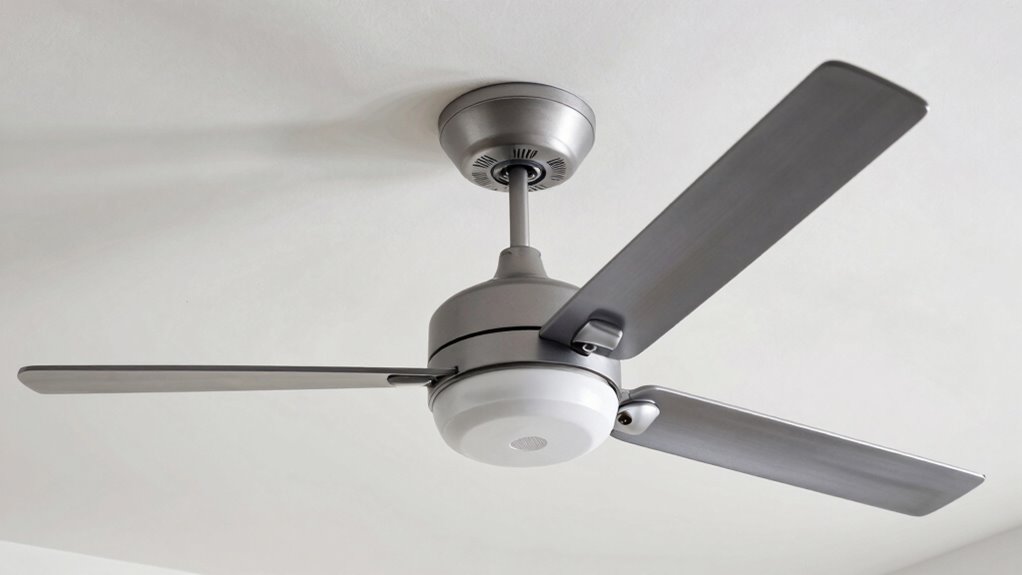
If your ceiling fan keeps stopping randomly, it can be frustrating and disruptive. One common culprit is remote control issues. If your fan is operated remotely, the problem might stem from interference, dead batteries, or a faulty remote. First, check the batteries; weak or dead ones can cause inconsistent signals, leading the fan to turn off unexpectedly. Also, ensure that the remote isn’t too far from the receiver or obstructed by furniture or walls. Sometimes, interference from other electronic devices can disrupt the remote’s signal, causing the fan to stop and start unpredictably. If replacing the batteries and repositioning the remote doesn’t work, consider reprogramming or resetting the remote and receiver. Many fans have a reset button or a specific sequence to re-establish the connection, which can resolve communication issues.
Remote control interference, dead batteries, or misalignment can cause your ceiling fan to stop randomly.
Beyond remote control problems, electrical wiring plays a significant role in a fan’s operation. Faulty wiring, loose connections, or damaged switches can cause the fan to turn off suddenly. Turn off the power at the circuit breaker before inspecting any wiring. Check the wiring connections at the fan’s canopy, ensuring all wires are securely attached to the correct terminals. Loose or disconnected wires can cause intermittent power flow, leading to random shutdowns. Also, look for signs of damaged wiring, such as frayed or burnt wires, which may require replacing. If you’re not comfortable working with electrical components, it’s best to hire a licensed electrician to handle these inspections and repairs.
Another wiring-related issue may involve the wall switch controlling the fan. A faulty switch or one with loose wiring can cause the fan to cut out unexpectedly. Make sure the switch is functioning correctly and that its wiring is secure. Sometimes, a dimmer switch designed for lights isn’t compatible with ceiling fans, which can cause operational issues. Replacing incompatible switches with proper fan-rated switches can prevent these problems.
In addition to remote and wiring issues, consider other factors like the fan’s motor or control module. Overheating motors or faulty control boards can cause the fan to shut off as a safety measure. Regularly cleaning the fan blades and motor housing can help prevent overheating. Additionally, power fluctuations caused by unstable electrical supply can also lead to intermittent fan operation. If these checks don’t resolve the issue, you might need to replace the control module or motor, which is best left to professionals.
ceiling fan remote control replacement
As an affiliate, we earn on qualifying purchases.
As an affiliate, we earn on qualifying purchases.
Frequently Asked Questions
Can a Dirty Ceiling Fan Cause It to Stop Randomly?
Yes, a dirty ceiling fan can cause it to stop randomly. Dust buildup on the blades can lead to fan imbalance, making the motor work harder and potentially stop working to prevent damage. Regularly cleaning the blades and ensuring they’re balanced can help your fan run smoothly. Keep an eye on dust and balance to prevent unexpected stoppages and maintain efficient airflow.
How Often Should I Replace the Fan’s Capacitor?
You should replace your ceiling fan’s capacitor every 5 to 10 years, as its lifespan depends on usage and quality. Regularly inspecting the capacitor for signs of bulging, leaking, or burn marks helps determine if it’s nearing the end of its replacement frequency. If your fan stops randomly or struggles to start, it’s a good idea to check and possibly replace the capacitor to ensure smooth operation and prevent further issues.
Is It Safe to Repair a Ceiling Fan Myself?
You can repair a ceiling fan yourself if you follow DIY safety precautions, like turning off power at the circuit breaker and using proper tools. However, if you’re unsure about electrical work or the problem seems complex, it’s safer to seek professional repair. While DIY can save money, prioritizing safety makes certain you avoid electrical hazards. When in doubt, consulting a professional guarantees a proper, safe fix.
Why Does My Fan Stop in Cold Weather?
Your fan stops in cold weather due to ice buildup on the blades or motor, which hampers movement. Additionally, a thermostat malfunction can cause the fan to turn off unexpectedly. To fix this, make certain your fan is installed away from cold drafts, keep blades dry and clean, and check the thermostat for proper operation. If ice or thermostat issues persist, consider professional repairs to prevent further damage.
Can a Faulty Wall Switch Affect Fan Operation?
A faulty wall switch can absolutely mess with your fan’s operation, causing it to stop unexpectedly or act erratically. A wall switch malfunction might be due to wiring issues or internal damage that disrupts the electrical flow. When the switch isn’t working properly, it interrupts the power supply, leading to inconsistent fan performance. So, if your fan keeps stopping, check the switch for wiring issues and replace it if necessary.
Conclusion
When your ceiling fan starts acting up, think of it as a puzzle waiting to be solved. By following the troubleshooting checklist, you can bring back the steady breeze you crave. Remember, patience is your best tool—sometimes, a simple fix is all it takes to restore harmony. With a little detective work, you’ll have your fan spinning smoothly again, turning your room into a peaceful oasis instead of a chaotic whirlwind.
NFL season / tailgating Picks
team gear
As an affiliate, we earn on qualifying purchases.