TL;DR
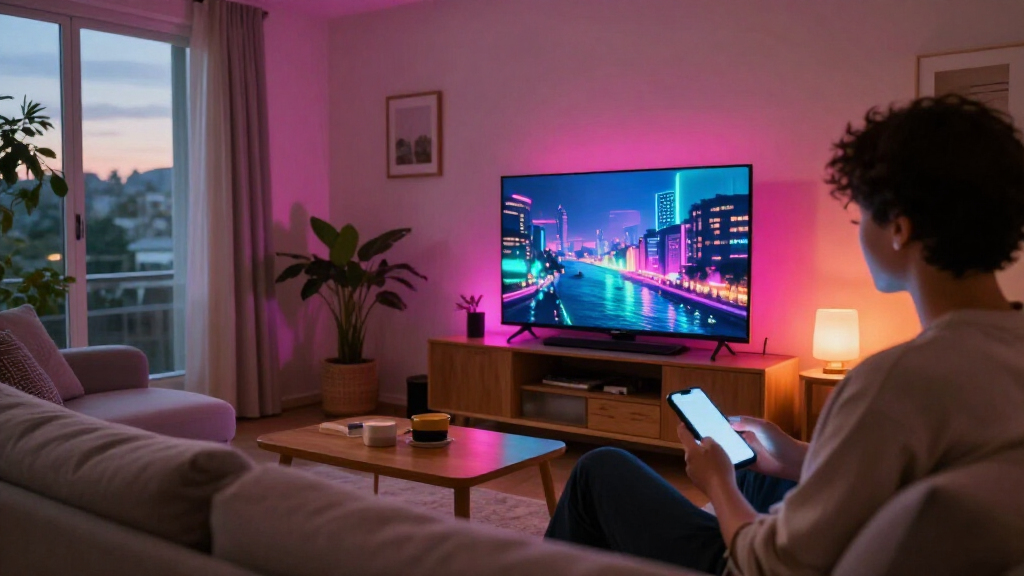
A Matter Alpha guide outlines ways to bring GTA VI’s Vice City colors into a gaming room, from HDMI sync boxes and camera-based TV kits to lamps and light strips. Matter can help compatible products from different brands share basic smart-home controls, but live screen effects generally rely on each manufacturer’s own system.
Matter Alpha has published a guide to smart lighting for GTA VI, comparing TV-sync kits and room lights that can echo Vice City’s neon colors in a gaming space. The guide describes available product features, but it does not report a new GTA VI lighting feature: the effects come from third-party lighting systems and their own screen-sync software.

Get home appliances delivered free with Prime
- Fast, free delivery on millions of items
- Prime Video, Amazon Music and more included
- Member-only deals all year
The guide separates TV lighting into two main approaches. HDMI sync boxes capture colors from an HDMI video signal and send effects to compatible lights; camera-based kits use a camera mounted near the TV to sample the image. HDMI capture avoids a camera but adds a device and wiring to the entertainment setup. Camera kits can work with built-in TV apps and avoid routing a console through a box, though the guide flags calibration, reflections and room lighting as potential drawbacks.
Among the HDMI options, Matter Alpha lists the Philips Hue Play HDMI sync box 8K, which supports passthrough up to 4K at 120Hz or 8K at 60Hz, and Govee’s AI Sync Box Kit 2, specified for up to 4K at 144Hz or 8K at 60Hz. Govee’s kit also lists VRR and ALLM support. Hue’s setup can require a compatible light strip and may involve a Hue Bridge for expanded entertainment features and Matter integration, adding to its cost.
For camera-based alternatives, the report covers Govee TV Backlight 3 and 3 Pro and Nanoleaf 4D. Govee’s Pro model uses three cameras, while Nanoleaf’s system uses a camera and a strip around the TV. The guide also suggests adding floor lamps, cabinet strips or wall-facing spotlights to spread color beyond the screen. It names Aqara’s Floor Lamp T1, Govee RGBICWW Floor Lamp Pro and Nanoleaf Floor Lamp as options to explore.
Choosing the Right Sync Setup
The choice affects more than the look of the room. HDMI boxes and camera kits differ in video connections, installation and compatibility, while the lighting can extend across multiple lamps only when those products work with the chosen system. Before buying, players should check their TV size, console or streaming-device connections, supported video formats and whether they want effects from built-in TV apps.
Matter support has limits in this use case. The guide says Matter commonly enables basic controls such as power, brightness and color, while live, segmented screen-matching effects remain tied to manufacturers’ own apps and ecosystems. A Matter label alone does not mean a product can join another brand’s real-time TV-sync effects.
Products Worth Considering

Samsung 55-Inch S90H OLED 4K UHD Smart TV Bundle with Full-Motion Mount and Surge Protector

Philips Hue Festavia Permanent Outdoor String Lights, 80 Lights, 150 ft

Blueair Blue Pure 211i Max Smart Air Purifier for Large Rooms
As an affiliate, we earn on qualifying purchases.
How Screen-Synced Lighting Works
Vice City’s neon signs and colorful nighttime scenes provide the visual inspiration for the setup, but none of the products described is presented as a GTA VI-specific accessory. Instead, a sync system reads colors from the screen and tells compatible lights what to display. Addressable LEDs can show different colors along separate sections of a strip, producing more detailed effects than a single-color bulb.
The guide describes two distinct roles for Matter and brand software. Matter can make basic smart-home controls easier across supported devices, while systems such as Hue Entertainment, Govee DreamView and Nanoleaf Sync+ handle their own expanded lighting effects. Nanoleaf’s AI scene tools can generate a themed palette from a prompt such as “Vice City neon nights,” according to the report, but that is a creative lighting feature—not GTA VI gameplay recognition or a function of Nanoleaf 4D’s screen mirroring.
“A TV sync kit handles the changing colors on screen, while floor lamps and light strips can carry the mood farther into the room.”
— Matter Alpha guide
Compatibility and Effect Limits
The source does not provide prices, independent test results or a dated comparison of the products, so readers cannot use it to determine which kit is cheapest or performs best under the same conditions. Actual compatibility depends on the TV, connected devices, light models and software; the guide does not establish that every listed product will work with every GTA VI setup.
It is also not clear from the report which individual lighting features may change through future firmware or app updates. Matter support should not be read as confirmation that a product supports cross-brand, real-time screen synchronization: the guide says those effects generally stay within each manufacturer’s ecosystem.
Check Devices Before Buying
Players planning a setup can first check the TV’s size and available HDMI connections, then compare the console’s video requirements with the sync box’s stated passthrough limits. Those choosing a camera kit should account for its position and possible reflections. After that, they can decide whether extra lamps or strips need only basic Matter controls or must join the same brand-specific sync effect.
The report does not announce a new product launch or a GTA VI lighting integration. The next practical step is to verify current product specifications and compatibility with manufacturers, since availability and software support may vary by region and change over time.
Key Questions
Does GTA VI directly control these lights?
No such integration is identified in the guide. The lighting systems react to screen colors or use manufacturer-provided scene tools; they are not described as features built into GTA VI.
What is the difference between an HDMI sync box and a camera kit?
An HDMI sync box reads an HDMI signal and adds another device to the setup. A camera kit samples the TV image from outside the screen, can work with built-in TV apps, and may be affected by calibration, reflections and room lighting.
Does Matter enable real-time screen syncing across brands?
Not necessarily. The guide describes Matter mainly as a way to access basic controls, while live screen effects generally depend on each manufacturer’s own system and compatible lights.
What should I check before choosing a kit?
Check TV size, HDMI connections and video requirements, along with whether the kit works with the lights you already own. For camera-based systems, consider camera placement and possible reflections; for HDMI boxes, check passthrough specifications.
Source: matteralpha.com