If your Dyson V15 Detect™ Origin cordless vacuum isn’t holding its charge as it used to, it can be frustrating. Battery decline is common over time, but there are effective ways to troubleshoot and fix the issue. This guide provides clear, safe steps to identify the causes and restore your vacuum’s runtime.

Get home appliances delivered free with Prime
- Fast, free delivery on millions of items
- Prime Video, Amazon Music and more included
- Member-only deals all year
Understanding the main reasons behind rapid battery drain and knowing how to replace or maintain your battery can help maximize your vacuum’s performance and longevity.
Key Takeaways
| Battery Age | Over time, batteries lose capacity, reducing runtime. |
| Battery Maintenance | Regular cleaning and avoiding overcharging extend battery life. |
| Filters & Clogs | Dirty filters or blockages can cause the motor to work harder, draining the battery. |
| Proper Charging | Using the correct charger and avoiding partial charges help maintain battery health. |
Identify the Cause of Fast Battery Drain
- Ensure the vacuum is fully charged; disconnect and reconnect the charger to confirm proper connection.
- Check the LCD screen for maintenance alerts or error messages indicating battery issues.
- Inspect filters and cleaner heads for debris or blockages that may cause the motor to work harder.
- Consider the age of your battery; if it’s over 2-3 years, it may be nearing end-of-life.
Clean and Maintain Your Vacuum
- Remove and wash the pre-filters with water; ensure they are completely dry before reinstalling.
- Clean the cleaner heads and nozzles for any debris or tangled hair.
- Check for obstructions in the wand and attachments, removing any clogs.
Reset or Recalibrate the Battery
- Fully charge the vacuum until the LCD indicates 100% remaining time.
- Use the vacuum normally until the battery is nearly depleted.
- Recharge again fully to recalibrate the battery indicator.
Replace the Battery if Necessary
If your battery is old or no longer holds a charge, replacing it is the best solution. Use a compatible replacement or contact Dyson support for assistance.
Tips and Warnings
- Always use the original charger and avoid overcharging the battery.
- Do not expose the vacuum or battery to extreme temperatures.
- Handle batteries carefully; do not puncture or disassemble.
The Products in This Guide

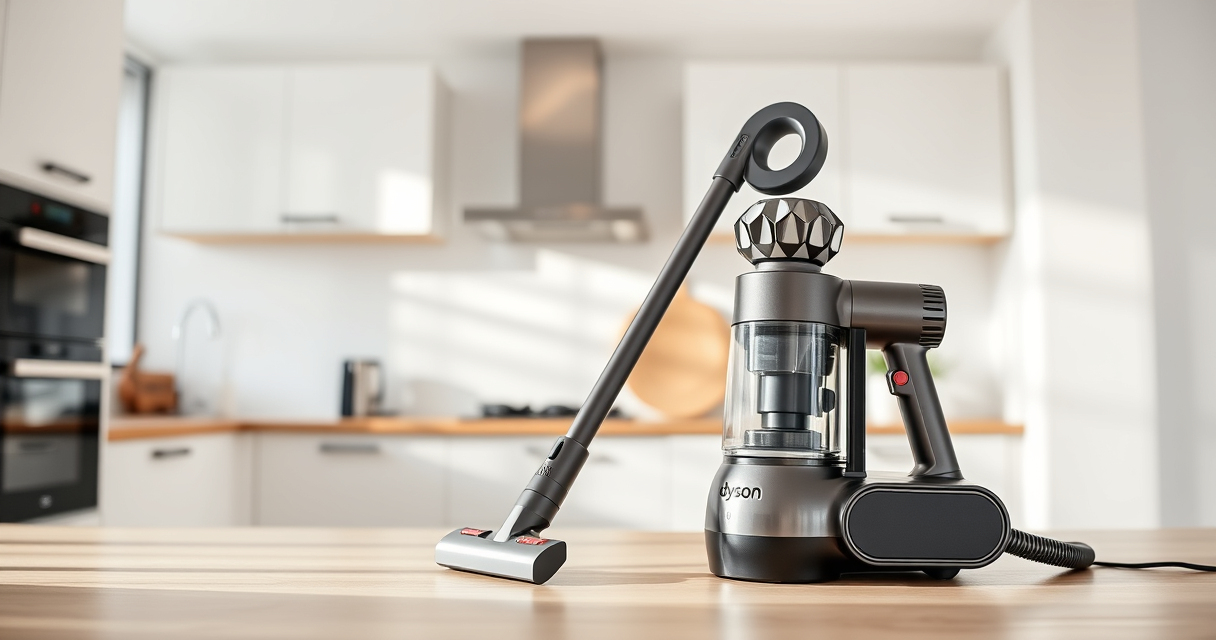
Dyson V15 Detect™ Origin Cordless Vacuum
- ✔ Run Time: 60 min
- ✔ Weight: 6.8 lbs
- ✔ Filter Type: HEPA

LANMU Crevice Tool Vacuum Attachments Compatible
- ✔ Compatibility: V15, V12, V11
- ✔ Nozzle Width: Approximately 1 inch
- ✔ Material: Plastic
Dyson V15 Detect™ Origin Cordless Vacuum
The Dyson V15 Detect™ Origin offers powerful suction, intelligent debris detection, and a long 60-minute run time. Its LCD screen provides real-time updates on performance and maintenance needs, making it a top choice for thorough home cleaning.
Pros:
- Powerful deep cleaning
- Intelligent debris detection
- Long battery life
- Versatile cleaning modes
Cons:
- Battery replacement can be costly
- Weight might be heavy for some users
- Filters require regular cleaning
Best for: Whole-home deep cleaning on various floor types
Not ideal for: Light or quick cleanups where minimal power is needed
Bottom line: A highly capable cordless vacuum with advanced features for comprehensive cleaning.
LANMU Crevice Tool Vacuum Attachments Compatible
The LANMU Crevice Tool Vacuum Attachments are compatible with a wide range of Dyson models, including the V15 Detect. Its slim and flexible design makes it easy to clean corners, edges, and hard-to-reach places in your home or car.
Pros:
- Narrow nozzle for tight spaces
- Compatible with many Dyson models
- Easy to attach and use
- Great for detailed cleaning
Cons:
- Not suitable for large debris
- May require additional adapters
- Plastic build may feel less durable
Best for: Cleaning corners, car interiors, and small crevices
Not ideal for: Deep cleaning large areas or carpets
Bottom line: A versatile attachment that enhances your Dyson’s reach and precision.
Frequently Asked Questions
How often should I replace the battery in my Dyson V15 Detect?
Typically, Dyson batteries last around 2-3 years with regular use. If you notice a significant drop in runtime, it may be time to replace the battery.
Can I upgrade the battery myself?
Yes, if you are comfortable with basic disassembly, you can replace the battery with a compatible one. Otherwise, contact Dyson support for professional assistance.
What should I do if my vacuum’s battery isn’t charging fully?
Check for debris or dust on the charging contacts, ensure you’re using the correct charger, and try resetting the vacuum. If issues persist, consider replacing the battery.
How can I prolong my Dyson’s battery life?
Avoid overcharging, store the vacuum in a cool, dry place, clean filters regularly, and use the vacuum on appropriate power modes to reduce strain on the battery.
Maximize Your Dyson’s Battery Life & Keep It Running Strong
Proper maintenance and timely replacements are key to ensuring your Dyson cordless vacuum performs at its best. By following these troubleshooting steps and tips, you can extend your vacuum’s battery life and enjoy powerful cleaning for years to come.
If your battery is beyond repair, investing in a compatible replacement or professional service will restore your vacuum’s efficiency and value.
Affiliate disclosure: As an Amazon Associate we earn from qualifying purchases. Prices and availability are accurate as of the time of publishing.
NFL season / tailgating Picks
team gear
As an affiliate, we earn on qualifying purchases.