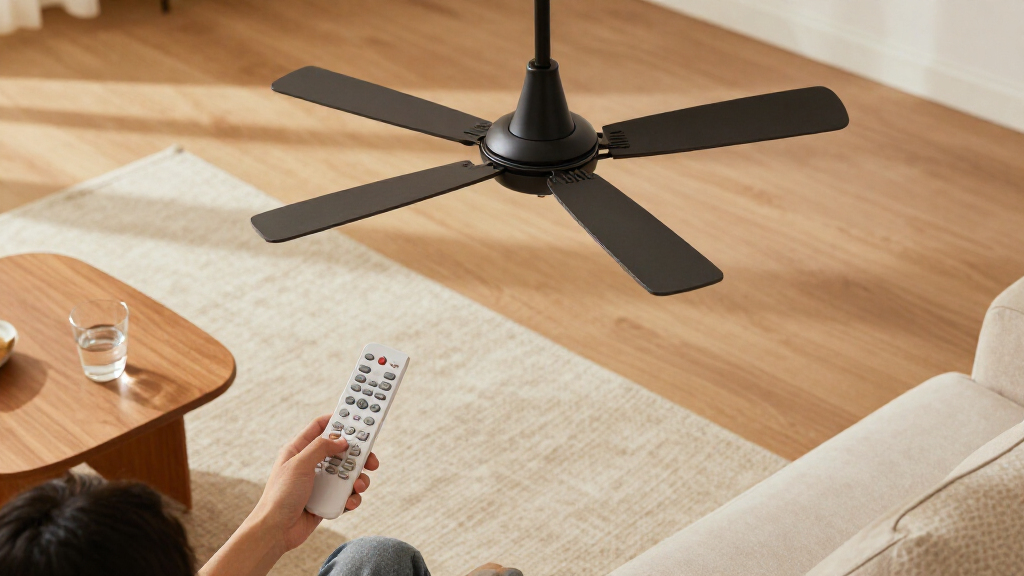
Choosing a smart ceiling fan with remote usually means deciding whether connected controls justify the added cost and setup. A remote-controlled fan handles everyday tasks—changing speed, switching the light, or turning the fan off—without a phone or internet connection. A smart model keeps that remote convenience and adds app control, voice commands, schedules, or integration with a compatible smart-home system.

Get home appliances delivered free with Prime
- Fast, free delivery on millions of items
- Prime Video, Amazon Music and more included
- Member-only deals all year

Govee 52-Inch Smart Ceiling Fan with RGBIC Lights and Remote
- ✔ Fan diameter: 52 inches
- ✔ Mounting: Ceiling mount, flush mount
- ✔ Motor and speeds: Reversible DC motor; 6 speeds

SMAVISTA 52-Inch Smart LED Ceiling Fan with Remote, Black and Walnut Blades
- ✔ Blade span: 52 inches
- ✔ Motor and speeds: Brushless reversible DC; 6 speeds
- ✔ Airflow: Up to 5,000 CFM

ZMISHIBO 52 Inch Flush Mount Ceiling Fan with LED Light
- ✔ Model and size: BJ52; 52 inches
- ✔ Mounting: Flush mount
- ✔ Motor: DC motor
The practical difference is not simply how many controls a fan offers. It is whether you want to change settings when you are away from the room, automate operation, or include the fan in routines with other devices. A basic remote fan is the more straightforward buy for someone who wants reliable room-level control. A smart fan suits people who will actually use its connected features and are comfortable checking compatibility and setup details. Across both types, motor noise, airflow, light quality, installation, and room fit still matter more than a long feature list.
At a Glance
| Criteria | Remote-Controlled Ceiling Fan | Smart Ceiling Fan With Remote | Winner |
|---|---|---|---|
| Everyday control | Handheld remote for fan and light controls | Remote plus app or compatible voice controls | B |
| App and voice access | Usually unavailable | Available on models with supported connectivity | B |
| Automation | Usually limited to controls on the fan or remote | May support schedules, routines, or smart-home triggers | B |
| Setup and compatibility | Generally simpler; check wiring and included controls | May require app setup, Wi-Fi, and compatible devices | A |
| Use without internet | Remote control generally works locally | Remote functions may remain; app features can depend on network | A |
| Price and value | Usually costs less for core fan functions | Costs more; value depends on using smart features | A |
| Long-term flexibility | Fewer connected features to configure | Can fit connected routines, subject to brand and platform support | B |
Govee 52-Inch Smart Ceiling Fan with RGBIC Lights and Remote
For buyers who want a remote but expect the fan to fit into a wider smart-home setup, Govee is the most complete match in this group. It offers app, remote and voice control, plus Matter compatibility alongside Alexa, Google Assistant and SmartThings support. The remote covers everyday use; app access and timers add more ways to tailor operation when you want them.Its signature advantage is the separate dimmable main light and RGBICWW ambient backlight. That lets us think about room illumination and decorative color separately, rather than treating the light as one setting. Compared with ZMISHIBO’s adjustable white LED, Govee gives us more expressive lighting. SMAVISTA also offers RGB, but Govee’s split lighting arrangement makes its role more distinctive.The reversible DC motor has six speeds and lists up to 5,000 CFM of airflow, matching SMAVISTA’s stated maximum and exceeding ZMISHIBO’s listed 3,057 CFM. The broad color-temperature range and low-profile mounting make it a flexible indoor option. Still, Govee is not the simplest set-and-forget pick: the listing notes that minimum-speed optimization and Matter connectivity require the latest app version, and protocol variability can produce communication alerts. Buyers who mainly want adjustable white light may find its elaborate lighting system unnecessary.
Pros:
- Separate dimmable main and ambient lights allow layered lighting choices.
- Remote, app and voice controls include timers and custom settings.
- Reversible DC motor provides six speeds and lists up to 5,000 CFM.
- Matter support broadens compatibility options across smart-home setups.
Cons:
- The latest app version is needed to optimize minimum speed and Matter connectivity.
- Protocol variability may trigger communication error alerts.
Best for: Smart-home users who want a remote plus app and voice control, high stated airflow, and distinct ambient and main lights.
Not ideal for: Buyers who want simple white lighting, do not want to keep an app current, or prefer a straightforward remote-only setup.
Bottom line: We rank Govee first for combining the broadest listed smart-home support with the most versatile lighting, provided buyers are comfortable managing app-based features.
“We rank Govee first for combining the broadest listed smart-home support with the most versatile lighting, provided buyers are comfortable managing app-based features.”
SMAVISTA 52-Inch Smart LED Ceiling Fan with Remote, Black and Walnut Blades
SMAVISTA is the strongest fit for buyers who want smart controls and colorful light but also need more mounting flexibility than a flush-mount design offers. Its listed 5-inch and 8-inch downrods suit more ceiling arrangements, and it can be installed on slopes up to 15 degrees. That is a practical distinction from Govee and ZMISHIBO, both described as flush-mount models. The slope limit still matters, so we should check the ceiling angle before choosing it.The fan lists a 24 dB noise level, six speeds, reversible airflow and Natural Breeze and Comfort modes. Those modes give it a more comfort-oriented profile than ZMISHIBO, while Govee’s appeal leans more heavily on lighting separation and smart-home breadth. SMAVISTA also lists up to 5,000 CFM, the same stated maximum as Govee, and its black-and-walnut plywood blades add a two-tone look.Lighting combines dimmable white settings from 2700K to 6500K with RGB colors, controlled separately from the fan through the app, remote or supported voice assistants. A replaceable modular light panel is a useful ownership detail. Its main compromise is connectivity: smart features require a 2.4GHz Wi-Fi network, and the remote’s AAA batteries are not included. For buyers who mainly want straightforward adjustable white lighting, ZMISHIBO may be easier to justify.
Pros:
- Lists a 24 dB noise level and offers six speeds with two breeze modes.
- Includes 5-inch and 8-inch downrods and supports slopes up to 15 degrees.
- Remote, app and voice control cover fan and light functions separately.
- Modular light panel is replaceable, and lighting includes white and RGB options.
Cons:
- Smart features require a 2.4GHz Wi-Fi network.
- AAA batteries for the remote are not included.
- Sloped-ceiling installation is limited to angles of 15 degrees or less.
Best for: Buyers seeking a quieter-operation specification, breeze modes, RGB lighting and downrod options for ceilings that need more than a flush mount.
Not ideal for: Shoppers with ceilings steeper than 15 degrees, without 2.4GHz Wi-Fi, or who want batteries included with the remote.
Bottom line: We recommend SMAVISTA when quiet-operation details, breeze modes and mounting flexibility matter more than Govee’s Matter support or ZMISHIBO’s simpler white-light focus.
“We recommend SMAVISTA when quiet-operation details, breeze modes and mounting flexibility matter more than Govee’s Matter support or ZMISHIBO’s simpler white-light focus.”
ZMISHIBO 52 Inch Flush Mount Ceiling Fan with LED Light
ZMISHIBO earns its place for buyers who want a remote-controlled fan with app access and useful white-light adjustment, without making RGB effects the centerpiece. Its 20W LED is listed at 2,000 lumens and adjusts from 3000K to 6500K, with dimming from 10% to 100%. That covers warm-to-cool white settings in a simpler package than Govee’s separate ambient lighting or SMAVISTA’s RGB-capable panel.The 52-inch fan uses a DC motor and lists 3,057 CFM airflow. That is lower than the up-to-5,000 CFM figures stated for Govee and SMAVISTA, so shoppers prioritizing the highest listed airflow should compare those models first. For a buyer whose focus is everyday fan operation, adjustable light and a memory function, ZMISHIBO’s feature mix is more direct. Its listed five-year motor and two-year parts warranty also gives buyers a concrete coverage detail to consider.Remote and app controls include dimming, timers and memory, though the app’s full functionality depends on a stable Wi-Fi connection. Its flush-mount design is an important fit constraint: it does not provide the downrod options listed for SMAVISTA, so buyers who need a dropped installation should look there instead. ZMISHIBO is best understood as the practical, white-light-led choice in this trio, with less emphasis on advanced lighting effects or maximum stated airflow.
Pros:
- Remote and app controls include dimming, timer and memory functions.
- 20W LED offers 2,000 lumens and adjustable 3000K–6500K white light.
- DC motor is designed for quiet operation and lists 3,057 CFM airflow.
- Warranty listing specifies five years for the motor and two years for parts.
Cons:
- Its stated airflow is lower than Govee and SMAVISTA’s listed maximums.
- Full app functionality requires stable Wi-Fi connectivity.
- Flush-mount format lacks the downrod choices listed for SMAVISTA.
Best for: Buyers who want remote and app operation, dimmable adjustable white light, timers and memory in a flush-mount design.
Not ideal for: Those prioritizing the highest listed airflow, RGB lighting, downrod flexibility, or app use without dependable Wi-Fi.
Bottom line: We favor ZMISHIBO for buyers who value adjustable white light and simple remote-plus-app functions over RGB effects, mounting flexibility or the highest listed airflow.
“We favor ZMISHIBO for buyers who value adjustable white light and simple remote-plus-app functions over RGB effects, mounting flexibility or the highest listed airflow.”
As an Amazon Associate we earn from qualifying purchases.
Key Differences
The clearest difference is how and where you can control the fan. Both options can provide convenient speed and light adjustments from across the room, but a standard remote keeps the interaction local. The smart version can add control through a phone or voice assistant, which is useful when you are already in a smart-home routine or want to operate the fan without finding its remote. That advantage is real, but it depends on the specific model’s app, connectivity, and platform compatibility.
Smart features also bring extra setup and a higher purchase price. Schedules and routines can make a fan easier to manage, yet they do little for a buyer who prefers manual controls or who will rarely use the app. A basic remote model is typically the stronger value for straightforward use. For a smart model to earn its premium, its connected controls should solve a recurring problem, such as operating a hard-to-reach fan or coordinating it with other devices.
Neither control type guarantees better airflow, quieter operation, or better lighting. Compare the fan’s size and performance claims against the room, and check how its light and controls work before buying. Smart functionality is an added layer, not a substitute for choosing a suitable fan.
Detailed Comparison
Everyday control (Remote-Controlled Ceiling Fan wins — minor)
Both types can offer a handheld remote for changing fan speed and controlling the light, making basic operation convenient from a chair or bed. The smart model adds other control paths, but for someone who mainly reaches for the included remote, that difference is minor. The standard remote fan wins on simplicity because there are fewer controls and settings to learn.
App and voice access (Smart Ceiling Fan With Remote wins — moderate)
A standard remote fan generally requires its remote or a wall control. A smart fan may also respond to an app or a compatible voice assistant, letting you change settings without walking back for the remote. This is a moderate advantage for buyers who already use those controls; it matters little if the remote is always nearby. Check the product listing for the exact app and assistant support.
Automation (Smart Ceiling Fan With Remote wins — moderate)
A basic remote typically offers direct commands rather than schedules or connected routines. A smart model may let you set a schedule or include the fan in a compatible home routine. That can reduce repeated manual adjustments, but it is only useful if the model supports the features you want and you take the time to configure them. For buyers who want hands-off operation, this is a moderate win for B.
Setup and compatibility (Remote-Controlled Ceiling Fan wins — moderate)
A remote-controlled fan still needs correct installation, but its control setup is usually more direct: install the fan and use its included remote as instructed. A smart model can add app pairing, Wi-Fi requirements, account setup, or smart-home compatibility checks. The gap is moderate for anyone who wants a simple installation and minor for someone comfortable with connected devices. A wins for ease, though wiring and mounting requirements apply to both.
Use without internet (Remote-Controlled Ceiling Fan wins — moderate)
A standard remote fan’s central controls operate locally, which makes the experience less dependent on a network. Many smart fans also include a remote, but some app and voice features rely on connectivity or the services behind them. Confirm which functions continue to work if Wi-Fi is unavailable. For buyers who value a straightforward fallback, A has a moderate practical advantage.
Price and value (Remote-Controlled Ceiling Fan wins — major)
A basic remote model usually costs less because you are buying the fan and room-level controls without paying for connected features. A smart model’s extra cost is worthwhile when app access, voice control, or automation will be part of regular use. If you expect to use only the handheld remote, B’s premium brings little practical return, so A is the better value. This is a major distinction for budget-focused shoppers.
Long-term flexibility (Smart Ceiling Fan With Remote wins — moderate)
A standard remote fan covers ordinary local control and keeps the setup uncomplicated. A smart model may offer more ways to control it as your connected home changes, although that depends on ongoing support for its app and chosen platform. The flexibility advantage is moderate for people who use smart-home devices, and negligible for those who prefer standalone controls. B wins when compatibility is a verified match for the buyer’s setup.
Remote-Controlled Ceiling Fan: Pros and Cons
Pros:
- Usually lower purchase price
- Direct controls with little setup
- Remote operation is generally local
Cons:
- Typically lacks app and voice control
- Limited support for schedules or smart-home routines
- Fewer connected control options
Smart Ceiling Fan With Remote: Pros and Cons
Pros:
- Can combine remote, app, and compatible voice controls
- May support schedules or smart-home routines
- Offers more ways to operate the fan
Cons:
- Usually costs more
- May require Wi-Fi and app setup
- Connected features depend on model compatibility and service support
Who Should Choose What
Choose Remote-Controlled Ceiling Fan if:
- You want remote speed and light controls at the lowest reasonable cost.
- You prefer a simple setup and do not plan to use phone or voice control.
- You want the fan’s everyday controls to work locally without relying on app features.
Choose Smart Ceiling Fan With Remote if:
- You will use app or voice control regularly.
- You want to schedule fan operation or connect it to compatible home routines.
- You have checked that the fan supports your Wi-Fi setup and smart-home platform.
Skip both if: Skip both control types if neither model fits your ceiling, room size, mounting needs, airflow requirements, or preferred lighting. Choose a fan based on those fundamentals before paying for a particular control system.
Value for Money
Paying more for a smart ceiling fan is worthwhile when connected control makes a repeated task easier. App access can help when the remote is misplaced or the fan is awkward to reach, while routines can suit buyers who already automate other parts of the home. The value depends on the specific fan: compare the supported app, voice platforms, and offline remote functions before treating a feature list as a benefit.
If you expect to use only the handheld remote, the basic model is usually the better value. Spend the extra money only when you can name a feature you will use often. In either case, put the fan’s room suitability, motor performance, light, and installation requirements ahead of smart features.
Final Verdict
For most buyers who simply want convenient control from across the room, choose a remote-controlled ceiling fan. It covers common adjustments at a lower price and avoids connected setup that may go unused. Choose a smart ceiling fan with remote if app access, voice commands, or automation will make a regular difference in how you use the room, and verify its compatibility before buying.
The biggest deciding factor is whether you will use the connected controls often enough to justify the premium. If the answer is yes, the smart model earns its price; if not, the standard remote fan is the clearer recommendation. Skip both if neither fan fits the room or installation requirements.
Frequently Asked Questions
Does a smart ceiling fan usually come with a remote?
Some smart fans include a handheld remote, while others may rely on app controls or offer a remote separately. Check the included accessories and the product’s control specifications before ordering.
Can I use a smart ceiling fan if my Wi-Fi goes down?
That depends on the model. A fan with an included remote may still allow basic local control, while app or voice features can depend on the network or connected services. Check which controls work offline.
Is a smart fan worth paying extra for?
It can be if you regularly use app access, voice commands, or schedules. If you only need to change speed and turn the light on or off with a handheld remote, the less expensive remote model is usually better value.
Will a smart ceiling fan work with any voice assistant?
No. Support varies by model and platform. Confirm the fan’s listed compatibility with your voice assistant and smart-home system before buying.
Should I prioritize smart features or airflow?
Prioritize choosing a fan suited to the room and your airflow needs. Smart controls affect how you operate the fan; they do not by themselves make it more suitable for a particular space.