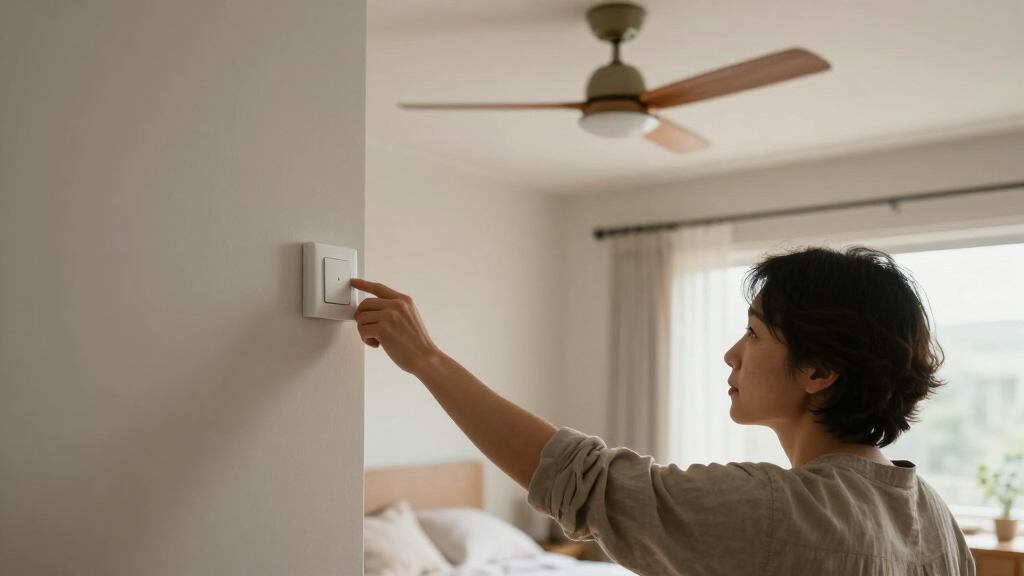
Smart dimmer switches for ceiling fans can add app-based fan-speed and light control, but only when the switch matches your fan, wiring, and lighting setup. My best overall pick is the Lutron Caseta Smart Fan Control for buyers who prioritize dependable, dedicated fan-speed control. The Kasa KS240 stands out for an integrated smart-home setup, while the TREATLIFE two-pack is a practical option for outfitting more than one room. The main tradeoffs are hub or Wi-Fi requirements, compatibility with existing controls, and whether one wall switch can independently manage both fan and light. Read on for the full comparison, wiring checks, and recommendations by buyer type.

Get home appliances delivered free — and shop member deals
- Fast, free delivery on millions of items
- Access to Prime Big Deal Days deals on October 6–7
- Prime Video, Amazon Music and more included
Complete the kit

![[Genuine] Waterdrop PF-01A Water Filter Replacement for W...](https://m.media-amazon.com/images/I/41+5tl9EiKL._SX342_SY445_QL70_FMwebp_.jpg)

Key Takeaways
- Lutron Caseta leads for focused fan control: its four-speed design gives it a clear role for buyers who value dedicated speed adjustment over an all-in-one Wi-Fi feature set.
- Kasa KS240 is the integrated smart-home pick: it combines fan and light control in a single-pole switch, which suits buyers building around Kasa-compatible devices.
- Two-pack options change the value calculation: TREATLIFE and Meross bundles make more sense when two rooms need controls, but they are less compelling for a single-fan replacement.
- Fan-speed steps vary across the lineup: options range from three-speed GE Cync control to four-speed models, so buyers should match the available settings to how precisely they use their fan.
- Compatibility matters more than app features: these products are not interchangeable with every ceiling fan, dimmable light, wiring setup, or existing control system.
| Lutron Caseta Smart Fan Control, 4-Speed |  | Best for Existing Caseta Homes | Model: PD-FSQN-WH | Fan speeds: 4 plus off | Operating voltage: 120 V | VIEW LATEST PRICE | See Our Full Breakdown |
| TREATLIFE Smart Ceiling Fan Control and Dimmer Light Switch |  | Best for Simple Fan-and-Light Control | Wi-Fi: 2.4 GHz only | Wiring: Neutral wire required; separate fan and light load wires | Installation: Single-pole only | VIEW LATEST PRICE | See Our Full Breakdown |
| Meross Smart Ceiling Fan Control and Dimmer Light Switch |  | Best for Apple Home and Fine Light Dimming | Fan speed settings: 3 or 4 levels | Light dimming range: 1%–100% | Fan power: 120 W max | VIEW LATEST PRICE | See Our Full Breakdown |
| GHome Smart Dimmer Switch with 4-Speed Ceiling Fan Control |  | Best for Stepless Light Adjustment | Model: SW19 | Input: 120 V, 60 Hz, 4 A | Fan power limit: 120 W | VIEW LATEST PRICE | See Our Full Breakdown |
| Kasa Smart Ceiling Fan Control and Dimmer Switch, KS240, Single Pole |  | Best for Kasa and Apple Home Households | Model: KS240 | Fan speeds: 4 | Light dimming range: 1%–100% | VIEW LATEST PRICE | See Our Full Breakdown |
| Leviton Decora Smart Wi-Fi Fan Speed Controller, 2nd Gen, D24SF-1RW, White |  | Best for Quiet, Fan-Only Control | Model: D24SF-1RW | Fan speeds: 4: low, medium, high, max | Maximum load: 1.5 A | VIEW LATEST PRICE | See Our Full Breakdown |
| TREATLIFE Smart Ceiling Fan and Dimmer Light Switch, 2-Pack |  | Best Two-Switch Value | Pack size: 2 switches | Fan speed settings: 4 | Light dimming: 10%–100% | VIEW LATEST PRICE | See Our Full Breakdown |
| GE Cync Smart Ceiling Fan Switch with Wi-Fi, 3-Speed Control |  | Best for Simple, Hub-Free Setup | Model: 93132581 | Fan speeds: 3 | Operating voltage: 120 V | VIEW LATEST PRICE | See Our Full Breakdown |
| MOES Star Ring Smart Ceiling Fan and Light Dimmer Switch | 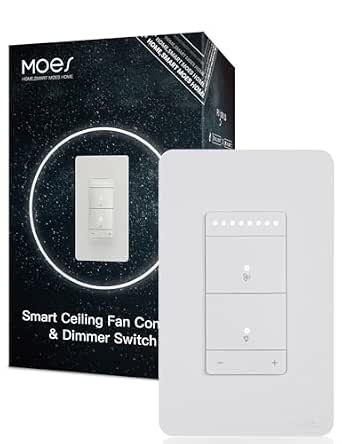 | Best for Fine Light Dimming | Fan speeds: 4 | Light dimming: Stepless, 1%–100% | Fan motor limit: AC motors up to 1.5 A (165 W) | VIEW LATEST PRICE | See Our Full Breakdown |
| Meross Smart Ceiling Fan Control and Dimmer Light Switch, 2-Pack |  | Best for Broad Smart-Home Compatibility | Pack size: 2 switches | Fan speed settings: 3 or 4 configurable levels | Light dimming range: 1%–100% | VIEW LATEST PRICE | See Our Full Breakdown |
| smart dimmer switches for ceiling fan | Fan speeds | Operating voltage | Model | Connectivity |
|---|---|---|---|---|
| Lutron Caseta Smart Fan Contro | 4 plus off | 120 V | PD-FSQN-WH | Wi-Fi, HomePlug |
| TREATLIFE Smart Ceiling Fan Co | — | — | — | — |
| Meross Smart Ceiling Fan Contr | — | 120 V AC | — | 2.4 GHz Wi-Fi (IEEE 802.11 b/g/n) |
| GHome Smart Dimmer Switch with | 4 | — | SW19 | — |
| Kasa Smart Ceiling Fan Control | 4 | 120 V AC | KS240 | 2.4 GHz Wi-Fi |
| Leviton Decora Smart Wi-Fi Fan | 4: low, medium, high, max | 120 V | D24SF-1RW | 2.4 GHz Wi-Fi |
| TREATLIFE Smart Ceiling Fan an | — | — | — | 2.4 GHz Wi-Fi |
| GE Cync Smart Ceiling Fan Swit | 3 | 120 V | 93132581 | — |
| MOES Star Ring Smart Ceiling F | 4 | — | — | — |
| Meross Smart Ceiling Fan Contr | — | 120 V AC | — | — |
More Details on Our Top Picks
Lutron Caseta Smart Fan Control, 4-Speed
The Lutron Caseta Smart Fan Control is the clearest fit for buyers who want dependable wall-based fan speed control and already use, or plan to add, the Caseta ecosystem. Its four speeds plus off replace pull-chain adjustments, while the required Smart Hub adds app control, schedules, voice commands, and smart-home integrations. Unlike the TREATLIFE and Kasa combination switches, this model is focused on the fan rather than also dimming a light, so it suits rooms with separate light controls. That focus is also its tradeoff: buyers seeking one control for fan and light should choose a combination switch instead. The hub is sold separately, and adding wireless control requires a separately purchased Fan Pico remote; check fan compatibility and wiring before choosing it.
Pros:- Four fan speeds plus off reduce reliance on pull chains
- Smart Hub enables app, voice, schedule, and smart-home control
- Works with several listed platforms, including Apple Home, Alexa, and Google Assistant
- Fan-focused controls avoid combining fan and light adjustments on one switch
Cons:- Smart features require a separately sold Lutron Caseta Smart Hub
- Fan Pico remote and coordinating wall plate are sold separately
- Does not provide the combined fan and dimmable-light control offered by TREATLIFE or Kasa
Best for: Homeowners with a compatible ceiling fan who already have a Lutron Caseta Smart Hub and want four wall-controlled fan speeds.
Not ideal for: Buyers who want a single switch for both fan speed and light dimming, or who do not want to add the separately sold Smart Hub for smart features.
- Model:PD-FSQN-WH
- Fan speeds:4 plus off
- Operating voltage:120 V
- Wattage:180 W
- Wiring:Hard-wired
- Circuit type:3-way
- Connectivity:Wi-Fi, HomePlug
- Dimensions:2.25 × 3.38 × 4.5 in
Our verdict“Choose the Caseta if you want four-speed fan control within an existing Lutron smart-home setup and do not need light dimming on the same switch.”
TREATLIFE Smart Ceiling Fan Control and Dimmer Light Switch
The TREATLIFE Smart Ceiling Fan Control and Dimmer Light Switch makes sense when the goal is to replace two separate wall controls with one unit for a compatible fan and dimmable light. It offers four fan speeds and a 10%–100% dimming range, with app, touch, and voice operation through Alexa or Google Assistant. Compared with the fan-only Lutron Caseta, it handles the light too and does not require that product’s separate smart hub. The compromises are wiring and compatibility: this is single-pole only, needs a neutral wire and 2.4 GHz Wi-Fi, and requires separate fan and light load wires. It also excludes DC-motor, smart, and remote-controlled fans, as well as smart or non-dimmable bulbs, so it is a poor pick for a mixed or older setup.
Pros:- Combines four-speed fan control and light dimming in one wall switch
- Dimming range runs from 10% to 100%
- App, touch, and voice controls support everyday adjustments
- Scheduling and Alexa or Google Assistant control are available
Cons:- Requires a neutral wire, 2.4 GHz Wi-Fi, and separate fan and light load wires
- Single-pole installation does not support 3-way wiring
- Incompatible with DC-motor, smart, and remote-controlled fans, plus smart and non-dimmable bulbs
Best for: Homeowners with a single-pole circuit, neutral wire, compatible four-speed AC fan, and dimmable bulbs who want fan and light controls together.
Not ideal for: Buyers with a 3-way circuit, DC-motor or remote-controlled fan, smart bulbs, or non-dimmable lighting.
- Wi-Fi:2.4 GHz only
- Wiring:Neutral wire required; separate fan and light load wires
- Installation:Single-pole only
- Fan compatibility:4-speed AC ceiling fans up to 1.5 A
- Light compatibility:Dimmable bulbs only; up to 150 W LED/CFL or 300 W incandescent
- Dimming range:10%–100%
- Control methods:App, touch, and voice
- Voice assistants:Alexa and Google Assistant
Our verdict“Pick TREATLIFE when your wiring and fan match its requirements and you want straightforward fan-speed and light-dimming control in one switch.”
Meross Smart Ceiling Fan Control and Dimmer Light Switch
The Meross Smart Ceiling Fan Control and Dimmer Light Switch is a strong match for households that want broad platform support and especially fine-grained light adjustment. Its 1%–100% dimming range allows lower settings than the TREATLIFE switch’s 10% starting point, and it works with Apple HomeKit, Alexa, Google Home, and SmartThings. Fan and light controls share one wall switch, while schedules and timers can run routines; the product data says preset routines can continue if internet access is lost. Against the Kasa KS240, Meross lists SmartThings compatibility, but it brings more explicit fan restrictions: it will not work with DC-motor or built-in-remote fans and cannot reverse fan direction. A neutral wire and single-pole setup are required, so check both the fan and the box before buying.
Pros:- Controls compatible fan speeds and light brightness from one switch
- 1%–100% dimming range allows lower light settings than the TREATLIFE model
- Supports Apple HomeKit, Alexa, Google Home, and SmartThings
- Schedules, timers, and sunrise or sunset routines are supported
Cons:- Requires a neutral wire, single-pole wiring, and a fan with compatible separate load wires
- Does not support smart bulbs, DC-motor fans, or fans with built-in remote systems
- Cannot reverse fan direction
Best for: Smart-home households using Apple HomeKit or SmartThings that have a compatible, separately wired fan and want very low light-dimming settings.
Not ideal for: Owners of DC-motor, built-in-remote, or direction-reversing fans, and buyers without a neutral wire or single-pole wiring.
- Fan speed settings:3 or 4 levels
- Light dimming range:1%–100%
- Fan power:120 W max
- Light power:300 W incandescent or 150 W LED/CFL max
- Operating voltage:120 V AC
- Connectivity:2.4 GHz Wi-Fi (IEEE 802.11 b/g/n)
- Wiring:Neutral wire required; single-pole
- Compatible platforms:Apple HomeKit, Amazon Alexa, Google Home, SmartThings
Our verdict“Choose Meross if broad smart-home compatibility and low-level dimming matter more than support for remote-equipped or reversible fans.”
GHome Smart Dimmer Switch with 4-Speed Ceiling Fan Control
The GHome Smart Dimmer Switch pairs four fan speeds with stepless light dimming, making it a good choice for buyers who prefer gradual brightness adjustment rather than preset increments. It supports Alexa and Google Assistant, plus app control, timers, and schedules over 2.4 GHz Wi-Fi. Compared with the Meross switch, its listed platform support is narrower, but its stated light power limit is higher for both incandescent and LED/CFL lighting. Its single-pole, neutral-wire requirement narrows the installation options, and the switch is not compatible with smart bulbs. The listed 120 W fan limit also matters: buyers should verify their fan’s load rather than assuming the four-speed control works with any ceiling fan. This is a light-adjustment-led alternative, not a universal fan controller.
Pros:- Four fan speeds paired with stepless light adjustment
- Listed light power limit is up to 400 W
- App control, timers, and schedules support routine use
- Works with Alexa and Google Assistant
Cons:- Requires a neutral wire and single-pole installation
- Supports 2.4 GHz Wi-Fi only
- Not compatible with smart bulbs and has a 120 W fan power limit
Best for: Buyers with a compatible single-pole fan circuit who value smooth light adjustment and use Alexa or Google Assistant.
Not ideal for: Households using smart bulbs, lacking a neutral wire, needing 3-way control, or running a fan above the listed 120 W limit.
- Model:SW19
- Input:120 V, 60 Hz, 4 A
- Fan power limit:120 W
- Light power limit:400 W
- Fan speeds:4
- Light dimming:0%–100% stepless
- Wi-Fi:2.4 GHz only
- Installation:Single-pole; neutral wire required
- Certification:UL
Our verdict“Choose GHome if smooth light dimming is your priority and your fan, bulbs, wiring, and voice assistant all fit its stated limits.”
Kasa Smart Ceiling Fan Control and Dimmer Switch, KS240, Single Pole
The Kasa KS240 is the most straightforward choice here for buyers who want fan and light control in one switch with a well-defined smart-home mix. It offers four fan speeds, 1%–100% light dimming, app control, schedules, and timers, with support for Apple HomeKit, Alexa, and Google Assistant. Compared with the Meross combination switch, it lists Apple HomeKit and the major voice assistants but not SmartThings; Meross is the better fit if that platform is a requirement. Kasa also specifies single-pole wiring, a neutral wire, and 2.4 GHz Wi-Fi, so it is not a workaround for older wiring or multi-location control. App-guided installation may help DIY buyers, but the product data does not remove the need to confirm fan and light circuit compatibility before installation.
Pros:- Combines four fan speeds and 1%–100% light dimming
- Supports Apple HomeKit, Alexa, and Google Assistant
- Kasa app provides control, schedules, and timers
- App-guided installation can help homeowners follow the setup process
Cons:- Requires a neutral wire and single-pole installation
- Needs a 2.4 GHz Wi-Fi connection
- Does not list SmartThings support, unlike the Meross option
Best for: Kasa users and Apple Home households with a neutral wire and single-pole circuit who want one app-controlled switch for fan speed and light dimming.
Not ideal for: Buyers who need 3-way wiring, lack a neutral wire or 2.4 GHz Wi-Fi, or require SmartThings compatibility.
- Model:KS240
- Fan speeds:4
- Light dimming range:1%–100%
- Operating voltage:120 V AC
- Connectivity:2.4 GHz Wi-Fi
- Voice assistant compatibility:Apple HomeKit, Amazon Alexa, Google Assistant
- Installation:Single-pole; neutral wire required
- Dimensions:4.13 × 1.75 × 1.64 in
Our verdict“Choose the KS240 if you want combined fan and light control in a Kasa-friendly setup and your wiring supports a single-pole, neutral-wire switch.”
Leviton Decora Smart Wi-Fi Fan Speed Controller, 2nd Gen, D24SF-1RW, White
The Leviton is my pick for buyers who want to adjust a ceiling fan without adding light controls they do not need. Its four quiet speed settings, scheduling, and auto-shutoff timer make it more focused on fan operation than the TREATLIFE 2-Pack, which also handles light dimming but needs separate fan and light wiring. The Leviton also supports Alexa, Google Assistant, and Apple Home/Siri, giving it broader voice-platform reach than several combined-control alternatives. That flexibility comes with firm limits: it needs a neutral wire and a 2.4 GHz network, and it is not intended for exhaust fans, lighting loads, or combined fan-light kits. Choose it for a compatible fan wired independently from its light; skip it if one wall control must manage both.
Pros:- Four quiet fan speeds provide more adjustment than the three-speed GE Cync switch.
- Supports Alexa, Google Assistant, and Apple Home/Siri.
- App scheduling and an auto-shutoff timer support routine control.
- Works with wired and wire-free companion controls.
Cons:- Requires a neutral wire and 2.4 GHz Wi-Fi.
- Does not control lighting loads or combined fan-light kits.
- The 1.5 A load limit rules out fans above its rated capacity.
Best for: Homeowners with a compatible AC ceiling fan on its own circuit who want quiet speed control, scheduling, and support for Apple Home as well as Alexa or Google Assistant.
Not ideal for: Buyers who need one switch to control both a fan and its light, lack a neutral wire, or have an exhaust fan or combined fan-light wiring.
- Model:D24SF-1RW
- Fan speeds:4: low, medium, high, max
- Maximum load:1.5 A
- Operating voltage:120 V
- Connectivity:2.4 GHz Wi-Fi
- Compatible assistants:Amazon Alexa, Google Assistant, Apple Home/Siri
- Wiring requirement:Neutral wire required
- Warranty:2-year limited
Our verdict“Choose the Leviton for quiet, smart control of a compatible fan-only circuit; choose a combined fan-and-light switch if you need dimming at the wall.”
TREATLIFE Smart Ceiling Fan and Dimmer Light Switch, 2-Pack
This two-pack makes the most sense when you have two compatible rooms to update and want fan speed plus light dimming at each wall control. It combines four fan settings with 10%–100% dimming, app controls, schedules, and Alexa or Google Assistant support. Compared with the fan-only Leviton D24SF, TREATLIFE handles a separately wired light too, but it gives up Apple Home support and demands more specific wiring. Each location needs a single-pole circuit, neutral wire, and separate fan and light loads; DC-motor fans, built-in-remote fans, smart bulbs, and 3-way circuits are excluded. The pair is a poor fit if only one switch is needed or the fan and light do not have separate wiring.
Pros:- Two switches cover two rooms in one purchase.
- Controls four fan speeds and dims compatible lights from 10% to 100%.
- Supports Smart Life or Treatlife app control, schedules, and timers.
- Works with Amazon Alexa and Google Assistant.
Cons:- Requires neutral, line, ground, fan-load, and light-load wires at each installation.
- Limited to single-pole circuits and 2.4 GHz Wi-Fi.
- Not compatible with DC motor fans, built-in remote or wireless-control fans, or smart bulbs.
Best for: Homeowners updating two single-pole rooms with AC ceiling fans and separately wired, dimmable lights who want matching controls and Alexa or Google Assistant operation.
Not ideal for: Buyers with a 3-way circuit, DC-motor or remote-controlled fans, smart bulbs, combined wiring, or a need for Apple Home support.
- Pack size:2 switches
- Fan speed settings:4
- Light dimming:10%–100%
- Maximum fan load:1.5 A
- Maximum light load:150 W dimmable LED/CFL; 300 W incandescent
- Connectivity:2.4 GHz Wi-Fi
- Installation:Single-pole; neutral, line, ground, fan-load, and light-load wires required
- Voice assistants:Amazon Alexa, Google Assistant
- Warranty:2 years
Our verdict“Pick this pair when both rooms have compatible single-pole wiring and you want fan and light control together, but skip it for a one-switch project or unsupported fan type.”
GE Cync Smart Ceiling Fan Switch with Wi-Fi, 3-Speed Control
The GE Cync is the straightforward choice here for a traditional compatible fan when three speeds are enough and you want app and voice access without a hub. Scheduling and away-from-home control cover routine use, while Alexa and Google Home compatibility make it simpler to add to common smart-home setups than the MOES switch, which also controls light brightness but has a broader installation remit. That simplicity has limits: this is a fan-speed switch, not a light dimmer, and it offers three speeds rather than the four on the Leviton D24SF or TREATLIFE. It also requires neutral and ground wires plus 2.4 GHz Wi-Fi. Skip it for DC-motor, remote-controlled, or exhaust fans, or when one switch needs to operate both fan and light.
Pros:- Adds app, voice, scheduling, and away-from-home fan control.
- Connects to Alexa and Google Home without a hub.
- Three-speed operation keeps controls focused on basic fan adjustment.
Cons:- Provides three fan speeds, fewer than the four available on Leviton and TREATLIFE models.
- Does not offer light dimming or combined fan-and-light control.
- Requires neutral and ground wires, 2.4 GHz Wi-Fi, and a compatible fan type.
Best for: Buyers with a compatible traditional ceiling fan, neutral and ground wires, and an Alexa or Google Home setup who want app scheduling without adding a hub.
Not ideal for: Shoppers who need light dimming, four fan speeds, Apple Home compatibility, or support for DC-motor, remote-controlled, or exhaust fans.
- Model:93132581
- Fan speeds:3
- Operating voltage:120 V
- Wattage:180 W
- Wi-Fi requirement:2.4 GHz
- Wiring requirement:Neutral and ground wires
- Voice assistants:Amazon Alexa, Google Assistant
- Dimensions:3.23 × 2.91 × 4.96 in
Our verdict“Choose the GE Cync for uncomplicated, hub-free control of a compatible fan when three speeds are sufficient and light dimming is not needed.”
MOES Star Ring Smart Ceiling Fan and Light Dimmer Switch
MOES earns a place for buyers who want fine-grained light adjustment alongside fan control: its stepless dimming reaches 1%, compared with the TREATLIFE 2-Pack’s 10% minimum. It also offers four fan speeds, app control, schedules, timers, family sharing, and a switchable indicator backlight. That makes it appealing when both the fan and its separately wired light are part of the daily routine. The tradeoff is a narrower smart-home reach than the Meross 2-Pack, which lists Apple HomeKit and SmartThings in addition to Alexa and Google Home; MOES lists Alexa and Google Assistant. Installation also requires a neutral wire, separate loads, and a single-pole circuit. It will not suit DC-motor, exhaust, built-in-remote, or smart-bulb setups.
Pros:- Stepless 1%–100% light dimming offers a lower minimum than the TREATLIFE switch.
- Four fan speeds and combined fan-and-light control reduce the need for separate wall controls.
- Supports Alexa, Google Assistant, schedules, timers, and family sharing.
- Indicator backlight can be switched off.
Cons:- Needs a neutral wire and separate fan and light load wires.
- Limited to single-pole installations and listed Alexa or Google Assistant voice control.
- Does not work with DC-motor, exhaust, built-in-remote fans, or smart bulbs.
Best for: Buyers with a compatible single-pole AC fan and separately wired dimmable lights who want four fan speeds and very low-level light adjustment.
Not ideal for: Smart-home users who need Apple HomeKit or SmartThings support, or households with DC-motor, exhaust, built-in-remote fans, smart bulbs, or no neutral wire.
- Fan speeds:4
- Light dimming:Stepless, 1%–100%
- Fan motor limit:AC motors up to 1.5 A (165 W)
- Light load limit:Dimmable lights up to 4 A (440 W)
- Wiring requirement:Neutral wire and separate fan and light load wires
- Installation type:Single-pole
- Voice assistants:Amazon Alexa, Google Assistant
- App control:MOES app
Our verdict“Choose MOES if low-level, stepless light dimming matters as much as four-speed fan control and your wiring matches its single-pole requirements.”
Meross Smart Ceiling Fan Control and Dimmer Light Switch, 2-Pack
For buyers invested in different smart-home platforms across the household, the Meross pair stands out with listed support for Apple HomeKit, Alexa, Google Home, and SmartThings. Each switch combines fan-speed control with 1%–100% light dimming, and schedules and timers—including sunrise and sunset settings—make daily routines easier to automate. Preset routines can keep running without an internet connection, a practical distinction from the simpler GE Cync fan-only switch. The tradeoff is installation specificity: both locations need a neutral wire, separate fan and light loads, and single-pole wiring. It also excludes DC-motor, remote-controlled, Bluetooth, Wi-Fi, and exhaust fans, and it cannot reverse fan direction. Choose this pair for platform flexibility and two-room coverage, not for unsupported fan types or 3-way circuits.
Pros:- Two switches provide matching controls for two rooms.
- Supports Apple HomeKit, Alexa, Google Home, and SmartThings.
- Combines fan speed adjustment with 1%–100% light dimming.
- Schedules and timers include sunrise and sunset settings, with preset routines continuing offline.
Cons:- Requires a neutral wire, separate fan and light loads, and single-pole wiring.
- Does not support DC-motor, remote-controlled, Bluetooth, Wi-Fi, or exhaust fans.
- Does not reverse fan direction, and its maximum fan power is 120 W.
Best for: Households with two compatible single-pole fan-and-light circuits that use Apple HomeKit, SmartThings, Alexa, or Google Home and want routines across platforms.
Not ideal for: Buyers with 3-way wiring, DC-motor or remote-connected fans, exhaust fans, no neutral wire, or a need to reverse fan direction from the switch.
- Pack size:2 switches
- Fan speed settings:3 or 4 configurable levels
- Light dimming range:1%–100%
- Fan power:120 W maximum
- Light power:300 W incandescent or 150 W LED/CFL maximum
- Wi-Fi:2.4 GHz only
- Wiring and installation:Neutral wire and separate load wires; single-pole, not 3-way
- Compatible platforms:Apple HomeKit, Amazon Alexa, Google Home, SmartThings
- Operating voltage:120 V AC
Our verdict“Pick the Meross pair for two compatible rooms and broad smart-home platform support, but skip it if your fan uses remote or DC-motor controls or needs 3-way wiring.”
How We Picked
I ranked these switches around the decision that matters most: whether a product can control a ceiling fan and its light in a way that fits the buyer’s wiring, daily habits, and smart-home setup. I weighed the stated fan-speed options, whether fan and light controls are combined, the listed connectivity and platform support, single-switch versus multipack usefulness, and how clearly each model serves a particular buyer. I treated compatibility and control layout as practical fit questions, not minor extras.
The order favors switches with a clear advantage for a common use case and a straightforward role in the lineup. Lutron earns the overall position for its dedicated four-speed approach; Kasa follows for buyers who want combined fan-and-light smart control. Wi-Fi models from TREATLIFE, Meross, GHome, Leviton, GE Cync, and MOES offer alternatives shaped by connectivity, speed steps, or bundled quantity. A two-pack ranks lower for a one-room buyer, even when it may be the stronger fit for multiple rooms. Before purchase, I would verify the product’s wiring and fan/light compatibility against the manufacturer’s instructions.
Factors to Consider When Choosing Smart Dimmer Switches For Ceiling Fans
The most useful way to choose is to start with the ceiling fan and switch box you already have, then decide how you want to control them. App functions cannot make an incompatible fan or wiring arrangement work, and a combined fan-and-light switch is not automatically a replacement for every existing control.
Match the Switch to the Fan and Light Wiring
Start by identifying how the fan and light are wired and controlled at the wall, rather than choosing by app features. Some installations use separate wall controls for fan and light, while others route both functions through one control; a smart switch designed for one arrangement may not fit the other. Check the manufacturer’s wiring diagram and product compatibility notes before removing the existing switch. Also confirm whether the fan’s current control is a wall switch, pull chain, or remote receiver, since those components can affect how a replacement works. If the wiring is unclear, have a qualified electrician inspect it instead of guessing from the faceplate. This check can rule out an unsuitable option before you compare smart-home features.
Choose Fan-Speed Steps for How You Use the Room
Speed count affects everyday control, not just the product spec sheet. A three-speed switch, such as the GE Cync model, may be enough if you mainly use low, medium, and high; four-speed options offer an extra step for buyers who regularly fine-tune airflow. More settings can help in bedrooms or rooms where a small speed change matters, but they do not guarantee compatibility with every motor. Check the fan manufacturer’s guidance and the switch’s stated support rather than assuming any speed controller will work. If your fan already relies on a proprietary remote or electronic controller, confirm whether it can be removed or must remain in the circuit. Prioritize predictable, supported control over the largest number of steps.
Separate Fan Control From Light Dimming
A product described as controlling a fan and dimming a light may combine two functions, but the light still needs to be compatible with the switch’s dimming method. LED bulbs can behave differently from incandescent lamps, and some fixtures are not intended to be dimmed. Check the switch documentation and the light or bulb specifications for supported loads before relying on smooth dimming. If you only need fan-speed adjustment, a dedicated fan control such as the Lutron Caseta model may be a cleaner match than paying attention to combined light features. If you need independent fan and light control, confirm that the switch’s wiring and interface provide the separation you expect. Never treat a fan-speed control as a light dimmer, or a light dimmer as a fan-speed control.
Factor in Wi-Fi, Hubs, and Smart-Home Compatibility
Smart control can depend on a direct Wi-Fi connection, a hub, an app, or support for a particular smart-home platform. Those differences affect setup, network requirements, and whether the switch will fit into routines you already use. Check the exact model’s current compatibility list instead of relying on the brand name alone, since product generations can differ. A hub-based approach may suit someone already using that ecosystem, while Wi-Fi control can appeal to buyers who want to avoid adding a separate hub. If the home network is unreliable at the switch location, app-dependent control may be less convenient than the wall control suggests. Decide which voice assistants and automations you actually need before giving a longer feature list extra weight.
Think Through Wall Control and Household Use
A smart switch should remain understandable to people who do not want to open an app. Look at the physical controls and decide whether family members or guests can quickly change speed and light level from the wall. Also check whether the product’s app, schedules, or remote access are useful in your routine, rather than assuming every smart feature will get used. Existing switches, multi-location controls, and wall-plate space can affect installation and usability, so review those details in the instructions. Buyers replacing a control in a shared room may prefer a simple interface over advanced automation. A switch that is easy to operate locally can be a better household fit even when another model offers more app options.
Buy a Multipack Only When the Room Count Fits
The TREATLIFE and Meross two-packs are aimed at buyers who need controls in more than one location. A bundle can reduce the hassle of selecting separate models, but it is not automatically the right choice for a single-fan project. Check that both rooms have compatible wiring and fans; matching faceplates do not mean the electrical setups are identical. If you are renovating in stages, consider whether the same model will remain available and supported for the later installation. For one room, compare the features of a single switch rather than letting an extra unit dictate the choice. For several rooms, consistency in app control may matter more than a small difference in speed-step count.
Frequently Asked Questions
Can I use a regular light dimmer to control my ceiling fan?
No. A light dimmer is designed to adjust lighting, not to regulate a fan motor, and using the wrong control can cause poor operation or damage. A ceiling fan needs a switch specifically rated for fan-speed control and compatible with its motor. If the switch also dims a light, that is a separate function with its own load and bulb compatibility requirements. Check the fan and switch documentation before replacing any control. When the wiring or existing controller is unclear, consult an electrician.
Will these switches work with a fan that has a remote?
Not automatically. Many remote-controlled fans use a receiver that manages speed and light functions, and adding a wall control may conflict with that setup. Check whether the switch maker lists compatibility with your fan or receiver and whether the instructions call for bypassing or removing any component. Do not assume that a fan’s pull chain or remote can simply stay at any setting. If the manufacturer does not explain the arrangement, ask an electrician or the fan maker before buying. The safest choice is a control explicitly supported for your fan configuration.
How do I know whether a combined fan-and-light switch can dim my existing bulbs?
Check both the switch’s supported light load and the bulb or fixture’s dimming specifications. A switch that offers light dimming does not make a non-dimmable bulb suitable for dimming, and some LEDs may flicker or have a limited dimming range. Look for compatibility information from both manufacturers, including any load limits. If the fixture has integrated LEDs, confirm that its driver supports the type of dimming the switch uses. When the documentation does not name your bulb or fixture type, avoid assuming the pairing will work smoothly.
Should I choose a hub-based control or a Wi-Fi switch?
Choose based on the smart-home equipment you already use and the connection you want to maintain. A hub-based product can fit well if you already own the required hub, but it adds a device and setup step if you do not. A Wi-Fi switch may avoid a separate hub, though it still depends on a stable network and its listed app or platform support. Check which voice assistants, schedules, and remote functions are supported by the exact model. If local wall operation is your main need, put the switch’s physical controls and fan compatibility ahead of connectivity claims.
When does a two-pack make more sense than buying one switch?
A two-pack makes sense when you are outfitting two compatible rooms and want the same control approach in both. The TREATLIFE and Meross bundles are useful candidates for that kind of project, but a second switch adds little value if you only have one fan to replace. Verify the wiring and fan setup in each room separately; two rooms in the same home can still have different control arrangements. Also check whether you want both switches managed through the same app or smart-home setup. If the second installation is only a possibility, choosing a single switch around your current needs may be simpler.
Conclusion
For most buyers seeking a dedicated fan-speed upgrade, I would start with the Lutron Caseta Smart Fan Control as the best overall pick, especially when four-speed control is the priority. For a combined fan-and-light setup within a smart-home system, the Kasa KS240 is the strongest alternative. The best value depends on how many rooms need controls: choose the TREATLIFE two-pack when both installations are compatible, while a single-switch buyer should compare standalone models instead. Beginners should favor the option whose wiring instructions and app setup match their existing system most clearly, rather than choosing by feature count alone. For specific needs, consider GE Cync if three fan speeds fit your routine, Lutron for dedicated four-speed control, or a Meross two-pack when outfitting two locations. Before ordering any of them, verify the fan, light, wiring, and smart-home requirements for your exact setup.
NFL season / tailgating Picks
team gear
As an affiliate, we earn on qualifying purchases.