Congratulations on your new Dyson V15 Detect™ Origin Cordless Vacuum! Setting up your vacuum correctly ensures you get the most out of its powerful features, intelligent sensors, and long-lasting battery. In this guide, you’ll find clear, practical steps to assemble, maintain, and troubleshoot your vacuum for optimal performance. Whether you’re a first-time user or upgrading from an older model, these instructions will help you get started safely and efficiently.
Before beginning, gather your vacuum, the accessories included, and any additional attachments you plan to use. Always follow safety precautions, such as unplugging the device during assembly and maintenance, to prevent accidents.
Key Takeaways
| Powerful Cleaning | The Dyson V15 Detect offers 100% more power and intelligent debris detection. |
| Long Battery Life | Up to 60 minutes of runtime for whole-home cleaning. |
| Multiple Attachments | Includes advanced cleaner heads and crevice tools for versatile cleaning. |
| Smart Features | LCD screen displays particle count, power modes, and maintenance alerts. |
| Easy Maintenance | Replace filters and clean components regularly for peak performance. |
Unboxing and Initial Setup
- Carefully open the packaging and remove the Dyson V15 Detect™ Origin vacuum and all included accessories, such as the crevice tool and cleaner heads.
- Inspect the vacuum for any damage during transit. Ensure all parts, including the pre-filters and attachments, are present.
- Charge the battery fully before first use. Connect the charger to a power outlet and insert the charging connector into the charging port on the vacuum until the LED indicator confirms charging has started.
- While charging, familiarize yourself with the LCD screen and control buttons. The power trigger is located on the handle, and the LCD will display important information once powered on.
Charging typically takes about 3.5 hours for a full charge, giving you up to 60 minutes of runtime once ready. Proper initial charging helps maintain optimal battery health over time.
Assembling Your Dyson Vacuum
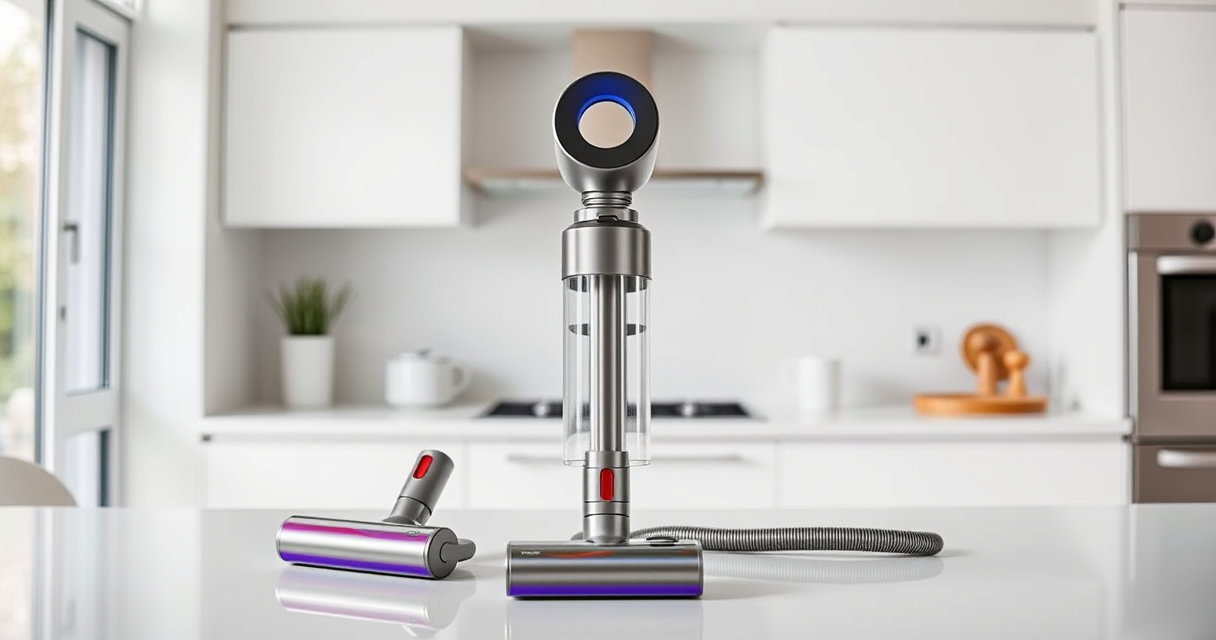
- Attach the desired cleaner head (Digital Motorbar or Fluffy Optic) by aligning it with the wand and pressing until it clicks into place.
- Connect the wand to the main body of the vacuum. Ensure it clicks securely for a stable connection.
- Insert the pre-filter into the cyclone unit if it’s not already installed. To do this, align the filter with the cyclone and rotate clockwise until it locks in place.
- For additional attachments, such as the crevice tool, simply slide the accessory onto the wand or directly onto the vacuum’s main body, depending on your cleaning task.
Ensure all connections are secure before turning on the vacuum. Proper assembly prevents damage and ensures efficient operation.
Powering On and Using Your Dyson Vacuum
- Press the power trigger to turn on the vacuum. The LCD screen will light up, indicating readiness.
- Select the appropriate power mode based on your cleaning needs. The vacuum intelligently adapts power based on debris and floor type, but you can manually adjust if needed.
- Use the LCD display to monitor the total particles picked up, remaining run time, and maintenance alerts.
- Navigate around your space, using the crevice tool for tight corners, and the cleaner heads for carpets and hard floors.
- To turn off, release the trigger. For extended cleaning sessions, take breaks to prevent overheating.
Remember to switch between modes or pause as needed. The Power trigger’s design helps maximize battery efficiency by only using power when pressed.
Maintenance and Filter Replacement
- After cleaning, detach the pre-filters and rinse them with water. Let them air dry completely before reinstalling to maintain high suction performance.
- Replace the filters every 2-3 months or as indicated on the LCD screen. Use compatible replacements, such as the 3Pack Pre Filters or V10 filters, to ensure optimal filtration.
- Regularly check the cyclone and clean out any debris or blockages that may reduce suction.
- Keep the cleaner heads free of tangled hair and debris to preserve their cleaning efficiency.
Proper maintenance extends the lifespan of your vacuum and keeps it performing at peak levels.
Troubleshooting Common Issues
- Vacuum not turning on: Ensure the battery is charged and securely connected. Check for any blockages or debris in the wand or cleaner heads.
- Reduced suction: Clean or replace the pre-filters and check for clogs in the cyclone or brush bars.
- LCD screen errors: Follow the on-screen instructions or reset the vacuum by turning it off and on again.
- Battery not charging: Confirm the charger is plugged into a working outlet and properly connected. Try a different outlet if needed.
If issues persist, consult the user manual or contact Dyson customer support for assistance.
The Products in This Guide

Dyson V15 Detect™ Origin Cordless Vacuum
- ✔ Battery life: Up to 60 mins
- ✔ Weight: 6.8 lbs
- ✔ Charging port: Magnetic and secure

LANMU Crevice Tool Vacuum Attachments Compatible
- ✔ Material: Plastic
- ✔ Compatibility: Multiple Dyson models
- ✔ Size: 16 inches
Dyson V15 Detect™ Origin Cordless Vacuum
The Dyson V15 Detect™ Origin offers unbeatable power, intelligent debris detection, and a range of attachments that make cleaning effortless. Its LCD display keeps you informed, and the long-lasting battery ensures thorough cleaning across your entire home.
Pros:
- 100% more power compared to previous models
- Intelligent debris detection and power adjustment
- Up to 60 minutes of runtime
- Includes advanced cleaner heads and crevice tool
Cons:
- Premium price point
- Requires regular filter maintenance
- Charging time can be lengthy
Best for: Whole-home deep cleaning, pet hair removal, hard floors and carpets
Not ideal for: Users seeking a budget-friendly vacuum or very lightweight device
Bottom line: The Dyson V15 Detect™ Origin is a top-tier cordless vacuum for comprehensive, intelligent cleaning.
LANMU Crevice Tool Vacuum Attachments Compatible
The LANMU Crevice Tool Attachments are compatible with a range of Dyson models, including the V15 Detect. Their narrow, flexible design makes it easier to reach tight spots, corners, and crevices, ensuring no dust is left behind.
Pros:
- Narrow nozzle for hard-to-reach areas
- Compatible with multiple Dyson models
- Easy to attach and remove
- Made of durable materials
Cons:
- Not suitable for V6 or older models
- Additional attachment to manage
- Requires manual switching
Best for: Detailed cleaning of corners, car interiors, and small crevices
Not ideal for: General surface cleaning or large debris
Bottom line: A practical tool to access and clean the finest corners and tight spaces easily.
Frequently Asked Questions
How often should I replace the filters in my Dyson V15?
It is recommended to replace or wash the filters every 2-3 months to maintain optimal suction and filtration performance.
Can I use third-party attachments with my Dyson V15?
While some third-party attachments may fit, it is best to use Dyson-approved accessories to ensure compatibility and avoid damage.
How do I know when my vacuum needs maintenance or filter replacement?
The LCD screen displays maintenance alerts and filter change reminders. Regularly check for reduced suction or unusual noises.
Is the Dyson V15 suitable for pet owners?
Yes, its powerful suction and specialized cleaner heads make it excellent for removing pet hair and dander from various surfaces.
How do I troubleshoot if my vacuum isn’t charging?
Ensure the charger is connected correctly, try a different outlet, and check for any damage to the charging port or cable. If problems persist, contact support.
Getting the Most Out of Your Dyson V15 Detect™ Origin
With proper setup, regular maintenance, and understanding its features, your Dyson V15 Detect™ Origin can deliver exceptional cleaning results for years to come. Follow these steps carefully, utilize the right attachments, and keep an eye on the LCD alerts to ensure your vacuum remains in peak condition. Enjoy a cleaner, healthier home with this powerful and intelligent cleaning tool.
Affiliate disclosure: As an Amazon Associate we earn from qualifying purchases. Prices and availability are accurate as of the time of publishing.