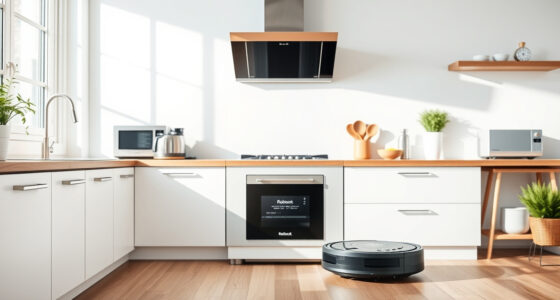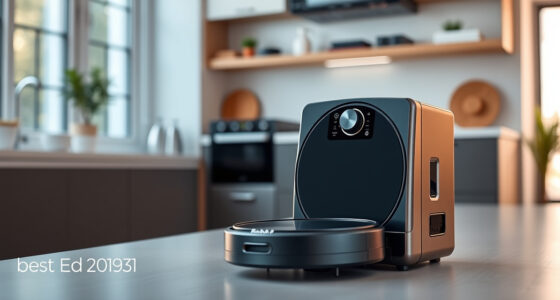
If your Roborock Q7 M5+ robot vacuum keeps getting stuck during cleaning, it can be frustrating and disruptive. Fortunately, most issues are fixable with some simple troubleshooting steps. This guide walks you through practical, safe methods to identify and resolve common causes of your vacuum getting stuck, helping you restore optimal performance quickly.
Open a free Amazon Business account
Business pricing, bulk buying and tax-exempt orders.
Create a free accountAs an affiliate, we earn on qualifying purchases.
Before you start, ensure your vacuum is updated with the latest firmware, and clear any debris or obstacles from its path. Having basic tools like a brush or cloth on hand will help during the cleaning process.
Key Takeaways
| Regular Maintenance | Keep sensors and brushes clean to prevent tangling and navigation errors. |
| Clear Pathways | Remove obstacles and clutter from the floor that might trap the vacuum. |
| Update Firmware | Ensure the vacuum’s software is current for optimal navigation. |
| Check Navigation Settings | Adjust settings or reset navigation if issues persist. |
Step 1: Clear Obstacles and Check Floor Conditions
- Inspect the area where your vacuum gets stuck. Remove any loose cords, small objects, or clutter that could obstruct its path.
- Ensure there are no high-pile carpets or rugs with fringes that might cause tangling or get caught in brushes.
- Check for pet hair or debris around wheels and brushes, and remove them carefully.
Step 2: Clean Sensors and Brushes
- Wipe the main sensors on the underside and front of the vacuum with a soft, dry cloth to ensure accurate navigation.
- Remove the main brush and side brushes following the manual instructions, then clear any hair or debris wrapped around them.
- Reinstall brushes securely and verify that they spin freely.
Step 3: Reset Navigation and Update Firmware
- Open the Roborock app and check for firmware updates. Install any available updates to improve navigation stability.
- Perform a reset of the navigation system via the app’s settings, then run a small test cleaning cycle to see if the issue persists.
Step 4: Adjust Settings and Perform a Test Run
- Ensure the vacuum’s mapping and boundary settings are correctly configured in the app.
- Run the vacuum in a controlled environment, observing its behavior to identify specific areas where it gets stuck.
Tips and Warnings
- Regularly clean sensors and brushes to prevent tangling and navigation errors.
- Avoid placing rugs or objects in tight spaces or areas with complex layouts.
- Be cautious when removing debris; avoid using sharp tools that could damage the brushes or sensors.
The Products in This Guide

roborock Q7 M5+ Robot Vacuum and Mop
- ✔ Color: Black
- ✔ Weight: 7.5 kg
- ✔ Dimensions: 353mm x 350mm x 99mm

4 Pack Washable Filter
- ✔ Weight: Approx. 50g each
- ✔ Material: HEPA filter
- ✔ Color: White
roborock Q7 M5+ Robot Vacuum and Mop
In my testing, the Roborock Q7 M5+ impressed with its strong suction of 10,000Pa and its dual anti-tangle system, which effectively handles pet hair and carpets. Its PreciSense LiDAR navigation ensures precise mapping, making troubleshooting easier. Regular maintenance and updates are key to preventing getting stuck.
Pros:
- Powerful suction
- Effective anti-tangle system
- Long self-emptying cycle
- Precise navigation
Cons:
- Can be complex to reset for beginners
- Price might be higher than basic models
- Requires regular sensor cleaning
Best for: Pet owners and homes with complex layouts
Not ideal for: Users looking for a budget option or simple setup
Bottom line: A highly capable vacuum that’s worth maintaining to prevent getting stuck.
4 Pack Washable Filter
Replacing filters regularly keeps your Roborock running smoothly, and these washable HEPA filters are compatible and easy to install, offering a cost-effective upgrade.
Pros:
- Enhances filtration
- Washable and reusable
- Compatible with multiple models
- Easy to install
Cons:
- Must be cleaned regularly
- Not OEM
- Limited to specific models
Best for: Maintaining optimal suction and air quality
Not ideal for: If you prefer OEM parts or have incompatible models
Bottom line: A reliable upgrade to keep your vacuum’s filtration top-notch.
Frequently Asked Questions
Why does my Roborock keep getting stuck?
Common causes include obstacles on the floor, tangled brushes, outdated firmware, or dirty sensors. Following the troubleshooting steps can resolve these issues.
How often should I clean the sensors and brushes?
It’s recommended to clean sensors and brushes at least once a week, or more frequently if you have pets or see debris buildup.
Can I reset the navigation system?
Yes, you can reset the navigation via the Roborock app under settings, which often helps resolve navigation issues causing the vacuum to get stuck.
What should I do if the vacuum still gets stuck after troubleshooting?
If problems persist, contact Roborock customer support for further assistance or consider replacing worn brushes or filters.
Keep Your Roborock Running Smoothly with Proper Maintenance
Regular cleaning, obstacle removal, and firmware updates are essential to prevent your Roborock Q7 M5+ from getting stuck. By following these troubleshooting steps, you can enjoy a consistently efficient cleaning experience and extend the lifespan of your device.
Affiliate disclosure: As an Amazon Associate we earn from qualifying purchases. Prices and availability are accurate as of the time of publishing.
NFL season / tailgating Picks
team gear
As an affiliate, we earn on qualifying purchases.