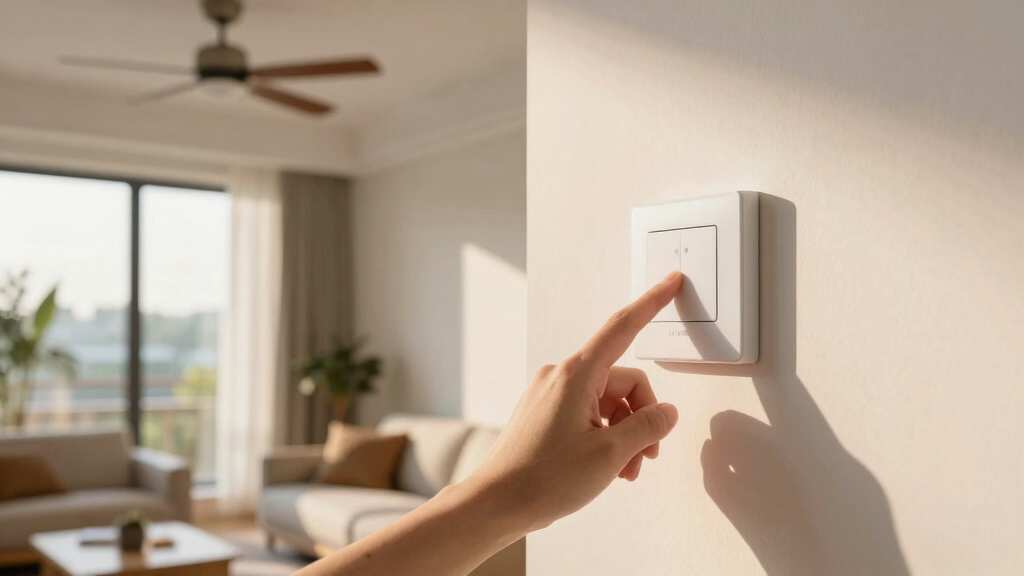
Finding the best smart fan switches compatible with HomeKit can be challenging, especially with so many options offering different features and price points. The Kasa Smart Ceiling Fan Control & Dimmer Switch stands out as the overall best for its versatile fan and brightness control. For those seeking a straightforward, reliable switch, the Leviton Decora Smart Fan Speed Controller offers excellent compatibility and performance. Meanwhile, the Lutron Caseta Smart Fan Speed Control appeals to users willing to invest in a premium hub for seamless integration. The main tradeoffs involve balancing ease of installation, compatibility, and cost. Keep reading for a detailed comparison to help you find the perfect fit for your smart home setup.
Open a free Amazon Business account
Business pricing, bulk buying and tax-exempt orders.
Create a free accountAs an affiliate, we earn on qualifying purchases.
Key Takeaways
- The best switches typically support multiple speed controls for fan customization.
- Wired switches with neutral wire requirements tend to offer more reliable connectivity and features.
- Hub-dependent options like Lutron Caseta often provide more reliable integration but come at a higher cost.
- Compatibility with other smart home ecosystems, especially HomeKit, varies significantly among brands.
- Installation complexity varies; some switches are beginner-friendly, while others need professional wiring.


More Details on Our Top Picks
Kasa Smart Ceiling Fan Control & Dimmer Switch | Adjustable 4-Speed Fan & Brightness Control | Works w/Apple HomeKit, Alexa & Google Home | 2.4G Wi-Fi Only, Single Pole, Neutral Wire Required | KS240
This Kasa switch stands out for its seamless integration into Apple HomeKit alongside Alexa and Google, making it highly versatile for those who want unified voice control. Its ability to control four fan speeds and brightness from a single switch simplifies what used to require multiple remotes or pull chains, while scheduling features add to its smart home appeal. Compared with the Leviton D24SF-1RW, the KS240 offers more advanced scheduling and app control, but it requires a neutral wire and 2.4GHz Wi-Fi, which may not be available in all homes. The quick setup and app-guided installation make it accessible for DIYers, though the hum during startup might be a minor annoyance for some. Overall, this pick suits tech-savvy homeowners seeking a reliable, all-in-one smart fan control that works with multiple ecosystems.
Pros:- Supports Apple HomeKit, Alexa, and Google Assistant for versatile voice control
- Controls four fan speeds plus light brightness for customized comfort
- App scheduling and timers enhance automation
Cons:- Requires neutral wire and 2.4GHz Wi-Fi, limiting compatibility in some homes
- Slight audible hum during fan startup
Best for: Homeowners seeking a flexible, multi-ecosystem compatible smart fan switch with scheduling capabilities
Not ideal for: Older homes without neutral wiring or users preferring a simple, single-control setup without scheduling features
- Operation Mode:Automatically, Off, Smart Switch
- Current Rating:2.5 Amps
- Operating Voltage:120 Volts (AC)
- Contact Type:Normally Closed
- Mounting Type:Pole, Wall Mount
- Control Method:Touch
Bottom line: This switch offers a feature-rich, ecosystem-flexible solution for homeowners wanting comprehensive control and automation.
Kasa Apple HomeKit Smart Dimmer Switch KS220P3, Single Pole, Neutral Wire Required, 2.4GHz Wi-Fi Light Works with Siri, Alexa and Google Home, UL Certified, No Hub Required, White, 3 Count (Pack of 1)
This pack of three switches makes it economical to upgrade multiple rooms, with reliable Apple HomeKit support comparable to the KS240 but in a more affordable bundle. Its easy app-guided installation and compatibility with Siri, Alexa, and Google offer flexible voice control, similar to the Lutron PD-FSQN-WH, but at a more accessible price point. While it lacks the four-speed fan control of the Leviton D24SF-1RW, it excels in lighting control and scheduling for whole-home automation. Its UL certification ensures safety, though the need for neutral wiring remains a requirement for installation. For homeowners who want a budget-friendly, multi-room upgrade with seamless ecosystem integration, this switch delivers solid value without sacrificing compatibility.
Pros:- Supports Apple HomeKit, Alexa, and Google Assistant for flexible control
- 3-pack offers great value for multiple rooms
- Easy installation with app guidance
Cons:- Does not support four fan speeds, limited to on/off and dimming
- Requires neutral wire, not suitable for all wiring setups
Best for: Budget-conscious homeowners wanting multiple high-quality HomeKit-compatible switches
Not ideal for: Homes without neutral wiring or those seeking advanced fan speed controls
- Operation Mode:ON-OFF, Speed Switch
- Current Rating:1.5 Amps
- Operating Voltage:110 Volts (AC)
- Control Method:Push Button
- Number of Positions:3
- Control Protocol:Wi-Fi
Bottom line: This pack provides a cost-effective, reliable smart switch option for comprehensive home automation with HomeKit support.
Leviton Decora Smart Fan Speed Controller, Wi-Fi 2nd Gen, Neutral Wire Required, Works with My Leviton, Alexa, Google Assistant, Apple Home/Siri & Wired or Wire-Free 3-Way, D24SF-1RW, White
This Leviton switch is ideal for those who prioritize quiet operation and precise fan speed control, supporting four speeds plus off, similar to the Lutron PD-FSQN-WH but with a reputation for reliability. Its compatibility with Apple HomeKit, Alexa, and Google makes it a strong contender for users who want seamless voice and app control, comparable to the KS240 but with a focus on quieter, more consistent fan operation. Installation is straightforward if your home has neutral wiring, and the LEDs on the device provide clear status updates. However, it isn’t designed for fans with integrated remotes or receivers, so it’s best for wired motor fans without additional controls. This switch appeals to homeowners seeking dependable, near-silent fan control with broad smart home compatibility.
Pros:- Supports four fan speeds plus off for precise control
- Works with Apple HomeKit, Alexa, and Google Assistant
- Quiet operation with stable performance
Cons:- Requires neutral wiring, limiting in some older homes
- Designed mainly for fans without remote control receivers
Best for: Homeowners wanting reliable, quiet fan speed control integrated with Apple HomeKit and voice assistants
Not ideal for: Homes with remote-controlled fans or those without neutral wiring
- Operation Mode:ON-OFF, Speed Control
- Current Rating:1.5 Amps
- Operating Voltage:120 Volts (AC)
- Control Method:Push Button
- Number of Speeds:4
- Control Protocol:Wi-Fi
Bottom line: This switch provides quiet, reliable fan speed control integrated into multiple smart ecosystems, perfect for those who value stability.
Lutron Caseta Smart Fan Speed Control Switch (Smart Hub Required), Single-Pole Lutron Caseta Switch for Fans, PD-FSQN-WH, White
This Lutron Caseta switch is distinguished for its long-standing reputation for reliability and broad compatibility, supporting four speeds plus off, with seamless integration into the Lutron ecosystem and compatibility with Apple HomeKit, Alexa, and Google. Unlike the KS240 or Leviton D24SF-1RW, it requires a Lutron Smart Hub, but this adds to its stability and expansive smart control options, including scene creation and scheduling. It’s particularly suitable for users who already have or plan to build a Lutron system, but it may be overkill for simple setups. Its easy installation, combined with the ability to control from anywhere via the hub, makes it a premium choice for dedicated smart home enthusiasts seeking dependable, ecosystem-agnostic performance.
Pros:- Supports four fan speeds plus off with precise control
- Highly reliable with industry-leading Lutron technology
- Works with multiple smart home platforms via hub
Cons:- Requires a Lutron Caseta Smart Hub, increasing setup cost
- Slightly more complex installation compared to direct Wi-Fi switches
Best for: Homeowners invested in or willing to adopt the Lutron ecosystem for reliable, integrated fan control
Not ideal for: Users seeking a hubless, straightforward solution or working within limited budget constraints
- Operation Mode:Fan Speed Control
- Current Rating:1.5 Amps
- Operating Voltage:120 Volts (AC)
- Control Method:Push Button
- Number of Speeds:4
- Hub Required:Yes
Bottom line: This switch offers proven dependability and extensive ecosystem compatibility for dedicated smart home setups willing to invest in the hub infrastructure.
meross Smart Light Switch Supports Apple HomeKit, Siri, Alexa, Google Assistant & SmartThings, 2.4GHz Wi-Fi Light Switch, Neutral Wire Required, Single Pole, Remote Control Schedule, 1 Pack
This meross smart switch stands out for its broad compatibility with major voice assistants and smart home platforms, including Apple HomeKit, Alexa, Google, and SmartThings, making it a flexible choice for those seeking seamless integration. Compared to the Kasa KS220P3 Dimmer Switch, it offers similar voice control but excels in compatibility with multiple ecosystems, though it requires a neutral wire—limiting installation in older homes without one. Its straightforward installation process, taking less than 15 minutes, makes it accessible for DIY enthusiasts. However, the switch’s depth can be a challenge in shallow electrical boxes, and remote control depends on a stable Wi-Fi connection through a HomeKit bridge. This pick makes the most sense for homeowners wanting a reliable, multi-platform compatible switch with remote scheduling and voice commands, provided they have a neutral wire available.
Pros:- Broad compatibility with Apple HomeKit, Alexa, Google, and SmartThings
- Easy installation in under 15 minutes
- Supports remote control, scheduling, and sunrise/sunset modes
- Secure data transmission via AWS servers
Cons:- Requires a neutral wire, which may not be present in all homes
- Depth can be tight in shallow electrical boxes
- Wi-Fi dependency means remote control fails if network or bridge is offline
Best for: Homeowners with existing neutral wiring seeking a versatile, platform-agnostic smart switch
Not ideal for: Renters or those with older homes lacking a neutral wire, as installation may be complicated or impossible
- Compatibility:Apple HomeKit, Alexa, Google, SmartThings
- Wi-Fi Frequency:2.4GHz
- Installation Time:Less than 15 minutes
- Control Method:App, Voice, Schedule
- Power Requirements:Neutral wire needed
- Size:Standard Decora faceplate
Bottom line: This switch is best suited for tech-savvy homeowners who want broad compatibility and reliable remote control but have the necessary wiring.
meross Smart Ceiling Fan Control & Dimmer Light Switch, Works w/Apple HomeKit, Alexa, Google & SmartThings, 4-Speed Fan Control, 2.4G Wi-Fi Fan and Light Switch Combo, Neutral Wire Needed, Single Pole
This meross model is tailored for those who want precise control over ceiling fan speeds and lighting, supporting up to four fan speeds and a dimmable light from anywhere via Apple HomeKit, Alexa, Google, or SmartThings. Unlike the Kasa KS240 fan control, which offers only 3 speeds, this switch provides an extra level of granularity, making it ideal for custom comfort settings. Its sleek single-pole design and easy app setup make installation accessible, but it requires a neutral wire and only supports 2.4GHz Wi-Fi, so compatibility in certain homes may be limited. Its small size and user-friendly controls (double-click for adjustments) make it appealing for tech-savvy users. The main tradeoff is the inability to reverse fan direction, which might be a concern for some. This switch is best for homeowners seeking detailed fan speed control alongside lighting, with a preference for multiple speed settings.
Pros:- Supports 4-speed fan control and dimmable lighting
- Compatible with Apple HomeKit, Alexa, Google, and SmartThings
- Sleek, easy-to-install design
- Allows scheduling and sunrise/sunset routines
Cons:- Requires neutral wire, not suitable for older wiring systems
- No fan reversal feature for changing airflow direction
- Limited to 2.4GHz Wi-Fi, so dual-band routers may need configuration
Best for: Homeowners with compatible ceiling fans needing multi-speed control and dimmable lighting
Not ideal for: Users with DC motor fans or built-in remote-controlled fans, as these are incompatible and won’t benefit from this switch
- Compatibility:Apple HomeKit, Alexa, Google, SmartThings
- Fan Control:4 speeds
- Light Dimming:Yes
- Wi-Fi Frequency:2.4GHz
- Installation:Single pole, neutral wire required
- Size:Standard faceplate
Bottom line: Ideal for those with compatible ceiling fans wanting detailed speed control and smart scheduling, assuming they have the proper wiring.
meross Smart Ceiling Fan Control and Dimmer Switch, Supports Apple HomeKit, Alexa, Google & SmartThings, 2.4G Wi-Fi Fan and Light Switch Combo, 4 Fan Speed, Neutral Wire Needed, Single Pole, 2 Pack
This 2-pack of meross fan and light switches provides great value for homeowners with multiple fans needing smart control. Supporting up to four fan speeds and dimmable lighting, it offers consistent performance across platforms like Apple HomeKit, Alexa, Google, and SmartThings. Compared to single switches, this pack enables broader coverage at a lower overall cost, perfect for larger or multi-room setups. Installation requires a neutral wire and supports only 2.4GHz Wi-Fi, which could be a limitation in older homes. Its simple app interface and quick setup make it accessible for DIY users. A minor drawback is that it doesn’t support fan reversal or Bluetooth connectivity, but overall, it’s an excellent choice for budget-conscious users wanting multiple smart switches for fans and lights.
Pros:- Cost-effective 2-pack for multiple rooms
- Supports 4 fan speeds and dimmable lighting
- Compatible with major smart home platforms
- Easy to install and setup
Cons:- Requires neutral wire, limiting in older homes
- No fan reversal feature
- Dependent on 2.4GHz Wi-Fi network for remote control
Best for: Homeowners with multiple ceiling fans or lights, looking for a cost-effective multi-pack solution
Not ideal for: Homes with incompatible wiring (no neutral wire) or DC motor fans, as installation or operation may be hindered
- Compatibility:Apple HomeKit, Alexa, Google, SmartThings
- Fan Speed:4 speeds
- Light Dimming:Yes
- Wi-Fi Frequency:2.4GHz
- Control Method:App, Voice
- Package Count:2
Bottom line: This pack offers solid value for households seeking multiple smart fan switches with multi-speed control on a budget, provided wiring is compatible.

How We Picked
I evaluated these smart fan switches based on several critical factors that matter for real-world use. Performance reliability, ease of installation, and compatibility with Apple HomeKit were primary considerations. I also looked at build quality, user interface, and whether the device required a hub or worked directly over Wi-Fi. Value for money and versatility, such as support for multiple fan speeds or dimming, influenced the rankings. Products were ordered to highlight the best overall options first, followed by those excelling in specific areas or offering better value, ensuring a clear understanding of each product’s role.Factors to Consider When Choosing Best Smart Fan Switches Compatible With Homekit
When choosing a smart fan switch for HomeKit, consider several key factors that influence usability, compatibility, and long-term satisfaction. Not all switches are created equal, and understanding these aspects can help avoid common pitfalls and ensure your smart home functions smoothly. From wiring requirements to ecosystem integration, each decision impacts your experience.Compatibility and Ecosystem Integration
While this roundup focuses on HomeKit compatibility, it’s worth checking if the switch also supports other systems you use, like Alexa or Google Assistant. Some switches depend on proprietary hubs, which can add complexity and cost, while others connect directly via Wi-Fi. Ensuring your chosen switch works seamlessly with your existing smart home setup can save frustration later. Compatibility issues can cause delays in automation or require additional troubleshooting, so verify support before purchasing.
Wiring and Installation Requirements
Most smart switches require a neutral wire, which many older homes lack. If your home lacks neutral wiring, look for models explicitly designed for no-neutral setups, though they may have limited features. Professional installation might be necessary for complex wiring, especially for multi-way switches. Choosing a switch with clear installation instructions or one designed for DIY can reduce frustration and potential safety hazards. Consider your comfort level and whether you need to hire a professional to avoid wiring mistakes.
Fan Speed and Dimming Capabilities
If controlling fan speed precisely matters to you, prioritize switches that support multiple speeds, such as 4-speed options. Some switches also include dimming features for connected lights, adding convenience. Be aware that not all switches handle both functions well—some excel at fan control but lack dimming, or vice versa. Your specific needs—whether simple on/off or variable speed control—should guide your choice, balancing complexity with functionality.
Cost and Long-Term Value
Premium switches with hub support or advanced features tend to cost more upfront but may offer better reliability and integration. Cheaper options often lack durability or may have limited compatibility, leading to frustration or replacement costs later. Consider how much you’re willing to invest upfront based on your smart home ambitions. Sometimes, paying more for a well-supported, reliable switch results in fewer headaches and better satisfaction over time.
User Experience and App Control
An intuitive app interface and straightforward setup process can significantly enhance your experience. Some switches offer additional features like scheduling, remote control, or scene integration, which boost convenience. Avoid overly complicated setups that require extensive configuration or firmware updates. User reviews can reveal common issues or stability concerns, so factor in community feedback when evaluating options.
Frequently Asked Questions
Can I install a smart fan switch myself, or do I need a professional?
Many smart fan switches are designed for DIY installation if you have basic electrical skills. They typically come with detailed instructions and can be installed using standard wiring, including neutral wire requirements. However, if your home has complex wiring, or you’re uncomfortable working with electricity, hiring a licensed electrician is a safer choice. Proper installation is crucial to ensure safety and functionality, especially for multi-way switches or older wiring systems.
Will a smart fan switch work with my existing smart home devices?
Most smart fan switches in this roundup support multiple ecosystems, including Apple HomeKit, Alexa, and Google Assistant. Compatibility depends on the specific model, so verify that the switch supports your preferred platform. Devices that require a hub might offer more stable integration but could introduce additional costs and setup complexity. Confirming ecosystem support before purchasing prevents surprises and ensures your smart home functions cohesively.
What should I do if my switch doesn’t respond or connect reliably?
Connectivity issues are common but often solvable by troubleshooting your Wi-Fi network or updating device firmware. Make sure your switch is within range of your router and that your network is stable. Resetting the device or reconfiguring it through the app can resolve many issues. If problems persist, check for firmware updates or consider switching to a model known for better reliability. Sometimes, a different placement or a Wi-Fi extender helps improve connectivity.
Are smart switches safe to use around children and pets?
Smart switches are generally safe if installed correctly and used as intended. They replace traditional switches, so standard electrical safety applies. Using switches with built-in safety features, like overcurrent protection, reduces risks. For homes with children or pets, ensure the switch is installed out of reach or in a location that minimizes accidental operation. Always follow manufacturer instructions and consider professional installation if unsure about wiring safety.
How long do smart switches typically last, and are they worth the investment?
Quality smart switches often last 10 years or more with proper use and installation. They are generally more durable than standard switches due to their robust components. Investing in a reputable brand can mean fewer replacements and better long-term support. While they might cost more initially, their convenience, automation capabilities, and integration with your smart home ecosystem can justify the expense over time, especially if you value seamless control and reliability.
Conclusion
For most users seeking the best overall experience, the Kasa Smart Ceiling Fan Control & Dimmer Switch offers a versatile, reliable solution that balances features and ease of use. If you’re on a budget but still want solid HomeKit support, the meross Smart Light Switch 4 Pack provides excellent value. For those willing to invest in premium, hub-dependent options, the Lutron Caseta Smart Fan Speed Control delivers top-tier performance. Beginners or DIY enthusiasts will appreciate switches with straightforward installation, while power users may prioritize multi-speed or dimming functionalities. Carefully match your choice to your specific needs, wiring conditions, and smart home setup for the best results. As an affiliate, we earn on qualifying purchases.Flea & tick season Picks
flea and tick prevention