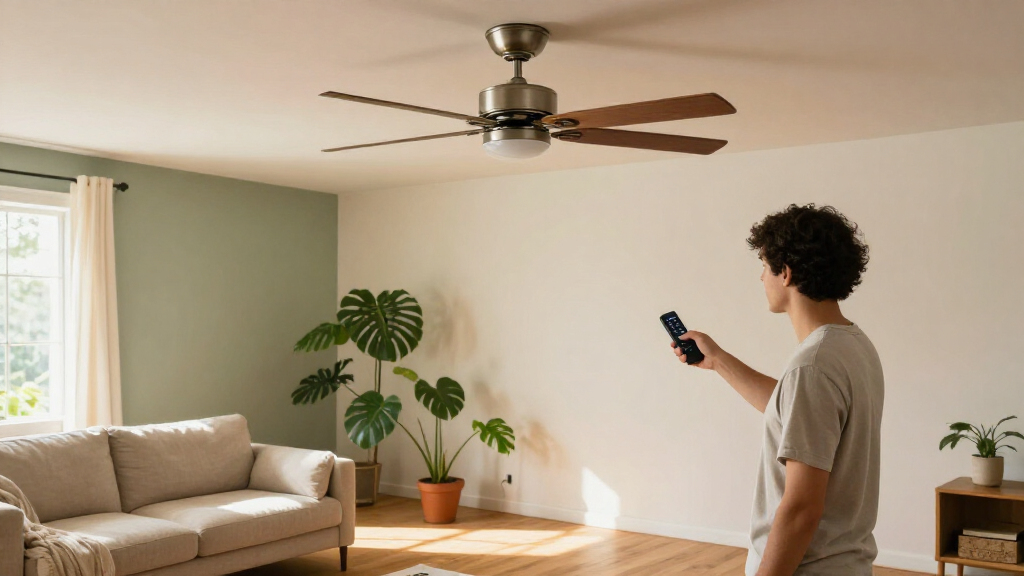

Smart ceiling fan remotes add app or voice control, but the right choice depends on your fan motor, wiring, and whether you want a handheld remote or a wall switch. I rank the Kasa Smart Ceiling Fan Control and Dimmer Switch (KS240) as the best overall pick for buyers seeking a smart wall control with separate fan and light adjustment. The Lutron Pico Remote is a standout for homes already using Caseta, while the Treatlife Wi-Fi Ceiling Fan Control and Light Dimmer Switch suits shoppers who prefer a combined wall-mounted control. The main tradeoff is convenience versus compatibility: receiver kits can work with more existing fans, while smart switches depend on suitable wiring and fan types. Read on for the full comparison, setup considerations, and guidance for choosing a remote that fits your fan.

Get home appliances delivered free with Prime
- Fast, free delivery on millions of items
- Prime Video, Amazon Music and more included
- Member-only deals all year
Complete the kit


Key Takeaways
- Wall controls and receiver kits solve different problems: Kasa, Treatlife, and Lutron are switch- or ecosystem-oriented choices, while most universal kits add a receiver to the fan canopy.
- Compatibility matters more than the word “universal”: Several kits are specified for AC motor fans, and smart switches may not suit every fan or wiring layout.
- Separate fan and light control is a key differentiator: Dimming and speed adjustment can be useful, but they must match the fan’s motor and light setup.
- The Lutron Pico stands apart as an ecosystem-specific pick: It makes the most sense for Caseta households, not buyers seeking a standalone universal receiver kit.
- The lineup favors retrofit flexibility over uniform setup: Receiver kits offer a path to smart control without replacing a wall switch, while hardwired controls can provide a tidier everyday interface but need wiring checks.
| Universal Smart Wi-Fi Ceiling Fan Remote Control Kit |  | Best for Broad Brand Compatibility | Brand: Prichor | Model: HK05&05R | Fan speeds: 3: high, medium, low | VIEW LATEST PRICE | See Our Full Breakdown |
| Smart Ceiling Fan Remote Control and Dimmer Switch with Wi-Fi |  | Best for Scheduling and Multi-Device Setups | Fan speeds: 3 | Wi-Fi: 2.4 GHz | App: Smart Life | VIEW LATEST PRICE | See Our Full Breakdown |
| Lutron Pico Remote for Caseta Smart Fan Speed Control |  | Best for Existing Caseta Homes | Model: PJ2-3BRL-WH-F01R | Compatible device: Caseta fan speed control PD-FSQN-XX | Fan speeds: 4 plus off | VIEW LATEST PRICE | See Our Full Breakdown |
| Smart Wi-Fi Universal Ceiling Fan Remote and Wall Control Kit |  | Best for Wall-Mounted Everyday Control | Compatible fans: Many 110V, 3-speed AC ceiling fans | Connectivity: 2.4 GHz Wi-Fi | App: Smart Life for iOS and Android | VIEW LATEST PRICE | See Our Full Breakdown |
| Aubric Smart Wi-Fi Ceiling Fan and Light Remote Control Kit |  | Best for Simple App and Voice Control | Brand: Aubric | Connectivity: Wi-Fi and radio frequency | App: Smart Life | VIEW LATEST PRICE | See Our Full Breakdown |
| LPHUMEX Universal Ceiling Fan Remote Control Kit for AC Motor Fans |  | Best for Simple Timer Control | Motor compatibility: AC motor fans only | Fan speeds: 3 | Timer settings: 4 | VIEW LATEST PRICE | See Our Full Breakdown |
| Universal Wi-Fi Ceiling Fan Remote Control Kit with Light Dimmer |  | Best for Flexible Bulb Compatibility | Brand and model: Humpptom JF028 | Connectivity: Wi-Fi, 2.4 GHz | Fan speeds: 3 | VIEW LATEST PRICE | See Our Full Breakdown |
| Humpptom Universal Wi-Fi Ceiling Fan Remote Control Kit |  | Best for Compact, No-Dimming Smart Control | Brand and model: Humpptom JF018-WIFI | Connectivity: Wi-Fi, 2.4 GHz | Fan speeds: 3 | VIEW LATEST PRICE | See Our Full Breakdown |
| COREBAY Smart Wi-Fi Ceiling Fan Remote Control Kit with Light Dimmer |  | Best for Dimming and Timers | Compatible fans: Most major 110V, 3-speed AC ceiling fans | Connectivity: Wi-Fi and radio frequency | Fan speeds: 3 | VIEW LATEST PRICE | See Our Full Breakdown |
| Treatlife Wi-Fi Ceiling Fan Control and Light Dimmer Switch |  | Best Wall-Switch Upgrade | Switch setup: Single-pole | Wiring: Neutral wire and separate fan and light load wires required | Fan compatibility: Compatible AC fans up to 1.5 A | VIEW LATEST PRICE | See Our Full Breakdown |
| Kasa Smart Ceiling Fan Control and Dimmer Switch (KS240) |  | Best Smart Wall-Switch Upgrade | Model: KS240 | Switch type: Single-pole dimmer | Fan speeds: 4 | VIEW LATEST PRICE | See Our Full Breakdown |
| 53T Smart Wi-Fi Ceiling Fan Remote Control Kit with Light Dimmer |  | Best for Flexible Everyday Control | Model: JF028 Wi-Fi | Connectivity: Wi-Fi and radio frequency | Control methods: Remote, Smart Life app, and voice control | VIEW LATEST PRICE | See Our Full Breakdown |
| Nexete Universal Smart Wi-Fi Ceiling Fan Remote Control Kit |  | Best for a Wall-Mountable Remote | Model: JF016 Wi-Fi | Manufacturer part number: BY-08 | Connectivity: Wireless Wi-Fi | VIEW LATEST PRICE | See Our Full Breakdown |
| Smart Universal Ceiling Fan Remote Control Kit with Receiver, White |  | Best for Breeze and Delay Modes | Brand: CeilingBreeze | Model: RC-T27 & RC-27SR | Fan speeds: 3 | VIEW LATEST PRICE | See Our Full Breakdown |
| Nexete Universal Smart Ceiling Fan Remote Control Kit with Wi-Fi Receiver and Light Dimmer |  | Best for Downrod-Style Fans | Connectivity: 2.4 GHz Wi-Fi and radio frequency | Fan speeds: 3 | Remote frequency codes: 16, using 4 DIP switches | VIEW LATEST PRICE | See Our Full Breakdown |
| smart ceiling fan remote | Fan speeds | Connectivity | Maximum range |
|---|---|---|---|
| Universal Smart Wi-Fi Ceiling | 3: high, medium, low | Radio frequency and Wi-Fi | — |
| Smart Ceiling Fan Remote Contr | 3 | — | 60 feet |
| Lutron Pico Remote for Caseta | 4 plus off | Wireless | 30 feet |
| Smart Wi-Fi Universal Ceiling | High, medium, low, off | 2.4 GHz Wi-Fi | 10 meters |
| Aubric Smart Wi-Fi Ceiling Fan | Low, medium, high | Wi-Fi and radio frequency | 30 meters |
| LPHUMEX Universal Ceiling Fan | 3 | Radio frequency | 20 feet |
| Universal Wi-Fi Ceiling Fan Re | 3 | Wi-Fi, 2.4 GHz | 10 meters |
| Humpptom Universal Wi-Fi Ceili | 3 | Wi-Fi, 2.4 GHz | 10 meters |
| COREBAY Smart Wi-Fi Ceiling Fa | 3 | Wi-Fi and radio frequency | — |
| Treatlife Wi-Fi Ceiling Fan Co | 4 | — | — |
| Kasa Smart Ceiling Fan Control | 4 | 2.4 GHz Wi-Fi | — |
| 53T Smart Wi-Fi Ceiling Fan Re | — | Wi-Fi and radio frequency | 50 feet |
| Nexete Universal Smart Wi-Fi C | — | Wireless Wi-Fi | — |
| Smart Universal Ceiling Fan Re | 3 | — | 30 feet |
| Nexete Universal Smart Ceiling | 3 | 2.4 GHz Wi-Fi and radio frequency | 50 feet |
More Details on Our Top Picks
Universal Smart Wi-Fi Ceiling Fan Remote Control Kit
I’d shortlist the Prichor HK05&05R for shoppers who want app and voice control while keeping familiar handheld controls. It handles three fan speeds plus separate light power and brightness, giving it a more complete light-control setup than the Aubric Smart Wi-Fi Ceiling Fan and Light Remote Control Kit, which does not dim lights. Smart Life, Alexa, and Google Assistant support add control options without requiring a dedicated hub, but app setup depends on a 2.4 GHz Wi-Fi network.
The tradeoff is installation fit: this is not a guaranteed match for every fan, and its transmitter and receiver settings must correspond. Pull-chain fans also need their chains set to high and the light on for combined control. I’d choose it over simpler options only after confirming fan compatibility and being comfortable with that setup.
Pros:- Controls fan power and three speeds
- Separate light power and brightness controls
- Works with Smart Life, Alexa, and Google Assistant
- Advertised compatibility includes several widely used fan brands
Cons:- App setup requires a 2.4 GHz Wi-Fi network
- Pull-chain fan settings must be configured for combined control
- Compatibility depends on matching transmitter and receiver settings
Best for: Owners of common Hunter, Harbor Breeze, or Hampton Bay fans who want app, voice, and dimmable-light control in one retrofit kit.
Not ideal for: Buyers who need a guaranteed fit without checking receiver settings, or households without 2.4 GHz Wi-Fi for app setup.
- Brand:Prichor
- Model:HK05&05R
- Fan speeds:3: high, medium, low
- Connectivity:Radio frequency and Wi-Fi
- App:Smart Life for iOS and Android
- Voice assistants:Amazon Alexa and Google Assistant
- Wi-Fi requirement:2.4 GHz
- Compatible devices:1 fan
- Warranty:1 year
Our verdict“Choose the Prichor if your fan is compatible and you want dimmable lighting alongside app and voice control.”
Smart Ceiling Fan Remote Control and Dimmer Switch with Wi-Fi
This kit earns a distinct place for buyers who want timers and schedules as well as everyday remote control. It includes a remote, receiver, and wall holder, with three fan speeds and dimmable lighting through Smart Life, Alexa, or Google Assistant. Its stated support for up to 10 devices separates it from single-fan kits such as the Prichor HK05&05R, which is specified for one fan. That makes this a more plausible choice for a household planning several compatible controls.
The included wall holder and batteries reduce the need to source basic setup parts, though installation still involves receiver wiring and fan compatibility is not universal. Wi-Fi pairing requires 2.4 GHz, and its 60-foot maximum range is a stated limit rather than a reason to ignore the layout of your home. I’d pick it for routine automation, not for shoppers who want a verified match for every fan model.
Pros:- Includes timer and scheduling functions
- Supports up to 10 devices
- Provides three fan speeds and dimmable lighting
- Remote, receiver, wall holder, batteries, and wiring accessories are included
Cons:- Initial Wi-Fi pairing requires 2.4 GHz
- Compatibility can vary by fan model
Best for: Households adding scheduled fan control to multiple compatible fans and wanting a remote that can stay in a wall holder.
Not ideal for: Buyers whose fan compatibility is uncertain or whose Wi-Fi setup relies exclusively on a 5 GHz network.
- Fan speeds:3
- Wi-Fi:2.4 GHz
- App:Smart Life
- Voice control:Amazon Alexa and Google Assistant
- Maximum supported devices:10
- Maximum range:60 feet
- Dimensions:2.76 x 0.39 x 4.57 inches
- Included:Remote, receiver, wall mount holder, user guide, 6 wire nuts, 2 screws, 2 CR2032 batteries
Our verdict“Pick this kit if schedules and support for several devices matter more than having a model-specific compatibility guarantee.”
Lutron Pico Remote for Caseta Smart Fan Speed Control
The Lutron Pico is the specialist pick here: it adds convenient wireless fan control to a compatible Caseta fan speed control, rather than replacing a fan’s receiver with a universal Wi-Fi kit. It offers four speeds plus off and a center button that recalls a preferred speed, giving it finer speed selection than the three-speed Prichor and Aubric kits. A typical 10-year battery life also means less battery upkeep than a remote that relies on replaceable cells more often.
This simplicity depends on already owning the compatible Caseta PD-FSQN-XX control, sold separately. The Pico itself does not provide the standalone Wi-Fi retrofit features offered by the Smart Life kits, and wall mounting requires separately sold accessories. I’d favor it for a Caseta household that values dependable, uncluttered speed selection; buyers seeking a complete receiver-and-remote bundle should choose another option.
Pros:- Offers four fan speeds plus off
- Center button recalls a preferred speed
- Can be handheld or used with a tabletop pedestal
- Included battery has a typical 10-year life
Cons:- Requires a compatible Caseta fan speed control sold separately
- Wall-mounting accessories are sold separately
Best for: Caseta owners who want a compact secondary fan remote with four speed choices and a saved favorite setting.
Not ideal for: Shoppers seeking a standalone universal retrofit kit, app control from this remote alone, or included wall-mounting hardware.
- Model:PJ2-3BRL-WH-F01R
- Compatible device:Caseta fan speed control PD-FSQN-XX
- Fan speeds:4 plus off
- Buttons:3
- Maximum range:30 feet
- Connectivity:Wireless
- Battery:1 included lithium metal battery
- Typical battery life:10 years
- Weight:18.14 g
Our verdict“Choose the Pico if you already have the required Caseta control and want a simple remote with four speeds and a favorite setting.”
Smart Wi-Fi Universal Ceiling Fan Remote and Wall Control Kit
I’d give this kit the edge for rooms where a remote should have a regular place on the wall. The handheld transmitter also fits a wall holder, while Smart Life, Alexa, and Google Assistant offer control away from the switch. It covers three fan speeds and dimmable lights, and adds 2-, 4-, and 8-hour timers. Compared with the Prichor kit, its listed compatibility is more explicit about 110V, three-speed AC fans and supported bulb types; that helps narrow the fit before installation, though it still does not promise compatibility with every fan.
The limits are practical: it is specified for just one device, app control needs 2.4 GHz Wi-Fi, and the CR2032 battery is required rather than included in the listed contents. Its 10-meter maximum range is also shorter than the 60 feet listed for the Smart Ceiling Fan Remote Control and Dimmer Switch. I’d favor this for a single compatible fan with a convenient wall-control routine.
Pros:- Remote can be handheld or placed in the included wall holder
- Controls three speeds and dimmable lights
- Works with Smart Life, Alexa, and Google Assistant
- Offers 2-, 4-, and 8-hour timer settings
Cons:- App control requires a 2.4 GHz Wi-Fi network
- Specified for one device
- CR2032 battery is required and not listed among included items
Best for: People fitting one compatible 110V three-speed AC fan who want a handheld remote that can stay mounted on the wall.
Not ideal for: Households controlling multiple fans with one setup, or buyers who need a longer stated remote range or included battery.
- Compatible fans:Many 110V, 3-speed AC ceiling fans
- Connectivity:2.4 GHz Wi-Fi
- App:Smart Life for iOS and Android
- Voice assistants:Amazon Alexa and Google Assistant
- Fan speeds:High, medium, low, off
- Light control:On/off and dimming for compatible dimmable LED, CFL, and incandescent bulbs
- Timer settings:2, 4, and 8 hours
- Maximum range:10 meters
- Included:Transmitter, receiver, wall mount holder, user guide, 6 wire nuts, 2 screws
Our verdict“Choose this kit for one compatible AC fan when wall-mounted access and preset timers are more useful than multi-device support.”
Aubric Smart Wi-Fi Ceiling Fan and Light Remote Control Kit
The Aubric kit is a straightforward retrofit for buyers who want to control a fan and switch its light from an app, voice assistant, or RF remote. Smart Life supports schedules and shared access, which can make routine control easier for a household than relying on one handheld remote. Its stated 30-meter range also exceeds the 10 meters listed for the Smart Wi-Fi Universal Ceiling Fan Remote and Wall Control Kit, though real placement and obstructions still matter.
The main compromise is clear: the light is on/off only, with no dimming. That makes it a poorer fit than the dimming-capable Prichor and Smart Ceiling Fan Remote and Dimmer Switch if brightness control matters. Before buying, check that the receiver fits inside the fan canopy; it measures 4.5 × 2 × 1 inches. The two AA batteries for the remote are not included, so this is best for buyers who value shared app access over light-dimming features.
Pros:- Controls fan and light through Smart Life, voice commands, or RF remote
- Supports Alexa and Google Assistant
- Allows schedules and shared access for multiple users
- Lists a maximum range of 30 meters
Cons:- Light control is on/off only; dimming is not supported
- Receiver needs enough space inside the fan canopy
- Two AA remote batteries are required and not included
Best for: Households wanting app schedules, shared access, and voice control for one compatible fan with a non-dimmable light.
Not ideal for: Buyers who need light dimming or whose fan canopy cannot accommodate the specified receiver dimensions.
- Brand:Aubric
- Connectivity:Wi-Fi and radio frequency
- App:Smart Life
- Compatible assistants:Amazon Alexa and Google Assistant
- Fan speeds:Low, medium, high
- Light control:On/off; no dimming
- Receiver dimensions:4.5 × 2 × 1 inches
- Maximum range:30 meters
- Supported devices:1
Our verdict“Choose Aubric if shared app control and scheduling matter more to you than dimmable lighting.”
LPHUMEX Universal Ceiling Fan Remote Control Kit for AC Motor Fans
For a conventional AC-motor fan, this LPHUMEX kit adds straightforward remote operation without requiring Wi-Fi, an app, or voice setup. Its three speeds and separate light on/off buttons cover everyday adjustments, while four timer settings let you schedule an automatic shutoff. Compared with the Wi-Fi-enabled Humpptom JF018, it gives up smart-home control but avoids relying on a 2.4 GHz network. The tradeoff is fit: its receiver is relatively large and may not fit slimline, hugger, or flush-mount canopies. Installation also depends on setting the fan’s pull chain to maximum speed and leaving the light on beforehand. Choose it for basic remote control and timers, not dimming, reverse, or smart features.
Pros:- Controls fan speed and light separately
- Four timer settings provide automatic shutoff
- Includes a wall cradle for keeping the remote accessible
- Radio-frequency control does not require Wi-Fi
Cons:- Works only with AC motor fans and controls one device
- Receiver may not fit slimline, hugger, or flush-mount canopies
- Requires the pull chain to be set to maximum speed with the light on before installation
Best for: Owners of a compatible AC ceiling fan who want simple handheld controls and timed shutoff without app or Wi-Fi setup
Not ideal for: Owners of DC-motor or low-profile fans, or anyone who wants light dimming, reverse control, or smart-home integration
- Motor compatibility:AC motor fans only
- Fan speeds:3
- Timer settings:4
- Light control:On/off; no dimmer
- Connectivity:Radio frequency
- Maximum range:20 feet
- Receiver dimensions:4.53 × 1.97 × 1.06 inches
- Included accessory:Wall cradle
Our verdict“Choose the LPHUMEX if your AC fan has room for its receiver and you want basic remote control with timers rather than smart features.”
Universal Wi-Fi Ceiling Fan Remote Control Kit with Light Dimmer
This Humpptom kit suits buyers who want app and voice control alongside a physical remote, but need support for more than one common dimmable bulb type. It works with dimmable LED, CFL, and incandescent bulbs, and separates light and fan commands across three speeds. Unlike the no-dimming Humpptom JF018, this model can adjust compatible bulbs rather than only switching the light on and off. It also connects directly to 2.4 GHz Wi-Fi, so no hub is listed as necessary. That smart access comes with setup and compatibility conditions: the network must use the supported band, and the fan housing must accept the receiver. The listed range is shorter than the LPHUMEX’s radio-frequency range, and the product data does not specify the dimming range.
Pros:- Controls fan and light separately through the remote or Smart Life app
- Supports Alexa and Google Assistant without a hub
- Works with dimmable LED, CFL, and incandescent bulbs
- Provides three fan speeds
Cons:- Requires a 2.4 GHz Wi-Fi network
- Fan and housing compatibility may vary
- Listed maximum range is 10 meters
Best for: Households with compatible dimmable LED, CFL, or incandescent bulbs that want physical, app, and Alexa or Google Assistant controls
Not ideal for: Buyers with 5 GHz-only Wi-Fi, non-dimmable bulbs, or ceiling fan housings that cannot accommodate the receiver
- Brand and model:Humpptom JF028
- Connectivity:Wi-Fi, 2.4 GHz
- Fan speeds:3
- Supported bulbs:Dimmable LED, CFL, and incandescent
- Control options:Included buttons, Smart Life app, Alexa, and Google Assistant
- Button quantity:5
- Maximum range:10 meters
- Color:White
Our verdict“Pick this kit over the Humpptom JF018 if you need dimming and broader bulb-type support, provided your fan housing and Wi-Fi are compatible.”
Humpptom Universal Wi-Fi Ceiling Fan Remote Control Kit
The Humpptom JF018 keeps its controls focused: three fan speeds, separate fan and light operation, and Wi-Fi access through Smart Life, Alexa, Google Assistant, or IFTTT. Its compact design and no-hub setup make it a simpler smart-control choice than the COREBAY kit, which adds dimming and timers but also has a more feature-heavy control set. This model’s main compromise is clear: it does not dim lights, so the light function is on/off only. It also depends on 2.4 GHz Wi-Fi, just like the other Wi-Fi kits here. Choose it when space and straightforward smart control matter more than lighting adjustment; skip it if a dimmer is part of the reason for replacing your existing controls.
Pros:- Controls fan and light separately
- Supports Smart Life, Alexa, Google Assistant, and IFTTT
- Compact design with no hub required
- Offers three fan speeds
Cons:- Light control is on/off only, with no dimming
- Requires a 2.4 GHz Wi-Fi network
- Supports one device
Best for: Smart-home users with a compatible fan who want a compact remote and voice or app control but do not need light dimming
Not ideal for: Buyers who want adjustable light brightness, or households without a 2.4 GHz Wi-Fi network
- Brand and model:Humpptom JF018-WIFI
- Connectivity:Wi-Fi, 2.4 GHz
- Fan speeds:3
- Light control:Separate on/off; dimming not supported
- App:Smart Life
- Voice assistants and services:Alexa, Google Assistant, and IFTTT
- Maximum range:10 meters
- Warranty:2 years
Our verdict“Choose the JF018 over COREBAY when compact, hub-free smart control matters more than dimming or timer features.”
COREBAY Smart Wi-Fi Ceiling Fan Remote Control Kit with Light Dimmer
COREBAY is the most feature-complete remote kit in this group for buyers who want to adjust both airflow and light from one system. It pairs three fan speeds with 10%–100% dimming, a 2–8 hour timer, Smart Life app control, and Alexa or Google Assistant commands. Compared with the Humpptom JF018, it adds adjustable brightness and timed operation; compared with the Treatlife wall switch, it retains a handheld remote and receiver-based format rather than requiring a wall-switch installation. It is designed for many 110V, three-speed AC fans, but the receiver still needs space inside the canopy. Pull-chain fans also need their chain settings prepared for combined control, and Wi-Fi features require 2.4 GHz service.
Pros:- Dims compatible lights from 10% to 100%
- Offers three fan speeds and a 2–8 hour timer
- Supports Smart Life, Alexa, and Google Assistant
- Works with many major 110V, three-speed AC fan brands
Cons:- Requires 2.4 GHz Wi-Fi for smart features
- Receiver fit depends on available canopy space
- Pull-chain fans require maximum-speed and light-on settings for combined control
Best for: Owners of compatible 110V, three-speed AC fans who want light dimming, scheduled shutoff, and app or voice control from a remote-style kit
Not ideal for: Buyers with DC fans, limited canopy space, or a 5 GHz-only network, and anyone who prefers a wall-switch replacement
- Compatible fans:Most major 110V, 3-speed AC ceiling fans
- Connectivity:Wi-Fi and radio frequency
- Fan speeds:3
- Light dimming range:10%–100%
- Timer:2–8 hours
- App and voice control:Smart Life; Alexa and Google Assistant
- Wi-Fi requirement:2.4 GHz
- Warranty:1 year
Our verdict“Choose COREBAY if you want a remote kit with both broad-range dimming and a timer, and your AC fan has a compatible receiver space.”
Treatlife Wi-Fi Ceiling Fan Control and Light Dimmer Switch
Unlike the receiver-and-handset kits in this roundup, Treatlife replaces a single-pole wall switch. That makes it a better fit for homeowners who want permanent wall controls plus app, voice, scheduling, and timer access, rather than relying on a separate remote. It also offers four fan speeds—one more than COREBAY—and dims compatible lights from 10% to 100%. The installation requirements are stricter than any of the remote kits: the box needs a neutral wire and separate fan and light load wires. It is limited to compatible AC fans and dimmable bulbs, and it does not support 3-way wiring, HomeKit, or 5 GHz Wi-Fi. Skip it if your wiring or existing controls do not match its requirements.
Pros:- Combines four fan speeds with 10%–100% light dimming
- Supports app, Alexa, Google Assistant, scheduling, and timers
- Works with Smart Life, Treatlife, and SmartThings
- Provides fixed wall controls without a separate remote receiver kit
Cons:- Requires a neutral wire and separate fan and light load wires
- Does not support 3-way wiring, HomeKit, or 5 GHz Wi-Fi
- Incompatible with DC fans, smart or non-dimmable bulbs, and fans with remote controls
Best for: Homeowners with a compatible single-pole switch box, neutral wire, separate fan and light loads, and dimmable bulbs who want integrated wall and smart controls
Not ideal for: Renters or households with 3-way wiring, no neutral wire, DC fans, smart or non-dimmable bulbs, or an existing fan remote system
- Switch setup:Single-pole
- Wiring:Neutral wire and separate fan and light load wires required
- Fan compatibility:Compatible AC fans up to 1.5 A
- Fan speeds:4
- Light dimming:10%–100%
- Bulb limits:Dimmable bulbs only; up to 150 W LED/CFL or 300 W incandescent
- Connectivity and assistants:2.4 GHz Wi-Fi; Alexa and Google Assistant
- Voltage:120 V AC
Our verdict“Choose Treatlife instead of a handheld remote kit if your wiring matches and you want a permanent wall control with four fan speeds and smart dimming.”
Kasa Smart Ceiling Fan Control and Dimmer Switch (KS240)
The KS240 is the strongest fit here for buyers who want smart fan and light controls at the wall, rather than a receiver-based remote kit. It combines four fan speeds with brightness adjustment from 1 to 100, and works with Kasa, Apple HomeKit, Alexa, and Google Assistant. That broad platform support sets it apart from the Nexete JF016, which lists Alexa and Google Assistant but not HomeKit. Scheduling and timers also let you automate everyday use without relying on the handheld control.
The tradeoff is installation: this is a single-pole wired switch, and it requires a neutral wire and 2.4 GHz Wi-Fi. Buyers seeking a simple retrofit without checking their wall-box wiring may be better served by the 53T kit, which includes an RF remote. Choose the Kasa when a permanent wall control and broad smart-home compatibility matter more than avoiding electrical work.
Pros:- Controls fan speed and light brightness from one wall switch
- Works with Apple HomeKit, Alexa, and Google Assistant
- App supports schedules and timers
- ETL certified with overload and overheating protection
Cons:- Requires a neutral wire and hands-on switch installation
- Needs a 2.4 GHz Wi-Fi connection
- Single-pole design does not suit every wiring setup
Best for: Homeowners replacing a single-pole fan switch who have a neutral wire and want Apple HomeKit alongside Alexa or Google Assistant.
Not ideal for: Renters or buyers with no neutral wire, limited wiring access, or a need for a handheld remote included in the package.
- Model:KS240
- Switch type:Single-pole dimmer
- Fan speeds:4
- Light brightness:Adjustable from 1 to 100
- Connectivity:2.4 GHz Wi-Fi
- Neutral wire:Required
- Operating voltage:120 V AC
- Voice assistants:Apple HomeKit, Amazon Alexa, Google Assistant
- Safety:ETL certified; overload and overheating protection
Our verdict“Choose the KS240 for a wired smart wall control with HomeKit support, provided your switch box has a neutral wire.”
53T Smart Wi-Fi Ceiling Fan Remote Control Kit with Light Dimmer
The 53T is a practical pick for households that want several ways to control a fan without replacing the wall switch. Its included RF remote, Smart Life app, and Alexa or Google Assistant support cover local and hands-free use, while four fan settings and dimmable lighting handle the main functions. Compared with the Kasa KS240, this is a receiver-based kit rather than a smart wall switch, so it includes a handheld control but does not list Apple HomeKit compatibility.
The timer choices—1, 2, 4, or 8 hours—are easy to understand, and scheduling adds app-based automation. The main caveat is fit: “most regular ceiling fans” is not a guarantee for every fan, so buyers should verify compatibility before installation. Installation is also required, and the stated 50-foot range may constrain where the remote works. It suits buyers who value familiar buttons and multiple control methods more than a wall-switch upgrade.
Pros:- Includes RF remote, Smart Life app control, and voice control
- Offers four fan settings and dimmable light control
- Provides four straightforward timer durations
- Supports up to 16 devices
Cons:- Compatibility is described broadly rather than guaranteed for every fan
- Receiver installation is required
- Listed maximum remote range is 50 feet
Best for: Households with a compatible standard fan that want an included handheld remote, app access, and Alexa or Google Assistant control.
Not ideal for: Buyers who need confirmed compatibility with an unusual fan, Apple HomeKit support, or a control upgrade without receiver installation.
- Model:JF028 Wi-Fi
- Connectivity:Wi-Fi and radio frequency
- Control methods:Remote, Smart Life app, and voice control
- Fan settings:High, medium, low, and off
- Light control:Dimmable
- Timer options:1, 2, 4, and 8 hours
- Maximum supported devices:16
- Maximum range:50 feet
- Warranty:One year
Our verdict“Pick the 53T if you want an included remote plus app and voice controls and have confirmed your fan can use the receiver.”
Nexete Universal Smart Wi-Fi Ceiling Fan Remote Control Kit
The Nexete JF016 stands out for the way it bridges a handheld remote and a fixed control point: its removable remote can be wall-mounted without wiring, while a compact receiver fits in the junction box. That gives buyers a place to keep the control without committing to the wired wall-switch installation required by the Kasa KS240. App and voice control through Smart Life, Alexa, and Google Assistant add convenience, and scheduling and timers cover routine automation.
This model’s product data is less specific about control details than the 53T kit: it lists four buttons but does not spell out fan-speed steps or light-dimming range. Compatibility names several popular brands, including Hampton Bay and Westinghouse, yet the description still limits the claim to regular ceiling fans. The receiver also needs wiring between the supply and fan. I’d favor this option when a tidy, removable wall control matters more than clearly documented settings.
Pros:- Removable remote can be wall-mounted without wiring
- Compact receiver is designed to fit in a junction box
- Supports app, remote, and voice control
- Includes scheduling and timer functions
Cons:- Receiver installation requires wiring between power and fan
- Compatibility is described for regular ceiling fans, not every model
- Product data does not specify fan-speed steps or light-dimming range
Best for: Buyers who want a remote that can sit on a wall without wiring, plus Smart Life and Alexa or Google Assistant control.
Not ideal for: Shoppers who need detailed, confirmed fan-speed and dimming specifications or want to avoid wiring a receiver into the fan.
- Model:JF016 Wi-Fi
- Manufacturer part number:BY-08
- Connectivity:Wireless Wi-Fi
- Control type:Wireless controller with included remote
- Buttons:4
- Maximum supported devices:16
- Voice assistants:Alexa and Google Assistant
- Compatible fan brands:Hampton Bay, Harbor Breeze, Westinghouse, Honeywell, and others
- Color:White
Our verdict“Choose the Nexete JF016 if a wall-mountable remote is your priority and your fan’s compatibility is confirmed.”
Smart Universal Ceiling Fan Remote Control Kit with Receiver, White
This CeilingBreeze kit is the feature pick for buyers who want more than the basic speed-and-light controls. Alongside three fan speeds and dimmable lighting, it offers natural breeze and delay-off modes—useful when a steady fan setting or immediate shutdown is not the preferred routine. Alexa, Google Assistant, and Smart Life app support bring it into a smart-home setup, while compatibility covers many standard AC fans, including Hunter, Hampton Bay, and Harbor Breeze models.
Compared with the 53T, the CeilingBreeze adds those named breeze and delay modes but lists a shorter 30-foot range and supports up to 10 devices rather than 16. Pairing also requires a 2.4 GHz network, and it is intended for standard AC fans, not every fan design. Its eight-button remote and included batteries make it ready for conventional control, but buyers should check their fan type and placement before choosing it.
Pros:- Adds natural-breeze and delay-off modes
- Supports dimmable light control and three fan speeds
- Works with Alexa, Google Assistant, and Smart Life
- Includes two CR2032 batteries
Cons:- Maximum listed range is 30 feet
- Initial pairing requires a 2.4 GHz network
- Compatibility is limited to standard AC fan types
Best for: Owners of standard AC ceiling fans who want dimming plus natural-breeze and delay-off modes through a remote, app, or voice assistant.
Not ideal for: Buyers with nonstandard fan types, a need for a longer listed remote range, or a setup that cannot connect to 2.4 GHz Wi-Fi.
- Brand:CeilingBreeze
- Model:RC-T27 & RC-27SR
- Fan speeds:3
- Compatibility:Most standard 3-speed or 4-speed AC ceiling fans
- Smart home compatibility:Amazon Alexa, Google Assistant, Smart Life app
- Maximum range:30 feet
- Maximum supported devices:10
- Battery:2 CR2032 batteries included
- Warranty:One year
Our verdict“Choose this kit for its breeze and delay modes if your fan is a compatible standard AC model and the 30-foot range suits your room.”
Nexete Universal Smart Ceiling Fan Remote Control Kit with Wi-Fi Receiver and Light Dimmer
This Nexete kit makes the most sense for a specific installation: a downrod-style AC ceiling fan that needs app, voice, and handheld control. It offers three speeds, smooth light dimming, timers, schedules, and scenes through Smart Life or Tuya, with Alexa and Google Assistant also supported. Compared with the Nexete JF016, this version gives clearer details about dimming and fan type, but its fit limitation is firmer: it does not work with hugger or low-profile fans.
The receiver and remote use both 2.4 GHz Wi-Fi and radio frequency, and the 50-foot range and 16 supported devices suit multi-control setups. Four DIP switches provide 16 frequency codes to help limit interference. The tradeoffs are practical: installation still requires a compatible fan, the remote uses a 9-volt battery that is not included, and 2.4 GHz Wi-Fi is required for smart features. Check the fan’s mounting style before buying.
Pros:- Offers three fan speeds and smooth light dimming
- Supports app, remote, and voice control
- Includes timers, schedules, and scenes
- Sixteen frequency codes help reduce interference
Cons:- Not compatible with hugger or low-profile fans
- Requires a 2.4 GHz Wi-Fi network for smart functions
- 9-volt remote battery is not included
Best for: Owners of downrod-style AC fans who want smooth light dimming, schedules, scenes, and Alexa or Google Assistant access.
Not ideal for: Anyone with a hugger or low-profile fan, no 2.4 GHz Wi-Fi, or a preference for a remote that includes its battery.
- Connectivity:2.4 GHz Wi-Fi and radio frequency
- Fan speeds:3
- Remote frequency codes:16, using 4 DIP switches
- Maximum range:50 feet
- Maximum supported devices:16
- Bulb compatibility:LED, CFL, and incandescent
- Battery:9-volt; not included
- Included items:Remote, Wi-Fi receiver, and wall mount bracket
- Compatible fan type:Downrod-style AC ceiling fans
Our verdict“Pick this Nexete kit for a compatible downrod fan when you want dimming and scene scheduling, but skip it for low-profile installations.”

How We Picked
I compared these 15 smart ceiling fan remotes by the decisions that most affect a successful purchase: fan and motor compatibility, control method, light and speed functions, and the work required to install each option. I also looked at whether a product is a receiver kit, a wall control, or an ecosystem-specific remote, since those categories are not interchangeable. A kit that promises broad retrofit use may be a better fit for an existing fan, while a wall switch can be more convenient when wiring and fan compatibility line up.
The order reflects practical flexibility and buyer fit, not a claim that every model suits every home. Options with clear, useful control roles rank ahead of less differentiated kits; specialized picks remain valuable when a buyer already has the matching smart-home system or a specific installation need. Because compatibility varies by fan and household wiring, I treat manufacturer fit requirements as a decision point rather than assuming that “universal” means universal in every setup.
Factors to Consider When Choosing Smart Ceiling Fan Remotes
Before choosing a smart ceiling fan remote, match the control to the fan and the wiring already in your home. The details that make a kit convenient in one room can make it incompatible in another, so check the installation path before weighing app features.
Match the Control Type to Your Installation
A receiver kit usually installs at the fan canopy and can add remote or smart functions without replacing a wall control. A hardwired wall switch instead depends on the wiring in the switch box and may require removing or bypassing existing fan controls. Check whether your current setup has separate fan and light controls, a single switched circuit, or a pull-chain arrangement. A common mistake is buying a switch based on its smart features before confirming the wiring it needs. If wiring details are unclear, check the product requirements or consult a qualified electrician before ordering.
Verify Fan Motor and Light Compatibility
Do not assume that “universal” means compatible with every ceiling fan. Some remote kits are intended for AC motor fans, while a fan with a different motor or integrated controls may need a specific control method. Light compatibility also varies: a dimmer is useful only when the light and control are designed to work together. Confirm whether your fan has an integrated LED module, replaceable bulbs, or a separate light circuit, and compare that setup with the product requirements. This check can prevent buying a receiver that fits physically but cannot control the fan or light as expected.
Decide How You Want to Control the Fan
App, voice, handheld, and wall controls each suit different routines. App access can help when you want to adjust settings from another room, while a handheld remote is practical when the switch is hard to reach. A wall control remains easy to find for guests and household members who do not use an app. Some products center on a specific smart-home ecosystem, so confirm that your preferred platform and any hub requirements are supported. Avoid choosing on voice compatibility alone if you still need reliable physical controls during network outages.
Think Through Daily Light and Speed Adjustments
Fan speed steps and light dimming affect how useful a control feels day to day. If you regularly change both, look for a product that handles them separately rather than relying on a single on/off function. Check whether the fan uses a pull chain or built-in settings that could conflict with electronic speed control. For dimming, confirm the light source and dimmer compatibility instead of assuming every LED will dim smoothly. Buyers who rarely adjust the light may prefer a simpler control over extra functions they will not use.
Account for Smart-Home Ecosystem and Network Needs
Smart controls can rely on Wi-Fi, a hub, or a specific platform, and those differences affect setup and long-term use. Check whether the product works with the phone app and voice assistant you already use, and whether it needs a separate bridge. A Wi-Fi receiver can be a direct route to app control, but it adds another device to your home network. An ecosystem-specific remote may be a strong fit when you already own the matching system, yet a poor choice for a household starting from scratch. Choose around the system you plan to keep using, not a compatibility claim in isolation.
Weigh Installation Effort Against Everyday Convenience
Receiver kits may require access to the fan canopy, while wall controls involve work at the switch box. Either route can be more involved than the product name suggests, especially when the ceiling box is crowded or the existing fan has unusual wiring. Check the receiver dimensions and the space available under the canopy before buying. Also think about who will install it and whether the fan needs to be taken down or partially disassembled. Paying for extra control features makes little sense if the installation method does not suit your room or comfort level.
Frequently Asked Questions
Will a universal smart fan remote work with any ceiling fan?
No. “Universal” generally describes a broad intended fit, not a guarantee for every fan, motor, light, or wiring arrangement. Check the product’s supported motor type and whether it can handle your fan’s speed settings and light configuration. Fans with integrated electronics or unusual built-in controls may not accept a standard receiver kit. Confirm compatibility with the manufacturer before opening the fan or beginning installation.
Should I choose a receiver kit or a smart wall switch?
Choose a receiver kit when you want to add control at the fan and your existing switch-box wiring is unsuitable for a smart switch. A wall switch can be easier to use every day and more visible to guests, but it depends on compatible wiring and fan hardware. Consider whether you want to keep a handheld remote, since some installations change how the existing controls work. Compare the installation instructions with your actual setup rather than treating these two product types as interchangeable.
Can I use a smart dimmer with any ceiling fan light?
No. The light source, fan wiring, and dimmer must be compatible, particularly when the fan uses an integrated LED module or specialized controls. A dimmer that does not match the light may cause flicker, limited adjustment, or no dimming at all. Check whether the control supports your light type and whether the fan and light are wired for separate operation. If the product documentation does not clearly cover your setup, ask the manufacturer before purchase.
Is the Lutron Pico a good choice if I do not already use Caseta?
The Pico is most compelling when Caseta is already part of the home, since its value depends on fitting into that system. If you are starting without Caseta, compare the required supporting equipment and setup with Wi-Fi receiver kits that provide their own app-based path. The Pico is not the same kind of universal fan receiver as the retrofit kits in this roundup. Check its specific fan-control compatibility and system requirements before choosing it for a new installation.
What should I check before installing a smart fan control myself?
Start by checking the fan’s motor and light type, the wiring at both the fan and wall box, and the installation instructions for the exact control. Turn off power at the breaker before working, and do not rely only on a wall switch being off. Confirm that the receiver fits under the canopy or that the wall control has the wiring it needs. If the wiring differs from the instructions, or you are uncertain about safe installation, hire a qualified electrician rather than improvising.
Conclusion
For the broadest everyday wall-control appeal, I recommend the Kasa Smart Ceiling Fan Control and Dimmer Switch (KS240) as best overall, provided the fan and wiring are compatible. The LPHUMEX Universal Ceiling Fan Remote Control Kit for AC Motor Fans is a value-minded direction for buyers who want a straightforward receiver kit and have a compatible AC motor fan. For a premium, ecosystem-led setup, choose the Lutron Pico Remote when your home already uses Caseta; it is not my pick for a standalone universal retrofit. Beginners should start by matching their fan and wiring to a clearly specified receiver kit rather than choosing by app features alone. For a specific need, the Treatlife wall control suits shoppers seeking a combined switch-style interface, while buyers wanting a kit that includes wall and handheld controls can compare the Smart Wi-Fi Universal Ceiling Fan Remote and Wall Control Kit. Check fit first, then choose the control style you will use most.