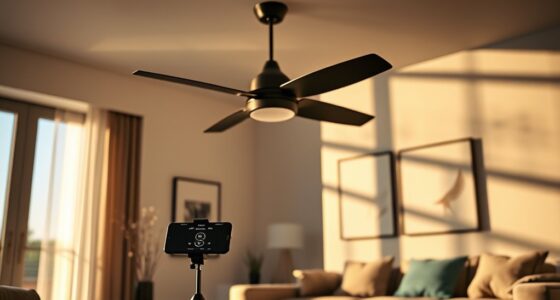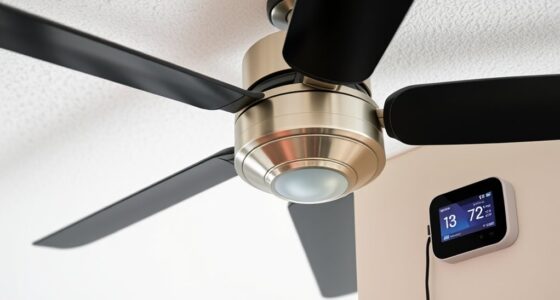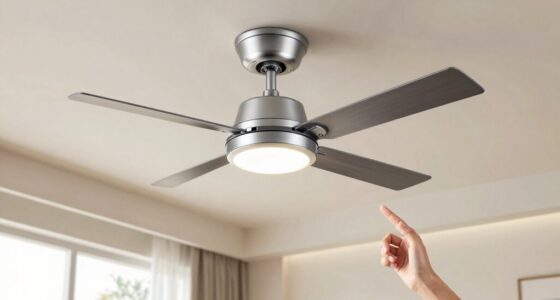
Before you buy a universal ceiling fan remote kit, it’s important to understand how pairing works. Usually, you’ll need to connect the receiver to your fan’s wiring, then activate pairing mode on both the remote and receiver, often by pressing a button. Proper wiring and compatibility are key for seamless operation. If you keep exploring, you’ll find tips to ensure a smooth install and reliable control that lasts.
Key Takeaways
- Check if the fan has a compatible receiver or built-in control system supporting remote pairing.
- Confirm the remote kit uses RF or IR signals matching the fan’s control method.
- Follow the manufacturer’s instructions to enter pairing mode on both remote and receiver.
- Ensure power is on before initiating pairing, and press designated pairing buttons as instructed.
- Verify successful pairing by testing remote functions and troubleshooting if needed.

If you’re tired of juggling multiple remote controls or dealing with incompatible fan systems, a universal ceiling fan remote kit offers a simple solution. Before you buy, it’s essential to understand how pairing works, so you can ensure the kit will meet your needs. One of the first steps is to pay close attention to installation tips provided by the manufacturer. These tips often include specific instructions for removing the fan’s existing remote receiver or switch, which is vital for a smooth setup. Many universal kits are designed to be compatible with a wide range of fans, but compatibility concerns are common. You need to verify that the remote kit supports your fan’s brand and model, especially if your fan has a non-standard control system or unique wiring.
When considering compatibility, check whether your fan has a receiver installed or if it’s an integrated control system. Some fans come with a built-in receiver, making it easier to connect a universal remote, while others require you to replace or bypass the existing receiver. Reading your fan’s manual or inspecting the receiver box can save you time and prevent purchasing a kit that won’t work. Also, consider the type of control signals your fan uses—some fans operate on RF (radio frequency) signals, while others rely on IR (infrared). Make sure the universal remote kit supports the same communication method to avoid pairing issues later on.
Once you have the right remote kit, the pairing process typically involves a few straightforward steps, but following detailed instructions is key. Most kits come with a manual that guides you through putting the remote and receiver into pairing mode, often by pressing a button on the receiver or remote. During installation, ensure the power is turned off to avoid electric shocks or damage. After wiring the receiver to your fan, restore power and follow the pairing instructions carefully. Compatibility concerns often surface when the remote doesn’t respond or the fan doesn’t operate correctly, which can sometimes be resolved by resetting the pairing or double-checking the wiring connections. Additionally, understanding the electrical wiring involved in your fan system can help prevent installation issues and ensure proper operation.
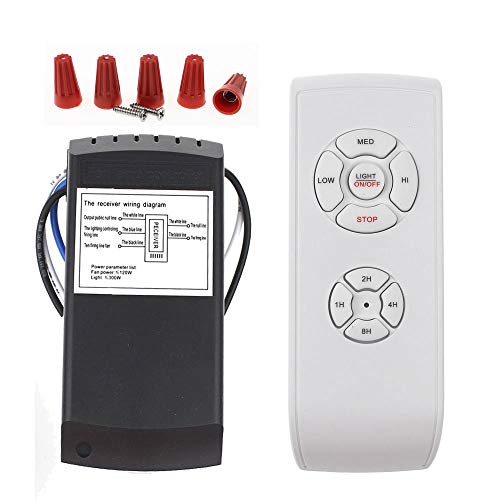
LPHUMEX Universal Ceiling Fan Remote Control Kit, 3-in-1 AC Motor Ceiling Fan Light Timing & Speed Remote, for Hunter/Harbor Breeze/Westinghouse/Honeywell/Other Ceiling Fan lamp
☞Easy Installation – Installation of the Universal Ceiling Fan Remote Controls Kit is a breeze and the looks…
As an affiliate, we earn on qualifying purchases.
As an affiliate, we earn on qualifying purchases.
Frequently Asked Questions
Can Universal Remotes Control Multiple Fans Simultaneously?
Yes, universal remotes can control multiple fans simultaneously if they’re compatible. You need to check fan compatibility before buying and verify the remote can handle multiple devices. During remote programming, you’ll typically link each fan individually, but some remotes allow you to control several fans at once once set up properly. Make sure to follow the remote’s instructions carefully for seamless control over multiple fans.
Are Universal Remote Kits Compatible With Smart Ceiling Fans?
Yes, universal remote kits can work with smart ceiling fans, but you need to check remote compatibility first. Some remotes are designed for specific fan brands, while others offer broader compatibility. The key is ensuring your remote supports your fan’s brand and features. If your smart fan uses Wi-Fi or app control, a universal remote might not be enough—look for kits that explicitly mention compatibility with smart ceiling fans to avoid surprises.
Do Universal Remotes Require Wi-Fi for Pairing?
No, universal remotes typically don’t require Wi-Fi for remote pairing. They rely on infrared (IR) signals or radio frequency (RF) to connect with your fan. Wi-Fi necessity isn’t usually involved in pairing universal remotes, making setup straightforward without internet access. You simply follow the pairing instructions, which often involve pressing specific buttons, to synchronize the remote with your fan. This makes universal remotes convenient for most ceiling fans.
How Long Does the Pairing Process Typically Take?
The pairing process usually takes just a few minutes, typically around 2 to 5 minutes, depending on your remote and fan model. You’ll find that the setup time is quick if you follow the instructions carefully. Keep your remote close to the fan during pairing, and if it’s taking longer, double-check batteries or try resetting the devices. Overall, it’s a straightforward process that won’t require much of your time.
Can I Reprogram a Universal Remote for a Different Fan Brand?
You can reprogram a universal remote for a different fan brand, but keep in mind that it’s not a one-size-fits-all solution. Some remotes are more compatible than others, and brand limitations might prevent a perfect match. Think of it as trying to fit a square peg in a round hole—if the remote’s compatibility settings include the new brand, you’re good to go. Otherwise, you might need a different remote or more advanced programming.
LPHUMEX Universal Ceiling Fan Remote Control Kit, 3-in-1 AC Motor Ceiling Fan Light Timing & Speed Remote, for Hunter/Harbor Breeze/Westinghouse/Honeywell/Other Ceiling Fan lamp
☞Easy Installation – Installation of the Universal Ceiling Fan Remote Controls Kit is a breeze and the looks…
As an affiliate, we earn on qualifying purchases.
As an affiliate, we earn on qualifying purchases.
Conclusion
Think of pairing your universal ceiling fan remote like tuning a fine instrument—you just need the right notes. Once you sync your remote, it’s like discovering a secret handshake that opens up a world of comfort at your fingertips. I once struggled for hours, but once I got it right, it was as satisfying as unsealing a hidden treasure. With patience, you’ll master it too, making your space more convenient and enjoyable.
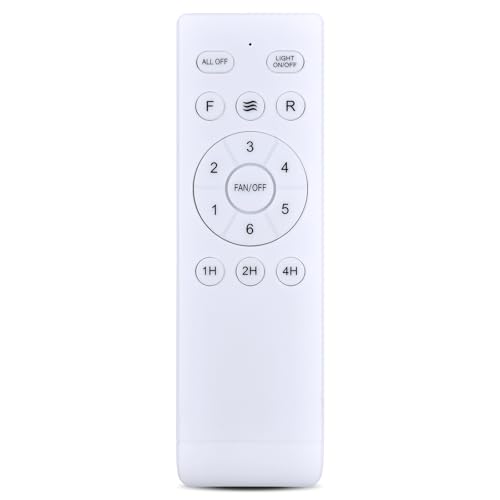
Snrigw Replacement Remote Control for Fanbulous SHIHOT LEDIARY (16"/23") Ceiling Fan Compatible with F-HL52BK-1D03 F-LY46BK-1X01 F-SN56XX-1X0X F-TY52BK-1D01 with Light ON/Off
Wide Compatibility & Perfect Fit:This remote control is compatible with ceiling fans, including models F-HL52BK-1D03, F-LY46BK-1X01, F-SN56XX-1X0X, F-TY52BK-1D01,…
As an affiliate, we earn on qualifying purchases.
As an affiliate, we earn on qualifying purchases.
LPHUMEX Universal Ceiling Fan Remote Control Kit, 3-in-1 AC Motor Ceiling Fan Light Timing & Speed Remote, for Hunter/Harbor Breeze/Westinghouse/Honeywell/Other Ceiling Fan lamp
☞Easy Installation – Installation of the Universal Ceiling Fan Remote Controls Kit is a breeze and the looks…
As an affiliate, we earn on qualifying purchases.
As an affiliate, we earn on qualifying purchases.