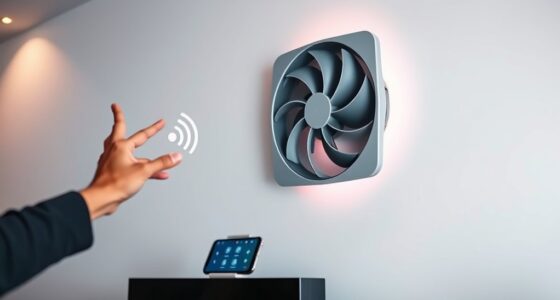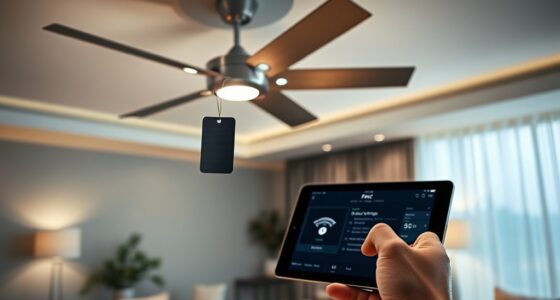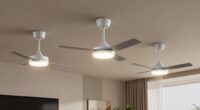
To prevent your room from feeling sticky, combine humidity sensors with strategically placed fans. The sensors monitor moisture levels, while fans help circulate air and prevent humid pockets. Proper calibration is crucial to guarantee accurate readings, so your system responds only when needed, saving energy. Regular maintenance and correct fan placement promote even airflow and control moisture effectively. Keep exploring how this simple combo can make your space more comfortable and healthier.
Key Takeaways
- Humidity sensors detect moisture levels, triggering fans to improve airflow and reduce stickiness.
- Proper sensor calibration ensures accurate readings, preventing unnecessary or insufficient fan operation.
- Strategically placing fans promotes even air circulation, preventing humid pockets and sticky spots.
- Regular maintenance of sensors and fans keeps the system responsive and efficient.
- Combining accurate sensors with optimal fan placement creates a comfortable, moisture-controlled environment.

Humidity sensors and fans work together to create a comfortable and healthy indoor environment. When you set up these systems properly, they help regulate moisture levels and maintain ideal air quality. One of the key factors in making this work effectively is guaranteeing proper air circulation. Good air circulation prevents stagnant pockets of humid air from forming, which can make a room feel sticky and uncomfortable. Fans are excellent at moving air around, but to get the most out of them, your humidity sensors must be accurately calibrated. Sensor calibration is essential because it guarantees your device correctly measures the current humidity levels. If your sensor isn’t calibrated properly, it might give false readings, causing your system to turn fans on or off at the wrong times. For example, if the sensor reads too high, your fan might kick in unnecessarily, wasting energy. Conversely, if it reads too low, it might not activate when needed, allowing moisture to build up and making the room feel damp or sticky.
To keep your humidity sensors calibrated, you should regularly check their accuracy against a known standard or calibration tool. This process involves comparing the sensor’s readings with a reliable humidity reference and adjusting the sensor if needed. Doing this guarantees your system responds precisely to changing conditions, maintaining consistent air circulation and humidity levels. When your sensors are properly calibrated, your fans can operate more efficiently, turning on only when necessary to improve air flow and reduce moisture. This not only helps keep the room comfortable but also extends the lifespan of your equipment by preventing unnecessary operation. Remember, consistent calibration is especially important if your sensors are exposed to dust, temperature fluctuations, or other environmental factors that could skew readings. Additionally, choosing high-quality anemometers or sensors can improve the accuracy and reliability of your humidity measurement system.
In addition to calibration, paying attention to your fan placement and guaranteeing unobstructed airflow is vital. Position fans to promote even air distribution across the room, avoiding dead zones where humid air might linger. Combining well-placed fans with accurately calibrated sensors allows for a responsive system that adjusts in real-time, keeping humidity levels steady and preventing that sticky feeling. Regular maintenance, including cleaning sensors and checking calibration, makes sure your system functions at its best over time. When all these components work together, you create an environment that feels fresh and cool rather than damp and sticky, no matter how humid it gets outside. Ultimately, understanding the importance of air circulation and sensor calibration empowers you to take control of your indoor climate, making your space more comfortable and healthier for everyone.
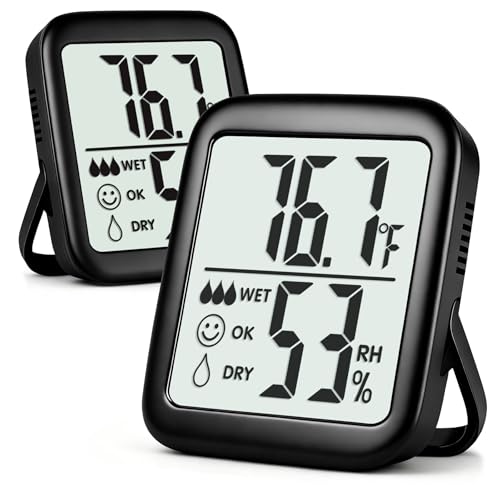
Antonki 2 Pack Room Thermometer for Home, Hygrometer Indoor Humidity Meter Gauge, Digital Temperature and Humidity Monitor Sensor for House, Terrarium, Incubator, Greenhouse – Battery Included
This 2-pack indoor hygrometer thermometer helps monitoring room temperature and humidity in real time. Temperature range: -58 ~…
As an affiliate, we earn on qualifying purchases.
As an affiliate, we earn on qualifying purchases.
Frequently Asked Questions
How Accurate Are Humidity Sensors in Different Room Sizes?
You’ll find that humidity sensors are generally accurate across different room sizes if you focus on proper sensor calibration and device placement. Smaller rooms tend to give more precise readings, but larger spaces might need multiple sensors for better accuracy. Make sure to calibrate your sensor regularly and place it away from direct sunlight or vents for ideal results. This ensures you maintain comfortable humidity levels consistently.
Can Fans Help Reduce Mold Growth Effectively?
Fans can definitely help reduce mold growth by boosting air circulation and preventing damp, stagnant spaces. When you keep the air moving, you’re effectively drying out surfaces and airflow, making mold prevention easier. Regularly using fans in humid rooms disrupts the damp environment mold loves, helping to keep your space safer and healthier. So, yes, fans are a simple, effective solution to fight mold and maintain a fresh, dry atmosphere.
What Maintenance Is Required for Humidity Sensors?
You need to regularly check your humidity sensors for proper sensor calibration and guarantee they’re placed in a representative spot, away from direct moisture or heat sources. Clean the sensors gently with a soft cloth to prevent dust buildup that can affect readings. Replace batteries as needed and verify readings periodically to maintain accuracy. Proper maintenance keeps your humidity control system functioning effectively, preventing sticky rooms and mold growth.
Are There Energy-Efficient Fan Options for Continuous Use?
You can definitely choose energy-saving fans designed for continuous use, which help cut down on power bills and reduce environmental impact. Look for models with smart fan controls that automatically adjust speeds based on humidity levels and room temperature. These features optimize airflow efficiently, ensuring comfort without wasting energy. With the right smart fan, you keep your space comfortable and eco-friendly, even when running fans all day long.
How Quickly Can Fans Adjust Indoor Humidity Levels?
Fans can regulate indoor humidity levels within minutes, especially when paired with well-calibrated humidity sensors. You’ll notice quicker responses if your sensor is properly calibrated to detect humidity fluctuations accurately. Once the sensor picks up changes, the fan activates promptly to reduce excess moisture. Keep in mind, regular sensor calibration ensures consistent performance, so your fan reacts swiftly to humidity shifts, keeping your room comfortably dry.

VIVOHOME Autoflow Bathroom Exhaust Fan with Light & Humidity Sensor (160-110-30CFM) – 2700K/4000K/5700K & EC Motor, Retrofit Ceiling Mount Bath Fan, No Attic Access Needed (Install Kit, 4-in Duct)
DURABLE & EFFICIENT: The bathroom exhaust fan is built with lightweight, rust-proof ABS and PP housing; Designed for…
As an affiliate, we earn on qualifying purchases.
As an affiliate, we earn on qualifying purchases.
Conclusion
By pairing humidity sensors with fans, you’ll prevent perpetual stickiness and promote a more comfortable climate. This simple yet smart system swiftly detects dampness and deftly directs airflow, avoiding the doom of dampness and discomfort. Remember, this dynamic duo delivers a decisive defense against damp, drab rooms. So, set up sensors and fans, and experience a fresher, dryer, and more delightful domain where dampness doesn’t dominate. Dominate humidity with this clever combo!

LEVOIT Tower Fan for Bedroom, 90° Oscillating Standing Fan with 28dB Quiet for Sleep, 25ft/s Velocity, 12H Timer, 5 Speeds 4 Modes, Remoter, Bladeless Room Fan for Home, Office, Indoor, 36 inch, White
𝙎𝙖𝙮 𝙂𝙤𝙤𝙙𝙗𝙮𝙚 𝙩𝙤 𝙏𝙧𝙖𝙙𝙞𝙩𝙞𝙤𝙣𝙖𝙡 𝙁𝙖𝙣𝙨: Our innovative airflow design combines a curved air inlet and unique multi-blade design,…
As an affiliate, we earn on qualifying purchases.
As an affiliate, we earn on qualifying purchases.
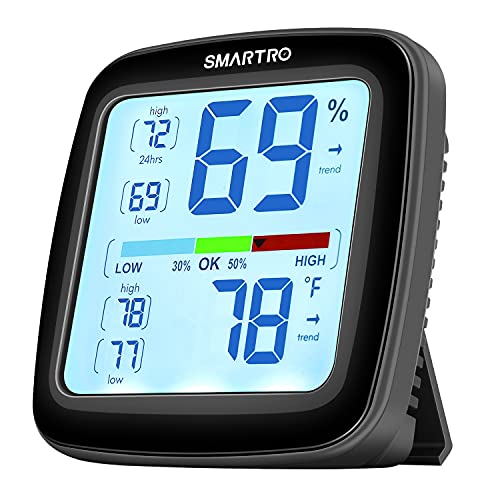
SMARTRO SC42 Professional Digital Hygrometer Indoor Thermometer Room Humidity Gauge Pro Accuracy Calibration
The Best Industrial Grade Accuracy: Humidity gauge with built-in Swiss sensors, it detects subtle humidity and temperature changes…
As an affiliate, we earn on qualifying purchases.
As an affiliate, we earn on qualifying purchases.