
To maintain your ceiling fan remote batteries and controls, regularly check for corrosion, leakage, or damage and clean battery contacts with a brush and baking soda mixture. Guarantee batteries are inserted firmly with correct polarity and replace old or non-rechargeable types promptly. Keep the remote’s sensor window clean and free from dust or obstructions to ensure proper signal transmission. Taking these steps helps prevent control failures, and further tips can enhance your remote’s longevity and performance.
Key Takeaways
- Regularly check and replace batteries with fresh, manufacturer-recommended alkaline or lithium types to prevent remote failure.
- Ensure proper battery installation, confirming correct polarity (+ and -) and secure contact for optimal performance.
- Clean remote sensor windows and internal contacts with a soft cloth and mild cleaning solution to maintain signal integrity.
- Inspect internal circuitry for loose connections, corrosion, or damage, and seek professional repair if necessary.
- Keep the remote within 20-30 feet of the fan receiver with a clear line of sight, minimizing obstructions and environmental interference.
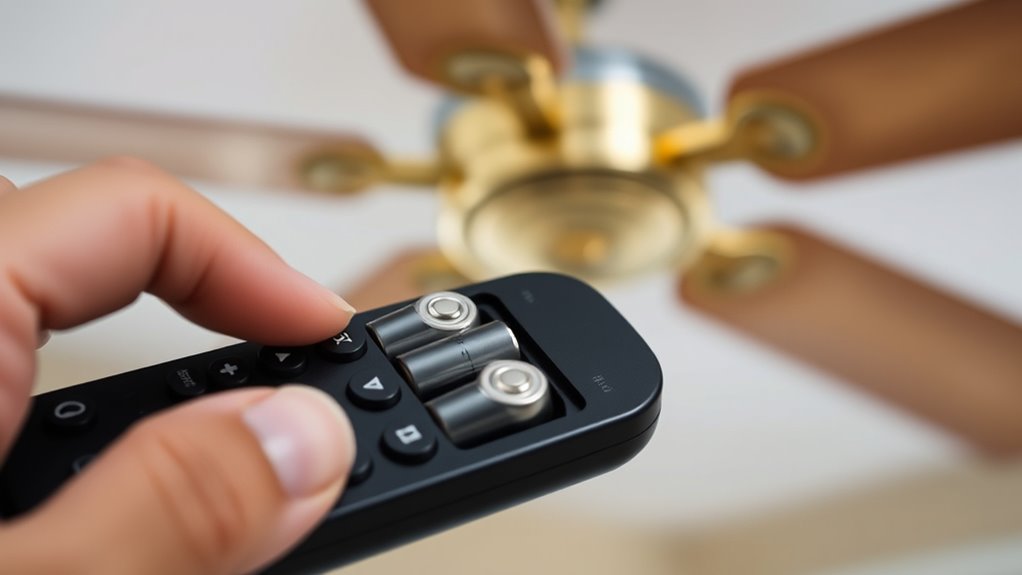
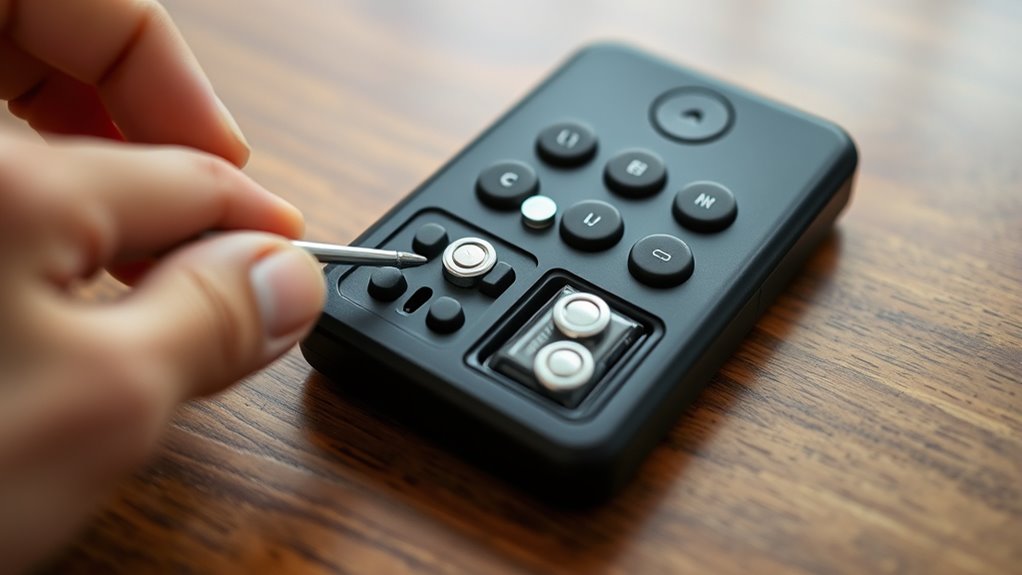
When your ceiling fan remote stops responding or functions intermittently, the most common cause is depleted batteries. This issue directly impacts the remote’s ability to send signals consistently to the fan’s receiver, leading to unreliable operation. To resolve this, you should first remove the batteries from the remote and examine their condition. Look for signs of corrosion, leakage, or physical damage, which can impair electrical contact and reduce power supply. If corrosion is present, clean the battery contacts carefully using a small brush and a mixture of baking soda and water, ensuring no residue remains. Proper contact between batteries and terminals is essential for reliable operation.
Next, verify that the batteries are installed correctly, respecting polarity markings (+ and -). Incorrect installation prevents proper voltage transfer and can cause erratic functioning. Always use fresh batteries recommended by the manufacturer, typically alkaline or lithium types, as these provide consistent voltage and longer lifespan. Avoid reusing old batteries or mixing different types and brands, since inconsistent voltage levels can lead to intermittent remote responses. When replacing batteries, insert them firmly, ensuring full contact with the terminals without forcing them, which might damage the contacts or the remote’s internal components.
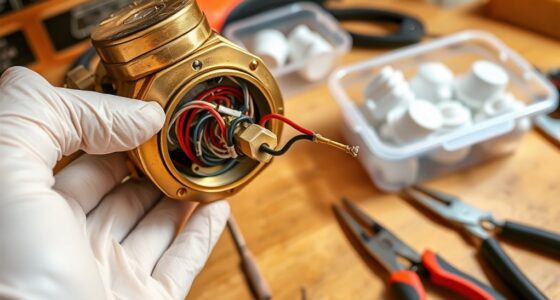
In addition to replacing batteries, consider the overall battery life cycle. Battery performance diminishes over time, especially if the remote is used frequently or stored in high-temperature environments, which accelerate chemical degradation. Regularly scheduled replacements prevent unexpected failures and maintain seamless control. If replacing the batteries does not restore proper function, inspect the remote’s internal circuitry for potential issues. Loose connections, damaged solder joints, or corrosion inside the remote can disrupt signal transmission. If you notice internal damage, professional repair or replacement of the remote may be necessary.
Furthermore, ensure that the remote’s infrared or radio frequency emitter is unobstructed and clean. Dust, dirt, or smudges on the sensor window can weaken signal strength. Use a soft, lint-free cloth to gently clean the emitter, avoiding harsh chemicals that could damage internal components. Confirm that the remote is within the specified range of the ceiling fan receiver, usually about 20-30 feet, with an unobstructed line of sight if using infrared signals. Environmental factors like thick walls or metal objects can interfere with communication, necessitating closer proximity or repositioning. Additionally, understanding remote control signal types can help troubleshoot communication issues more effectively.
Maintaining the remote’s batteries and controls involves a systematic approach that emphasizes regular inspection, correct installation, and mindful handling. Consistent adherence to these practices ensures reliable operation, prolongs device lifespan, and minimizes troubleshooting time. Always consult the manufacturer’s guidelines for specific battery types and replacement procedures to guarantee compatibility and peak performance. Proper maintenance not only prevents unexpected failures but also enhances your overall control experience, ensuring your ceiling fan functions smoothly whenever needed.

23A 12 Volt Battery 10 Pack 23A 12V Alkaline Batteries Long Lasting 23a 12 Volt Battery for Ceiling Fan Remote
23A alkaline batteries used the international advanced laminated technology, compared with the general 12V battery is different.
As an affiliate, we earn on qualifying purchases.
As an affiliate, we earn on qualifying purchases.
Frequently Asked Questions
How Often Should I Replace My Ceiling Fan Remote Batteries?
You should replace your ceiling fan remote batteries every 6 to 12 months, or when you notice reduced signal strength. Regularly check the remote’s responsiveness; if commands aren’t registering, it’s time for a new set. Use high-quality alkaline batteries for peak performance and longevity. Avoid mixing old and new batteries to prevent leakage or damage, ensuring reliable operation and extending the remote’s lifespan.
Can I Use Rechargeable Batteries in My Ceiling Fan Remote?
Yes, you can use rechargeable batteries in your ceiling fan remote. Make sure they have the same voltage and size as standard batteries, typically 1.5V AA or AAA. Rechargeable batteries, such as NiMH, may have slightly lower voltage when fully charged, which generally doesn’t affect remote operation. Regularly recharge and monitor their performance, replacing them if you experience inconsistent control signals or reduced remote responsiveness.
What Type of Batteries Are Best for Ceiling Fan Remotes?
You should use alkaline batteries, preferably AA or AAA, for ideal performance in your ceiling fan remote. These batteries provide a stable voltage, longer lifespan, and reliable power delivery. Avoid using rechargeable batteries, as they often have lower voltage and may cause inconsistent operation. make sure you install new, high-quality batteries promptly when signals weaken, and always match the battery type specified by your remote’s manufacturer to prevent damage or malfunction.
How Do I Reset My Remote After Changing Batteries?
To reset your remote after changing batteries, first turn off the fan and remove the remote’s batteries. Press and hold any button for about 10 seconds to discharge residual power. Reinstall the batteries, ensuring correct polarity. Then, press the reset or pairing button on the remote (if available) or follow your fan’s specific reset procedure, typically involving pressing a combination of buttons. Test the remote to confirm successful reset and operation.
Are There Signs Indicating My Remote Batteries Are Dying?
Your remote batteries might be dying if you notice delayed responses or inconsistent fan operation—like trying to whisper commands to a deafening thunderstorm. You could also see dim or flickering indicator lights, or the remote may require multiple presses to work. Check the battery contacts for corrosion or looseness. Replacing the batteries usually restores proper function, but if issues persist, reprogramming or inspecting the remote’s circuitry might be necessary.

VSGO Full Frame Sensor Cleaning Kit, 12pcs Sensor Swabs & 10ml Sensor Cleaner for Nikon Sony Canon DSLR Camera Clean (VS-S03-12)
【Sensor Cleaning Fluid】: Screen cleaner can strongly clean stains,Uses the power of ultrapure water to clean without leaving…
As an affiliate, we earn on qualifying purchases.
As an affiliate, we earn on qualifying purchases.
Conclusion
Just as a lighthouse requires steady illumination to guide ships safely, your ceiling fan remote depends on fresh batteries to function reliably. Regularly checking and replacing batteries ensures your comfort remains uninterrupted, preventing the frustration of a silent fan. By maintaining your remote with the precision of a well-calibrated instrument, you keep control at your fingertips, much like a captain steering through calm waters—always prepared, always in command.

SPENFiLY Wireless Infrared Remote Control Extender, Infrared Repeater Kit, Infrared Remote Control Wireless Connection Home Appliances Compatible with Multiple Infrared Devices (Control of 4 Devices)
INNOVATIVE IR TRANSPONDER: SPENFiLY OWM‑Series wireless infrared transponder enables remote control through walls and across rooms, with model…
As an affiliate, we earn on qualifying purchases.
As an affiliate, we earn on qualifying purchases.
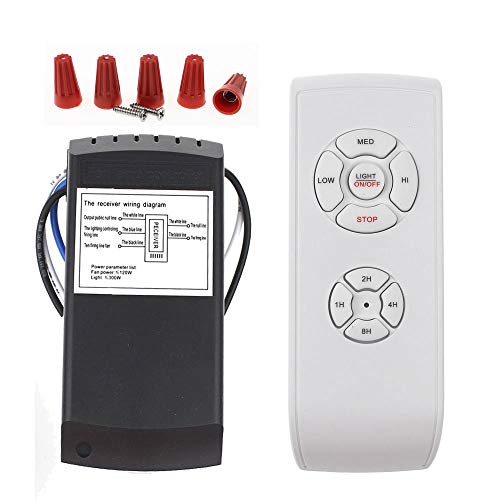
LPHUMEX Universal Ceiling Fan Remote Control Kit, 3-in-1 AC Motor Ceiling Fan Light Timing & Speed Remote, for Hunter/Harbor Breeze/Westinghouse/Honeywell/Other Ceiling Fan lamp
☞Easy Installation – Installation of the Universal Ceiling Fan Remote Controls Kit is a breeze and the looks…
As an affiliate, we earn on qualifying purchases.
As an affiliate, we earn on qualifying purchases.