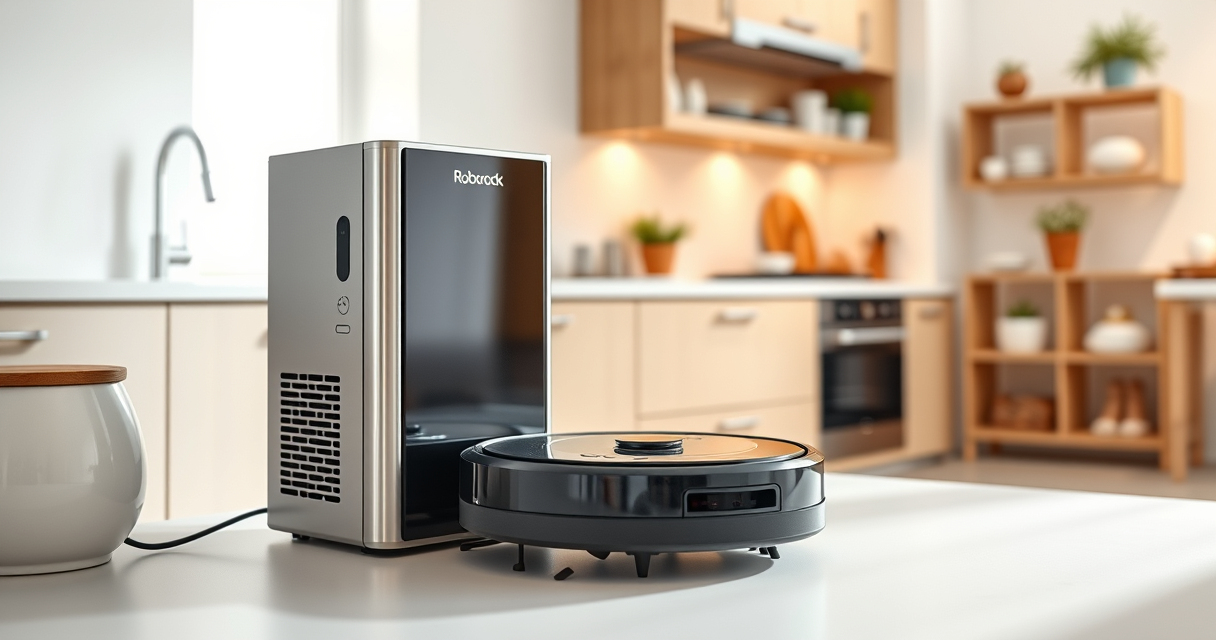

Getting your new Roborock Q7 M5+ ready for action is straightforward, but proper setup ensures optimal cleaning performance and longevity. This guide walks you through the necessary preparation, assembly, and initial configuration steps to help you start cleaning with confidence.

Get home appliances delivered free with Prime
- Fast, free delivery on millions of items
- Prime Video, Amazon Music and more included
- Member-only deals all year
Whether you’re new to robotic vacuums or upgrading from an older model, following these clear, practical steps will set you on the right path. Remember, safety and accuracy are key to making the most of your Roborock Q7 M5+.
Key Takeaways
| Easy Assembly | Quickly assemble the vacuum and mop accessories. |
| Initial Setup | Connect via app and perform initial calibration. |
| Maintenance Tips | Learn how to keep your system running smoothly. |
| Troubleshooting | Identify common issues and solutions. |
Unboxing and Assembly
- Carefully unpack your Roborock Q7 M5+ from the box, ensuring all accessories such as the self-emptying dock, mop pads, and filters are included.
- Place the robot vacuum on a flat, open surface. Attach the main brush and side brushes as instructed in the manual. The main brush is equipped with a dual anti-tangle system, so ensure it clicks securely into place.
- For mopping, attach the microfiber mop pads to the base of the robot. If your model supports it, install the washable filter or other accessories according to the instructions.
- Position the self-emptying dock in an accessible location near power outlets. Connect it to power and ensure the dust bag is properly installed.
Tip: Before proceeding, double-check that all components are firmly attached to avoid operational issues later.
Warning: Do not force parts into place; follow manufacturer instructions to prevent damage.
Connecting to the App and Initial Calibration
- Download the Roborock app compatible with your device. Create or log into your account.
- Power on the vacuum by pressing the power button. Enable Bluetooth and Wi-Fi on your phone.
- Follow the app prompts to add a new device. Select the Roborock Q7 M5+ from the list and connect it to your Wi-Fi network.
- The app will guide you through mapping your space using the PreciSense LiDAR navigation. Place the robot in the start position and allow it to perform its initial mapping run.
- Once the map is created, name your rooms and set no-go zones if desired.
Tip: Keep the robot on a clear, open space during the initial run for optimal map accuracy.
Warning: Avoid interrupting the first map creation or moving the robot mid-mapping process, as this can distort the map.
Configuring Cleaning Settings and Schedules
- Use the app to select cleaning modes — vacuum, mop, or combined. Adjust suction power up to 10,000 Pa for deep cleaning, especially on carpets and pet hair.
- Create cleaning schedules tailored to your routine, such as daily or weekly runs, for hands-free maintenance.
- Set virtual boundaries or no-go zones to protect delicate areas or furniture.
- Configure the self-emptying feature to activate after each cycle, reducing maintenance frequency.
Tip: For best results, set higher suction and longer cleaning times in high-traffic or pet areas.
Warning: Avoid scheduling cleaning during times when pets or children are active to prevent disturbances or accidents.
Routine Maintenance and Troubleshooting
Regularly empty the 2.7L sealed dust bag in the RockDock Plus, which can last up to 7-9 weeks before needing replacement. Wash the mop pads as needed, ideally every 1-3 months, to maintain cleaning efficacy.
Check the filters, such as the recommended washable HEPA filters, for dirt and wear. Replace or clean these components to ensure optimal suction and air quality.
If your vacuum encounters issues, consult the app’s troubleshooting section. Common problems like navigation errors or suction loss can often be resolved by clearing obstructions, resetting the device, or updating firmware.
Ensure the LiDAR sensors are clean and free of dust, as they are crucial for Precise navigation.
Warning: Do not attempt to repair internal components yourself; contact customer support if problems persist.
Product Features and Benefits
The Roborock Q7 M5+ offers powerful cleaning with up to 10,000 Pa suction, an upgraded self-emptying dock, multi-room mapping, and app control. Its dual anti-tangle system is especially effective for pet hair and carpets, reducing maintenance time. The combination of vacuuming and mopping capabilities makes it versatile for different floor types, while the large dust bag minimizes frequent emptying. Overall, this model is designed for efficient, long-term home cleaning with minimal fuss.
The Products in This Guide

roborock Q7 M5+ Robot Vacuum and Mop
- ✔ Model: Q7 M5+
- ✔ Connectivity: Wi-Fi, App control
- ✔ Cleaning Modes: Vacuum & mop

4 Pack Washable Filter
- ✔ Pack: 4 Filters
- ✔ Compatibility: Multiple Roborock models
- ✔ Material: HEPA washable
roborock Q7 M5+ Robot Vacuum and Mop
The Roborock Q7 M5+ stands out with its powerful suction, self-emptying dock, and advanced navigation. Its design makes it easy to set up and maintain, ensuring thorough cleaning with minimal effort.
Pros:
- Powerful 10,000 Pa suction
- Up to 7-9 weeks self-emptying
- Dual anti-tangle system
- App control with mapping
Cons:
- Initial setup may take time
- Higher price point
- Requires Wi-Fi for full features
Best for: Pet owners, busy households, those needing deep cleaning
Not ideal for: Users without Wi-Fi or those preferring manual cleaning
Bottom line: A high-performance, low-maintenance vacuum ideal for pet hair and large homes.
4 Pack Washable Filter
The 4 Pack Washable Filter ensures your Roborock maintains peak suction and air quality. Easy to install and clean, it’s a practical upgrade for ongoing performance.
Pros:
- Replaces OEM filters
- Washable and durable
- Maintains high filtration efficiency
- Cost-effective pack
Cons:
- Requires cleaning every few months
- Not OEM but compatible
- Limited to specific models
Best for: Prolonging filter life, maintaining air quality
Not ideal for: Users expecting OEM parts only
Bottom line: A cost-efficient way to keep your vacuum performing at its best.
Frequently Asked Questions
How often should I empty the self-emptying dock?
Depending on usage, the dock can go up to 7-9 weeks before needing to be emptied, thanks to its 2.7L sealed dust bag.
Can I use my Roborock on all floor types?
Yes, the Roborock Q7 M5+ is suitable for hardwood, tile, stone, and carpets, with adjustable suction for different surfaces.
How do I update the firmware?
Connect your robot to the Roborock app, navigate to device settings, and check for firmware updates. Follow prompts to install updates securely.
Is the mop washable?
Yes, the microfiber mop pads are washable and reusable, typically every 1-3 months depending on usage.
What should I do if my robot gets stuck or loses navigation?
Ensure the mapping is accurate, clear any obstacles, and keep sensors clean. Resetting the device via the app can also resolve minor navigation issues.
Start Cleaning Smarter with Your Roborock Q7 M5+
With proper setup and maintenance, your Roborock Q7 M5+ can keep your home spotless with minimal effort. Following these steps ensures you maximize its features, enjoy reliable operation, and extend its lifespan. Regular updates and routine cleaning will help you get the most out of this powerful, versatile robot vacuum and mop.
Enjoy a cleaner, more comfortable home with your new Roborock, and don’t hesitate to revisit these setup tips whenever you need a refresher or encounter issues.
Affiliate disclosure: As an Amazon Associate we earn from qualifying purchases. Prices and availability are accurate as of the time of publishing.
Halloween Picks
halloween
As an affiliate, we earn on qualifying purchases.