TL;DR
A smart ceiling fan with remote combines a handheld or wall control with features such as app, voice, scheduling, or smart home access, depending on the model. A remote alone does not make a fan smart, and connected features vary, so check exact platform compatibility, room guidance, motor and airflow details, and control wiring before you buy.
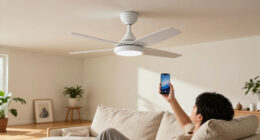
You can be halfway through a movie, feel the room getting stuffy, and change the fan speed without reaching for your phone. That convenience is why smart ceiling fans with remote controls appeal to many households: you get a physical button when it’s handy, with app or voice control available on some models.

Get home appliances delivered free with Prime
- Fast, free delivery on millions of items
- Prime Video, Amazon Music and more included
- Member-only deals all year
The catch is that “remote-controlled” and “smart” describe different things. A basic fan may include a handheld remote but have no Wi-Fi, app, or smart-home connection. In this guide, you’ll learn what smart controls actually add, what to check before buying, and how room size, wiring, and installation affect the choice.
You’ll also see why a remote still matters when the network drops, how to compare motors and lights, and when to bring in a licensed electrician. The goal is simple: choose a fan that feels comfortable in the room and works with the controls you’ll actually use.
A remote alone does not mean a ceiling fan has Wi-Fi, an app, or smart-home access.
Check the exact model’s platform support, hub requirements, remote functions, and offline controls.
Match fan size and mounting guidance to your room, ceiling height, and obstructions.
Compare airflow and noise details; a DC motor can offer benefits, but results vary by fan and setup.
Use a fan-rated support box and compatible controls, and consult a licensed electrician when wiring is uncertain.
Know What You Get From a Smart Fan and Its Remote
A smart ceiling fan with remote combines a ceiling fan with a wireless handheld or wall control, and some models also add app, voice, scheduling, or smart-home access. The remote may operate the fan directly or communicate with a receiver in the canopy. Features vary by product, so the word “smart” alone doesn’t tell you which controls are included.
That distinction matters when you’re shopping. A conventional fan with a remote can change speed and perhaps switch a light, yet lack Wi-Fi entirely. A connected fan may let you set a schedule in an app or ask a voice assistant to turn it off, but it may need a particular hub or network setup.
Imagine you’re settling a child in for the night. A handheld remote lets you lower the speed from the doorway, while an app might let you set an automatic shutoff. Those conveniences depend on the exact model; a physical remote does not guarantee an app, and an app does not guarantee every remote function.
Before buying, check whether the remote is included, what it controls, whether it can operate multiple fans, and whether replacements are available. If a fan’s app is discontinued or your router is offline, a paired remote or wall control may still work. Read the manual for the specific offline behavior.
Products Worth Considering

Shark Pet Cordless Stick Vacuum, Up to 40-Minute Runtime, Grey, IX141

Bose TV Speaker Compact Soundbar with Bluetooth and HDMI-ARC, Black

Sonos Era 100 SL Compact Microphone-Free Speaker, Black
As an affiliate, we earn on qualifying purchases.
Compare the Controls You’ll Use Every Day
Smart ceiling fans with remote controls are easiest to compare when you separate everyday buttons from connected features. Look for clear control of fan speed, light brightness, and reversible direction; then check whether the app or voice system adds something useful. Some fans have no light kit, so a light button may not apply at all.
| Control | What it can do | What to check |
|---|---|---|
| Handheld remote | Adjust fan speed or light from across the room | Included, battery type, range, pairing, replacements |
| Wall control | Keep basic controls in a familiar spot | Wiring and fan compatibility |
| Phone app | Offer settings such as schedules, where supported | Network, app support, exact model features |
| Voice assistant | Allow spoken commands on supported systems | Platform, hub, and setup requirements |
For example, a family might use a remote for quick speed changes and an app schedule to switch the fan off after bedtime. Someone who shares a home with guests may prefer a wall control that doesn’t require explaining an app. One setup isn’t best for everyone; the right choice depends on who needs to operate the fan and how.
Check fan and light control separately. Some remotes dim a compatible light kit and reverse the fan direction; others offer only a few speed buttons. Confirm that the controls match your routine before you pay for features you won’t use.
Check the Motor, Airflow, and Room Fit Before You Buy
Choose a smart ceiling fan with remote by matching its size and airflow guidance to the room, then compare its noise and speed details. A fan circulates air to help people feel cooler; it generally does not lower the room’s temperature. Room area, ceiling height, obstructions, and mounting style all affect how it feels in use.
Many newer fans use DC motors, which can offer more speed options and quieter operation than some AC-motor models. That’s a useful clue, not a guarantee: the specific fan, speed, installation, and room conditions affect noise and performance. Compare published airflow and sound information where available rather than choosing on motor type alone.
Consider a home office on a warm afternoon. A steady, low setting may be more comfortable during a video call than a loud high setting, while a larger living room may need a larger fan or more than one unit. Use the manufacturer’s room-size and mounting recommendations, and pay attention to the ceiling slope and nearby lights or furniture.
Some fans reverse direction to suit seasonal use, and some include dimmable lights. Check how those functions are controlled, and whether the light kit is included. A product photo can make a bare fan look as if it includes a light; the specifications tell you what actually arrives in the box.
Use This Buying Checklist to Avoid Control Surprises
Before ordering, check the fan’s room fit, control package, compatibility, and replacement options against your actual home setup. Smart ceiling fans with remote controls can vary in included accessories and connected features, even when product names sound similar. A few minutes with the specification sheet can prevent an awkward return or a control that won’t work with your system.
- Measure the room and check the ceiling. Follow the manufacturer’s sizing, clearance, and mounting guidance, including for sloped ceilings.
- Confirm what the remote controls. Check speed settings, light dimming, direction reversal, batteries, pairing, and whether one remote can control multiple fans.
- Verify smart-home support. Look up the exact model and controller for Alexa, Google Home, Apple Home, or any hub requirement. Matter support is not universal.
- Review motor, airflow, and light details. Compare specifications instead of assuming a DC motor or a product photo guarantees a particular result.
- Check offline and replacement options. Find out what works without internet and whether replacement controls are sold.
Say you already use a voice assistant in the kitchen. A fan that supports your exact platform may fit your routine, but another model could require a hub or support only a different system. Treat compatibility as a model-specific fact, not a promise attached to the word “smart.”
App functions can also change with software updates. Look at current manufacturer documentation for schedules and integrations, and check the warranty and support details. A basic remote that still handles speed and lights can be valuable if an app changes or your network has a bad day.
Plan Safe Installation and Keep a Useful Backup Control
A ceiling fan needs a properly rated support box and suitable wiring, while its smart controller may have specific electrical requirements. A standard wall dimmer is not automatically compatible with a fan motor and can interfere with its operation. If you’re uncertain about the box, wiring, or local requirements, have a licensed electrician assess and install the fan.
That matters even in a straightforward room swap. A light fixture may hang safely from a box that isn’t rated to support a moving fan. Smart controls can add another complication: the receiver may sit in the canopy, and the fan and light may need separate wiring or a particular wall control.
Before any work, turn off power at the breaker and verify it is off; use appropriate PPE and follow the manufacturer’s instructions. Do not treat a wall switch alone as proof that the wires are de-energized. Electrical work may also involve local code or permit requirements, so a licensed professional can help you meet them.
After installation, pair the remote as the manual directs and test each function. If you lose it later, replacement and re-pairing depend on the fan. Keep the model number and manual somewhere you can find them; that small detail can save time when a battery dies or you need a replacement control.
Get More Comfort From the Fan You Already Chose
A ceiling fan improves comfort by moving air across your skin, rather than usually lowering the room temperature. That makes it most useful while people are in the room. Turn it off when the space is empty, and use the remote or app schedule if your model supports a convenient shutoff.
For instance, you may set a living-room fan to a gentle speed during dinner, then turn it off when everyone heads upstairs. The airflow can make the room feel less stagnant without needing a chilly blast. If a setting feels noisy or uncomfortable, try a lower speed and check that the fan was mounted and balanced as the instructions specify.
Smart ceiling fans can make routines easier through schedules or voice commands, but those tools rely on the model’s app, software support, and network. A physical remote gives you a familiar way to make quick adjustments; it may also work when internet service is unavailable, subject to the fan’s manual. Keep both options ready if your household likes connected controls but wants simple access too.
Small habits matter as much as features. Pick a speed that suits the activity, switch the fan off when you leave, and keep furniture or fixtures clear of the manufacturer’s recommended space. The best result is a room that feels quietly comfortable, not a pile of controls you have to troubleshoot.
Frequently Asked Questions
What makes a ceiling fan smart?
A smart fan usually offers app, voice, or smart-home control, though the available features vary by model. A handheld remote by itself does not make a fan smart.
Can I use the fan if Wi-Fi or internet service goes down?
Often you can if the fan has a paired handheld remote or wall control. The exact offline functions depend on the model, so check its manual before buying.
Will a smart ceiling fan work with Alexa, Google Home, or Apple Home?
Some fans support one or more of these platforms, and some need a hub. Confirm compatibility for the exact fan and controller rather than relying on a general “smart” label.
Can the remote control the fan and light separately?
Many models offer separate fan and light controls, but it depends on the remote, receiver, light kit, and wiring. Check the product specifications to see whether dimming and speed adjustment are both supported.
Can I use an existing wall dimmer with a smart fan?
Not necessarily. An ordinary light dimmer may interfere with or damage a fan motor; use only a control the manufacturer approves for that fan.
Does a ceiling fan actually cool the room?
A ceiling fan moves air across your skin, helping you feel cooler, but it generally does not lower the room’s temperature. Turning it off when the room is empty can save energy.
Conclusion
Choose the fan around the room and the people who will use it: check the sizing guidance, confirm what the remote controls, and verify smart-home compatibility for the exact model. Treat wiring and mounting as part of the purchase, since a fan needs proper support and controls made for its motor.
A good setup should feel simple: a quiet stir of air, a button within reach, and an app or voice command when it genuinely helps. Start with fit and safe installation; let the smart features come second.