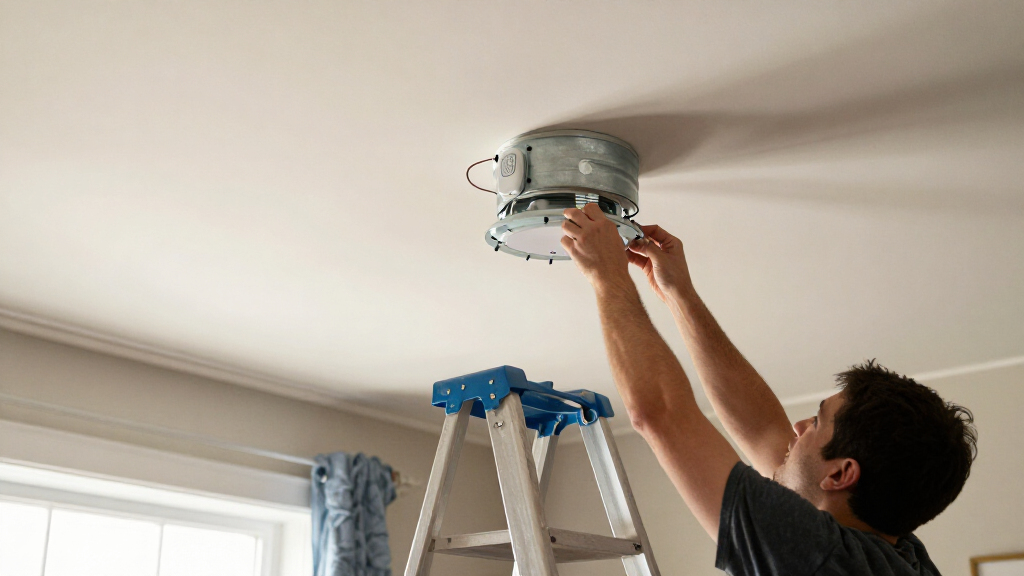

Smart ceiling fan installation kits add app or remote control to compatible fans, but the right pick depends on receiver fit, wiring, and the controls you want. I rank the Universal Wi-Fi Ceiling Fan Remote Control Kit with Dimmable Light Control as the best overall for its combination of fan and light control. The YukiHalu Smart WiFi Ceiling Fan Remote Control Kit is a strong alternative for shoppers focused on Wi-Fi control, while the 53T Smart Wi-Fi Ceiling Fan Remote Control Kit with Light Dimmer stands out for dimming. The main tradeoff is convenience versus compatibility: a feature-rich kit can be a poor match if its receiver will not fit inside your canopy or work with your fan’s wiring. Read on for the full comparison, setup considerations, and guidance on choosing a kit that suits your fan.

Get home appliances delivered free with Prime
- Fast, free delivery on millions of items
- Prime Video, Amazon Music and more included
- Member-only deals all year
Complete the kit


Key Takeaways
- The Universal Wi-Fi kit with dimmable light control leads this lineup because its combined fan and light controls make it a strong all-around choice, provided the receiver fits and the fan is compatible.
- Dimming is a meaningful point of separation: the 53T, Prichor, COREBAY, and other dimmer-labeled kits may suit buyers who want finer light adjustment, but the light’s bulb and wiring compatibility still matter.
- Wi-Fi branding alone does not settle the choice. Buyers should check which controls, app functions, and remote features are actually included rather than assuming every kit offers the same experience.
- Receiver size and wiring can outweigh feature lists. A kit that cannot fit in the canopy or match the fan’s wiring is not a workable upgrade, even if its controls look appealing.
- The nine options share a narrow product type, so the best pick depends on fit and desired controls. Compare the specific kit’s compatibility details before treating any universal label as a guarantee.
| Universal Wi-Fi Ceiling Fan Remote Control Kit with Dimmable Light Control |  | Best for Straightforward Smart Dimming | Brand and model: Humpptom JF028 | Connectivity: Wi-Fi | App: Smart Life for iOS and Android | VIEW LATEST PRICE | See Our Full Breakdown |
| YukiHalu Smart WiFi Ceiling Fan Remote Control Kit |  | Best for Timed On/Off Control | Brand and model: YukiHalu FRT-2001A | Connectivity: Wi-Fi | App: Smart Life | VIEW LATEST PRICE | See Our Full Breakdown |
| 53T Smart Wi-Fi Ceiling Fan Remote Control Kit with Light Dimmer |  | Best for More Fan Settings | Brand and model: 53T JF028 Wi-Fi | Connectivity: Wi-Fi and radio frequency | Fan speeds: 4: high, medium, low, and off | VIEW LATEST PRICE | See Our Full Breakdown |
| Nexete Universal Smart Wi-Fi Ceiling Fan Remote Control Kit |  | Best for a Removable Wall-Mount Remote | Brand and model: Nexete JF016 Wi-Fi | Connectivity: Wireless | App: Smart Life | VIEW LATEST PRICE | See Our Full Breakdown |
| Smart Ceiling Fan Remote Control Kit with Dimmer |  | Best for Broad Brand Coverage | Fan speeds: 3 | Supported fan brands: Hunter, Harbor Breeze, Hampton Bay, Home Decorators Collection, Litex, and others | Connectivity: Radio frequency | VIEW LATEST PRICE | See Our Full Breakdown |
| Prichor Smart Wi-Fi Ceiling Fan Remote Control Kit with Dimmer |  | Best for Broad Everyday Compatibility | Model: RC-T26&RC-26SR | Fan speeds: 3 | Timer: 2–8 hours | VIEW LATEST PRICE | See Our Full Breakdown |
| COREBAY Smart Wi-Fi Ceiling Fan Remote Control Kit with Dimmer |  | Best for Precise Light Dimming | Model: RC-T26&RC-26SR | Fan speeds: 3 | Light dimming range: 10%–100% | VIEW LATEST PRICE | See Our Full Breakdown |
| Humpptom Smart Wi-Fi Ceiling Fan Remote Control Kit |  | Best Simple No-Hub Upgrade | Model: JF018-WIFI | Fan speeds: 3 | Light control: Separate on/off control; no dimming | VIEW LATEST PRICE | See Our Full Breakdown |
| Universal Smart Ceiling Fan Remote Control Kit with Receiver |  | Best for Extra Fan Modes | Model: RC-T27 & RC-27SR | Fan speeds: 3 | Additional fan mode: Variable breeze | VIEW LATEST PRICE | See Our Full Breakdown |
| smart ceiling fan installation kit | Connectivity | Fan speeds | App | Maximum range |
|---|---|---|---|---|
| Universal Wi-Fi Ceiling Fan Re | Wi-Fi | 3 | Smart Life for iOS and Android | 10 meters |
| YukiHalu Smart WiFi Ceiling Fa | Wi-Fi | 3: high, medium, and low | Smart Life | 30 meters |
| 53T Smart Wi-Fi Ceiling Fan Re | Wi-Fi and radio frequency | 4: high, medium, low, and off | — | — |
| Nexete Universal Smart Wi-Fi C | Wireless | — | Smart Life | — |
| Smart Ceiling Fan Remote Contr | Radio frequency | 3 | Smart Life | 60 feet |
| Prichor Smart Wi-Fi Ceiling Fa | Wi-Fi | 3 | Smart Life (iOS and Android) | — |
| COREBAY Smart Wi-Fi Ceiling Fa | Radio frequency, Wi-Fi | 3 | — | — |
| Humpptom Smart Wi-Fi Ceiling F | Wi-Fi | 3 | Smart Life | 10 meters |
| Universal Smart Ceiling Fan Re | Radio frequency | 3 | — | 30 feet |
More Details on Our Top Picks
Universal Wi-Fi Ceiling Fan Remote Control Kit with Dimmable Light Control
I’d choose the Humpptom JF028 when the main goal is adding app and voice control while keeping light dimming and fan speed adjustments separate. Its three fan speeds and compatibility with dimmable LED, CFL, and incandescent bulbs cover common household setups. Compared with the YukiHalu FRT-2001A, Humpptom is the better fit for rooms where adjustable light output matters; YukiHalu offers timers but only switches its light on and off. The tradeoff is that Humpptom’s stated maximum range is 10 meters, shorter than YukiHalu’s, and Wi-Fi setup requires a 2.4 GHz network. I’d also check the fan and receiver space before buying, since universal fit does not guarantee compatibility with every housing.
Pros:- Controls fan and light separately
- Dimmable light support for LED, CFL, and incandescent bulbs
- Works with Smart Life, Alexa, Google Assistant, and IFTTT
- Three fan speeds
Cons:- Requires a 2.4 GHz Wi-Fi network
- Maximum stated range is 10 meters
- Compatibility depends on the fan and available housing space
Best for: Homeowners with a compatible conventional fan who want separate app or voice control for three speeds and dimmable bulbs.
Not ideal for: Buyers whose fan housing cannot accommodate the receiver, or anyone who needs a longer stated control range or timer settings.
- Brand and model:Humpptom JF028
- Connectivity:Wi-Fi
- App:Smart Life for iOS and Android
- Voice assistants:Amazon Alexa and Google Assistant
- Fan speeds:3
- Compatible bulbs:Dimmable LED, dimmable CFL, and incandescent
- Maximum range:10 meters
- Wi-Fi requirement:2.4 GHz
Our verdict“Choose Humpptom if dimmable lighting and straightforward smart controls matter more than built-in timers or a longer stated range.”
YukiHalu Smart WiFi Ceiling Fan Remote Control Kit
The YukiHalu FRT-2001A suits buyers who want simple fan and light control plus an automatic shutoff, without needing a dimmer. Its 1–12 hour app timer gives it a clearer scheduling advantage over the Humpptom JF028, which supports dimming but lists no timer. YukiHalu also includes a remote and supports Smart Life, Alexa, and Google Assistant without a separate hub. The compromise is decisive: the light is on/off only, so it cannot replace a dimming control setup. The remote also works only with its included receiver, which limits reuse if the kit is changed. I’d pick this for a compatible AC-motor fan where timers matter more than adjustable light levels; for a dimmable room, the 53T JF028 Wi-Fi is a better match.
Pros:- Includes 1–12 hour app timers
- Controls fan and light independently
- Supports remote, Smart Life app, Alexa, and Google Assistant
- Works without a separate hub
Cons:- Light control is on/off only, with no dimming
- Requires a 2.4 GHz Wi-Fi network
- Included remote works only with the included receiver
Best for: Households with a compatible AC-motor ceiling fan that want app timers and voice control but do not need light dimming.
Not ideal for: Buyers who use dimmable bulbs, need an independently reusable remote, or have a fan outside the stated compatibility range.
- Brand and model:YukiHalu FRT-2001A
- Connectivity:Wi-Fi
- App:Smart Life
- Voice assistants:Amazon Alexa and Google Assistant
- Fan speeds:3: high, medium, and low
- Timer:1–12 hours
- Light control:On/off; not dimmable
- Maximum range:30 meters
- Wi-Fi requirement:2.4 GHz
Our verdict“Pick YukiHalu for a compatible fan when timed shutoff is more useful to you than dimmable lighting.”
53T Smart Wi-Fi Ceiling Fan Remote Control Kit with Light Dimmer
For buyers who want more than the usual three fan settings, the 53T JF028 Wi-Fi stands out with four fan options, dimmable lighting, and both RF remote and smart-home control. Its 1-, 2-, 4-, and 8-hour timers add practical shutoff choices, while scheduling can automate regular routines. Compared with the Humpptom JF028, 53T adds a fourth fan setting and lists support for up to 16 devices, though Humpptom specifies compatible bulb types more clearly. The receiver is designed for many standard fans, not every model, so fit still needs checking before installation. Its stated 50-foot remote range is also a limitation for unusually large rooms or locations with obstacles. I’d choose it for a compatible fan when flexible controls outweigh the need for broad compatibility assurances.
Pros:- Four fan settings, including off
- Dimmable light control
- Includes scheduling and 1-, 2-, 4-, and 8-hour timers
- Offers RF remote, Smart Life app, and voice control
Cons:- Compatibility may not extend to every ceiling fan model
- Remote range is limited to 50 feet
- Compatible bulb types are not specified in the provided product details
Best for: Owners of compatible standard fans who want dimming, scheduled operation, and an extra fan setting beyond the usual three.
Not ideal for: Buyers who need confirmed compatibility with a specific unusual fan, or need remote operation beyond the stated 50-foot range.
- Brand and model:53T JF028 Wi-Fi
- Connectivity:Wi-Fi and radio frequency
- Fan speeds:4: high, medium, low, and off
- Timer settings:1, 2, 4, or 8 hours
- Remote range:50 feet
- Maximum supported devices:16
- Compatible assistants:Alexa and Google Assistant
- Warranty:1 year
Our verdict“Choose 53T if your fan is compatible and you want dimming, timers, and more fan settings in one kit.”
Nexete Universal Smart Wi-Fi Ceiling Fan Remote Control Kit
The Nexete JF016 Wi-Fi is the most appealing choice here for someone who wants a remote kept in a predictable wall-mounted spot without installing an in-wall control. Its removable wall-mount remote can be placed where it is convenient, while app and voice controls add options for people who do not want to reach for it. Compared with the YukiHalu FRT-2001A, Nexete emphasizes flexible remote placement and scheduling rather than publishing detailed fan-speed, timer-duration, or range figures. That lack of detail makes feature comparisons harder. The kit still requires wiring its receiver between the power supply and the fan or light, and “universal” does not mean every fan will fit. I’d favor it when mounting convenience matters, but choose a model with specified dimming or speed details if those determine the purchase.
Pros:- Remote can be mounted without in-wall wiring
- Supports remote, Smart Life app, and voice control
- Offers fan and light scheduling
- Compact receiver is designed to fit in a junction box
Cons:- Receiver installation requires wiring between power and the fan or light
- Fan speeds, dimming details, and timer durations are not specified
- Compatibility may vary among regular ceiling fans
Best for: Households that want a removable remote mounted near a doorway or bedside without adding an in-wall switch.
Not ideal for: Buyers who need clearly stated fan speeds, dimming support, timer durations, or compatibility confirmation for a specific fan.
- Brand and model:Nexete JF016 Wi-Fi
- Connectivity:Wireless
- App:Smart Life
- Compatible assistants:Alexa and Google Assistant
- Controller:Wireless remote with removable wall mount
- Button quantity:4
- Maximum supported devices:16
- Receiver:Compact; designed to fit in a junction box
Our verdict“Choose Nexete if a removable, wall-mounted remote is your priority and its less-detailed feature information suits your needs.”
Smart Ceiling Fan Remote Control Kit with Dimmer
This kit is a strong fit for buyers with a common-brand ceiling fan who want a remote, app control, and dimmable lighting in one installation. It names compatibility with Hunter, Harbor Breeze, Hampton Bay, Home Decorators Collection, and Litex, giving shoppers more concrete guidance than the broad standard-fan descriptions for the Nexete JF016 Wi-Fi or 53T JF028 Wi-Fi. Three fan speeds cover everyday use, while timer scheduling and breeze, light-delay, and home-shield functions add controls beyond the basics. Its stated 60-foot range also exceeds the 53T kit’s 50 feet. The tradeoff is that compatibility still depends on the fan and its wiring, and initial pairing needs 2.4 GHz Wi-Fi. I’d choose it for a named supported brand, but verify the specific fan before installation.
Pros:- Lists support for several common ceiling fan brands
- Three fan speeds and adjustable light dimming
- Includes timer scheduling and additional breeze and light-delay functions
- Includes remote, receiver, wall-mount holder, batteries, and wiring accessories
Cons:- Requires a 2.4 GHz Wi-Fi network for initial pairing
- Compatibility still depends on the specific fan and wiring
- Offers three fan speeds rather than the four listed for the 53T kit
Best for: Owners of listed Hunter, Harbor Breeze, Hampton Bay, Home Decorators Collection, or Litex fans who want dimming and smart control.
Not ideal for: Buyers whose fan is not on the supported-brand list, whose wiring is uncertain, or who need more than three fan speeds.
- Fan speeds:3
- Supported fan brands:Hunter, Harbor Breeze, Hampton Bay, Home Decorators Collection, Litex, and others
- Connectivity:Radio frequency
- App:Smart Life
- Smart-home compatibility:Amazon Alexa and Google Assistant
- Wi-Fi requirement:2.4 GHz
- Maximum range:60 feet
- Maximum supported devices:10
- Included:Remote, receiver, wall-mount holder, user guide, 6 wire nuts, 2 screws, and 2 CR2032 batteries
Our verdict“Choose this kit if your fan is from a listed brand and you want dimming, smart controls, and a longer stated range than 53T.”
Prichor Smart Wi-Fi Ceiling Fan Remote Control Kit with Dimmer
The Prichor suits buyers who want fan and light control in one retrofit kit without giving up app or voice access. Its three fan speeds, separate light control, dimming, and 2–8-hour timer cover the everyday functions that matter for a typical standard fan. Compared with the Humpptom JF018, Prichor adds dimming and a timer; that makes it a better fit when light adjustment is part of the plan, while Humpptom is the simpler choice for on/off light control. The tradeoff is that setup depends on 2.4 GHz Wi-Fi, and existing pull chains need to stay set to maximum fan speed and light on for the remote to manage them. Buyers should also check receiver space and fan compatibility before installation.
Pros:- Controls fan and light separately
- Supports three fan speeds, dimming, and a 2–8-hour timer
- Works with Smart Life, Alexa, and Google Assistant
- Designed for use with many standard ceiling fan brands
Cons:- App connection requires a 2.4 GHz Wi-Fi network
- Pull-chain switches must be left at maximum fan speed and with the light on
- Receiver fit and fan compatibility still need to be checked before installation
Best for: Owners of standard ceiling fans who want separate fan and light control, dimming, and Smart Life or voice-assistant access.
Not ideal for: Buyers whose home network only offers 5 GHz Wi-Fi, or anyone who wants to keep adjusting the fan and light with pull chains after installation.
- Model:RC-T26&RC-26SR
- Fan speeds:3
- Timer:2–8 hours
- Connectivity:Wi-Fi
- App:Smart Life (iOS and Android)
- Voice assistants:Amazon Alexa, Google Assistant
- Maximum supported devices:10
- Power:2 C batteries required
- Warranty:1 year
Our verdict“Choose Prichor if your standard fan is compatible and you want a full set of app-controlled functions, including dimming and timed shutoff.”
COREBAY Smart Wi-Fi Ceiling Fan Remote Control Kit with Dimmer
The COREBAY is the clearest pick here for buyers who care about adjusting light output, with a stated 10%–100% dimming range alongside three fan speeds and a 2–8-hour timer. Like the Prichor, it uses Smart Life and supports Alexa and Google Assistant; COREBAY specifies compatibility with 110V fans, giving buyers a more defined electrical match to check. That specificity narrows the fit, though: it is not a universal choice for every fan or voltage. The receiver may also need room inside the canopy, and the pull chains must stay at maximum speed and light-on settings. Its black finish differs from Prichor’s white kit, but the more significant tradeoff is installation fit, not appearance.
Pros:- Specifies compatibility with 110V fans
- Offers smooth 10%–100% light dimming
- Includes three fan speeds and a 2–8-hour timer
- Supports Smart Life, Alexa, and Google Assistant
Cons:- Requires a 2.4 GHz Wi-Fi network for smart features
- Receiver may not fit in a crowded fan canopy
- Pull-chain fan and light settings must be left on the required positions
Best for: Owners of compatible 110V, three-speed AC fans who want fine light adjustment through Smart Life or voice commands.
Not ideal for: Buyers with non-110V fans, limited canopy space, or a preference for continuing to use the pull chains independently.
- Model:RC-T26&RC-26SR
- Fan speeds:3
- Light dimming range:10%–100%
- Timer:2–8 hours
- Compatible fan voltage:110V
- Connectivity:Radio frequency, Wi-Fi
- App and voice assistants:Smart Life; Amazon Alexa, Google Assistant
- Power:2 C batteries
- Warranty:1 year
Our verdict“Pick COREBAY over Prichor when its 110V compatibility matches your fan and you want a clearly specified dimming range.”
Humpptom Smart Wi-Fi Ceiling Fan Remote Control Kit
The Humpptom JF018 keeps the feature set focused: it controls fan power and three speeds, with separate light on/off switching, through a remote, Smart Life, or voice assistants. It needs no hub, which keeps the smart-home setup simpler than a separate bridge-based system. Its main compromise is equally clear: there is no dimming or timer. That makes it a more basic alternative to the dimmer-equipped Prichor and COREBAY kits, but a sensible match for buyers who only need fan speed and light switching. The listed 10-meter maximum range gives a useful boundary for placement, while the two-year warranty is longer than those products’ one-year coverage. A 2.4 GHz network is still required for Wi-Fi control.
Pros:- Works with Smart Life, Alexa, and Google Assistant without a hub
- Controls fan power, three speeds, and light power separately
- Lists a two-year warranty
- Specifies a maximum range of 10 meters
Cons:- Does not support light dimming
- Does not list a timer function
- Wi-Fi setup requires a 2.4 GHz network
Best for: Buyers who want hub-free app and voice control for fan speed and light switching, without needing dimming or a timer.
Not ideal for: Anyone who wants adjustable light brightness, scheduled shutoff, or a kit with more listed controls than basic fan and light functions.
- Model:JF018-WIFI
- Fan speeds:3
- Light control:Separate on/off control; no dimming
- Connectivity:Wi-Fi
- App:Smart Life
- Voice assistants:Amazon Alexa, Google Assistant
- Maximum range:10 meters
- Buttons:3
- Warranty:2 years
Our verdict“Choose Humpptom over Prichor or COREBAY if you want straightforward hub-free smart control and can do without dimming and a timer.”
Universal Smart Ceiling Fan Remote Control Kit with Receiver
This CeilingBreeze kit stands apart from the simpler Humpptom by adding a variable breeze mode, dimmable light control, and a light delay feature. Those extras give buyers more ways to tailor fan and light behavior without relying only on the standard three-speed choices. It supports Smart Life, Alexa, and Google Assistant, with a listed 30-foot maximum range for remote operation. The compatibility description is aimed at standard AC ceiling fans, so the “universal” label should not be read as support for every fan type. App pairing also needs a 2.4 GHz network. The product data lists radio-frequency connectivity and smart-home compatibility, but does not explicitly identify Wi-Fi as a connectivity spec; buyers should verify the app setup requirements and fan fit before installation.
Pros:- Adds variable breeze mode beyond the standard three fan speeds
- Includes dimmable light control and a light delay feature
- Supports Smart Life, Alexa, and Google Assistant
- Includes a receiver and lists a 30-foot maximum range
Cons:- Compatibility is intended for standard AC ceiling fans
- Initial app pairing requires a 2.4 GHz network
- Product data lists radio-frequency connectivity but leaves the smart app connection method less explicit
Best for: Owners of standard AC fans who want dimming plus extra fan behavior such as variable breeze, and who will check fit before installing.
Not ideal for: Buyers with non-AC or unusual fan systems, or anyone who wants clearly documented Wi-Fi setup and compatibility details before purchase.
- Model:RC-T27 & RC-27SR
- Fan speeds:3
- Additional fan mode:Variable breeze
- Light features:Dimmable control and light delay
- Connectivity:Radio frequency
- Smart-home compatibility:Amazon Alexa, Google Assistant, Smart Life app
- Maximum range:30 feet
- Batteries:2 C batteries required; included
- Warranty:1 year
Our verdict“Choose CeilingBreeze if your fan is a compatible standard AC model and variable breeze and light delay matter more than a simpler setup.”
How We Picked
I ranked these smart ceiling fan installation kits by the factors that affect whether an upgrade is useful after installation: stated fan and light controls, Wi-Fi or remote functionality, dimming support, and the practical information available for checking fit. A kit that combines fan and light control has broader appeal than one whose advantages are less clearly defined, while a dimmer-focused option can rank higher for rooms where adjustable lighting matters. I also treated receiver dimensions, wiring, and fan type as key buyer checks rather than minor details.
The ranking reflects the product names and described feature distinctions available for this roundup, not hands-on testing or a claim that every kit works with every fan. The Universal Wi-Fi kit with dimmable light control ranks first for its broad control mix; the YukiHalu and 53T options follow as recognizable alternatives centered on Wi-Fi and dimming. The remaining kits are included as viable comparisons, but buyers should verify their exact functions and compatibility before choosing. I give no kit a blanket compatibility advantage without model-specific evidence.
| smart ceiling fan installation kit | Connectivity | App |
|---|---|---|
| Universal Wi-Fi Ceiling Fan Re | Wi-Fi | Smart Life for iOS and Android |
| YukiHalu Smart WiFi Ceiling Fa | Wi-Fi | Smart Life |
| 53T Smart Wi-Fi Ceiling Fan Re | Wi-Fi and radio frequency | — |
| Nexete Universal Smart Wi-Fi C | Wireless | Smart Life |
| Smart Ceiling Fan Remote Contr | Radio frequency | Smart Life |
| Prichor Smart Wi-Fi Ceiling Fa | Wi-Fi | Smart Life (iOS and Android) |
| COREBAY Smart Wi-Fi Ceiling Fa | Radio frequency, Wi-Fi | — |
| Humpptom Smart Wi-Fi Ceiling F | Wi-Fi | Smart Life |
| Universal Smart Ceiling Fan Re | Radio frequency | — |
Factors to Consider When Choosing Smart Ceiling Fan Installation Kits
Before choosing a kit, treat it as a small electrical retrofit rather than a standalone smart-home accessory. The feature list matters, but fan compatibility, receiver clearance, and light-circuit behavior determine whether those features will be usable in your room.
Check Fan Compatibility Before Comparing App Features
Start with the fan’s model information and the kit’s compatibility notes, not the word universal on the package. Some fans use proprietary receivers, integrated electronics, or wiring arrangements that limit replacement options. Check whether the kit supports your fan’s motor type, speed controls, and light circuit, and ask the manufacturer if those details are unclear. A mismatch can mean lost speed settings or a kit that cannot operate the fan correctly. If the fan is still under warranty, review its terms before replacing internal controls. This check may rule out otherwise appealing Wi-Fi options, but it saves more trouble than choosing by feature count alone.
Measure the Canopy Space for the Receiver
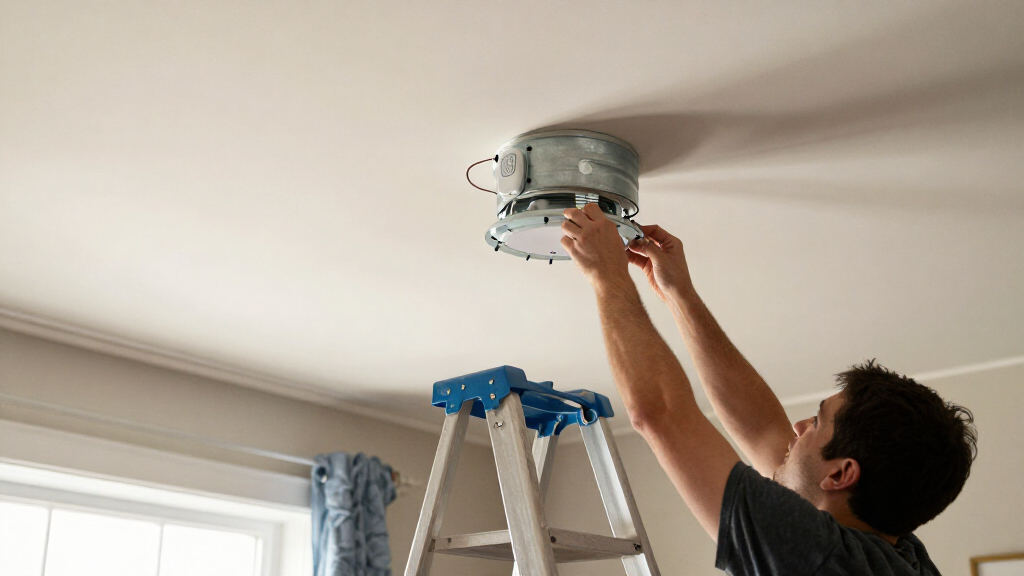
The receiver has to fit inside the fan canopy alongside the existing wiring, so a physically compatible circuit can still be a poor installation fit. Check the receiver’s dimensions and compare them with the space available above the ceiling bracket. Crowded wiring can make installation harder and may prevent the canopy from sitting securely. Do not assume all kits use the same receiver size just because their functions sound similar. If clearance is tight, prioritize a kit with clearly listed dimensions and installation guidance over a longer feature list. When space or wiring is unfamiliar, have a qualified electrician assess the setup rather than forcing parts into place.
Match Light Dimming to the Bulbs and Fixture
A kit described as having a light dimmer does not guarantee smooth dimming with every bulb or integrated LED fixture. Confirm that the light source supports dimming and that the kit’s instructions cover the type of load in your fan. Incompatible combinations can cause flicker, limited brightness range, or controls that behave inconsistently. If dependable light adjustment matters more than app control, compatibility between the dimmer, fixture, and bulbs should come first. If your fixture is not dimmable, a fan-control kit without a dimming priority may be a better match. Replacing bulbs to suit a dimmer can add another step, so account for that before buying.
Decide Which Controls You Will Actually Use
Wi-Fi control can be convenient, but it is only valuable if the kit’s app and remote functions suit your routines. Check whether the package includes a handheld remote, what fan speeds it controls, and whether light and fan commands are independent. Also check any stated app, voice-assistant, or network requirements instead of assuming those features from the word smart. A household that wants simple wall-side control may prefer a clear physical remote over features that rely on a phone. Buyers who already use smart-home routines should verify platform support before purchase. Paying attention to everyday controls helps avoid buying a connected kit that adds complexity without changing how you use the fan.
Plan the Installation and Wall-Control Setup
Replacing a receiver involves electrical connections inside the fan canopy, so read the wiring instructions before starting and switch off power at the breaker. Check whether the kit expects a particular wall switch arrangement; a wall control or dimmer already in place may affect operation. Keep the original parts and document the existing connections before removing anything, but never rely on wire color alone to identify a conductor. If the instructions do not match your fan’s wiring, pause and consult an electrician. A straightforward remote-based setup may suit a confident installer, while unfamiliar wiring is a good reason to budget for professional help. This planning step can influence the real cost and effort more than differences between app features.
Pay for Features That Solve a Real Room Need
Compare kits by the feature you need most rather than treating every extra control as an upgrade. Dimming matters in a room where the fan light serves as regular ambient lighting, while Wi-Fi may matter more when remote access or scheduled control is part of your routine. If you only need a replacement remote and receiver, extra connectivity may add setup steps without enough benefit. Conversely, a combined fan-and-light control kit can be more useful than a fan-only option when both functions need updating. Check what is included in the box and whether separate accessories are required. The best value is the kit that covers your actual use and fits your fan, not the one with the longest feature description.
Frequently Asked Questions
Will a smart ceiling fan kit work with any ceiling fan labeled universal?
No. Universal describes a broad intended fit, not guaranteed compatibility with every fan. Integrated controls, proprietary receivers, motor type, and the fan’s wiring can all affect whether a replacement receiver works. Check the fan’s model details against the kit’s compatibility information, and contact the maker if the documentation does not name your fan or its control type. Also confirm that the receiver can fit in the canopy. If compatibility remains uncertain, a remote kit designed for your fan model is a safer choice than relying on a broad label.
Can I install one of these kits if my fan already has a wall dimmer?
Do not assume an existing wall dimmer can stay in place with a new receiver. A wall dimmer may alter the power reaching the fan or light and conflict with the kit’s controls. Check the kit’s wiring diagram and instructions for the allowed wall-switch arrangement before installation. Some setups may require a standard on/off switch rather than a dimmer, but the exact requirement depends on the product and fan. If the wiring is unclear, ask an electrician to check it before connecting the receiver.
Does a kit with a light dimmer work with integrated LED fan lights?
Not automatically. Dimming depends on the light fixture and control electronics, not just the kit’s feature label. Some integrated LED modules may not support external dimming, or may require a specific compatible controller. Check both the fan manufacturer’s documentation and the kit instructions for support of the fixture type. If compatibility is not stated, ask the manufacturers before buying; otherwise, you could end up with flicker or a light that will not dim properly. A kit with separate fan control may still be useful if dimming is not a requirement.
Do I need a separate smart-home hub to use a Wi-Fi fan kit?
That depends on the specific kit and the features you want. Some products connect directly to a Wi-Fi network, while voice control or integration with a particular smart-home platform may have additional requirements. Check the setup instructions for the required network band, app, account, and any hub or assistant support. Do not infer platform compatibility from the term Wi-Fi alone. If you want routines or voice commands, confirm those functions are supported before choosing; if app control is enough, a hub may not be part of your setup.
When should I choose professional installation instead of fitting the receiver myself?
Choose professional help if the wiring does not match the kit diagram, the fan has an unfamiliar control system, or you cannot confirm which circuit is safe to work on. A tight canopy or tangled existing connections can also make a receiver replacement more difficult than expected. Turn off power at the breaker before any work, and do not continue if the fan’s wiring conflicts with the instructions. An electrician can check the fan, switch, and receiver compatibility as one setup rather than treating the kit as an isolated part. This is especially sensible when the fan is mounted high, its warranty may be affected, or the installation instructions leave open questions.
Conclusion
For most shoppers, I recommend the Universal Wi-Fi Ceiling Fan Remote Control Kit with Dimmable Light Control as the best overall choice because its listed fan and light controls cover a wider set of needs. The YukiHalu Smart WiFi Ceiling Fan Remote Control Kit is a sensible alternative for buyers whose priority is Wi-Fi control, while the 53T Smart Wi-Fi Ceiling Fan Remote Control Kit with Light Dimmer suits shoppers focused on adjustable lighting. I would call one of the simpler options the best value only after confirming it includes the controls you need and fits your fan; the product names alone do not establish a value winner. For beginners, the best choice is the kit with the clearest compatibility notes and wiring instructions, not necessarily the one with the most features. For a specific need such as dimming or app control, choose the kit that explicitly supports that function and verify receiver clearance, fan wiring, and light compatibility before ordering.