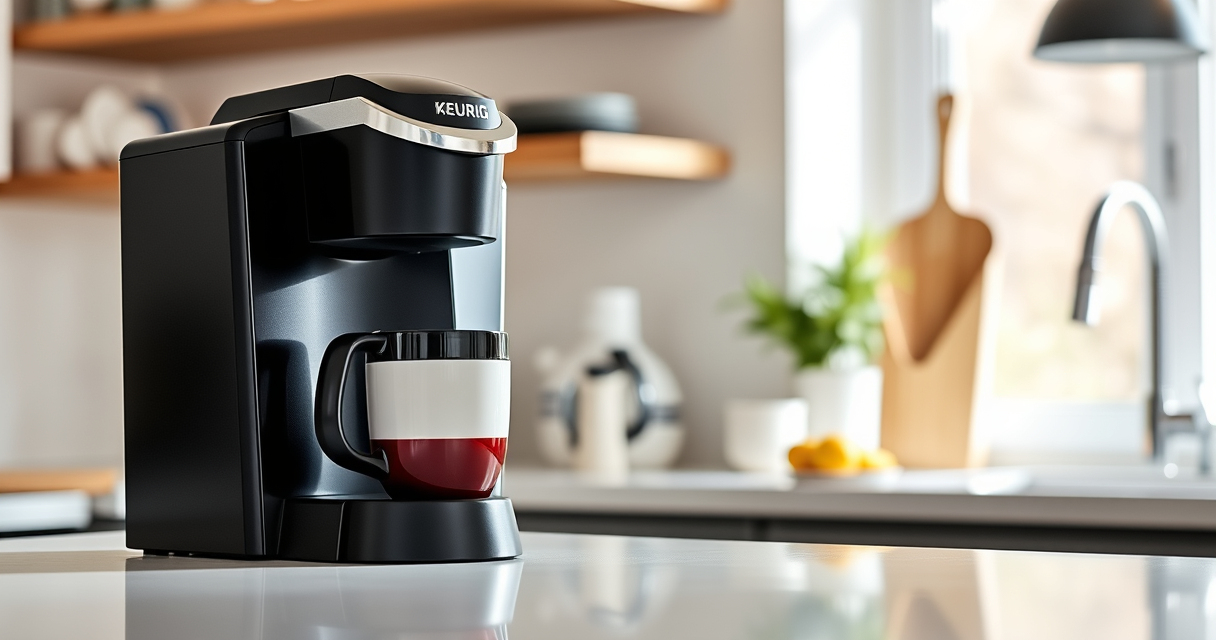
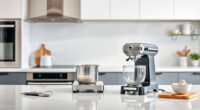
The Keurig K-Mini is a compact, efficient single-serve coffee maker designed for small spaces and quick brewing. However, like any appliance, it can encounter issues over time that affect performance. This guide provides clear, step-by-step troubleshooting and maintenance advice to keep your Keurig running smoothly, ensuring you get the best possible coffee experience every time.

Get home appliances delivered free — and shop member deals
- Fast, free delivery on millions of items
- Access to Prime Big Deal Days deals on October 6–7
- Prime Video, Amazon Music and more included
Whether your machine isn’t brewing correctly, showing error messages, or needs routine cleaning, follow these practical tips to diagnose and resolve common problems safely and effectively.
Key Takeaways
| Regular Cleaning Prevents Issues | Routine descaling and cleaning extend your Keurig’s lifespan. |
| Troubleshooting Basics | Simple steps can fix most common brewing problems. |
| Use Proper Accessories | Reusable filters and cleaning kits enhance performance. |
| Safety First | Always unplug before cleaning or troubleshooting. |
Initial Troubleshooting Steps
- Ensure the machine is plugged in properly and the power outlet is functional. Test by plugging in another device.
- Check the water reservoir for adequate water and ensure it’s seated correctly.
- Make sure the brew basket and needle are not clogged or obstructed.
- Verify that the brew size is set correctly, and the coffee pod is placed properly.
Clearing Clogs and Blockages
If your Keurig isn’t dispensing water or coffee, a clog might be present. To clear it:
- Turn off and unplug the machine.
- Remove the water reservoir and empty it.
- Check the needle for blockages—use a paperclip to gently clear any debris.
- Run a water cycle without a pod to see if water flows through properly.
If persistent, perform descaling (see below).
Deep Cleaning and Descaling
Mineral deposits can impair brewing. Descaling every 3 months is recommended:
- Fill the water reservoir with Keurig descaling solution or a mixture of white vinegar and water (1:1).
- Run a brew cycle without a K-Cup, allowing the solution to pass through.
- Repeat with fresh water to rinse out any residue.
- Wash the water reservoir and drip tray thoroughly after descaling.
This process helps restore optimal water flow and flavor quality.
Maintaining the Machine for Longevity
Routine maintenance can prevent many issues:
- Clean the brew head and needle regularly using a rinse pod or a paperclip.
- Replace water filter cartridges if used, approximately every 2 months.
- Keep the exterior clean with a damp cloth, avoiding abrasive cleaners.
Always unplug and allow the machine to cool before cleaning to ensure safety.
When to Seek Professional Help
If your Keurig still isn’t functioning after troubleshooting and descaling, it might have a mechanical fault. Contact Keurig customer service or a qualified repair technician. Do not attempt to disassemble or repair internal components yourself, as this could void your warranty or cause damage.
The Products in This Guide

Keurig K-Mini Single Serve K-Cup Pod Coffee Maker
- ✔ Weight: 4.6 lbs
- ✔ Dimensions: 12 x 4.5 x 10 inches
- ✔ Power: 1050 watts

My K-Cup® Reusable Coffee Filter
- ✔ Weight: 2.3 oz
- ✔ Dimensions: 2.4 x 2.4 x 3.3 inches
- ✔ Material: Plastic and metal
Keurig K-Mini Single Serve K-Cup Pod Coffee Maker
The Keurig K-Mini Single Serve Coffee Maker offers a convenient brewing experience with a small footprint ideal for compact spaces. Its simple design makes troubleshooting straightforward, and routine maintenance keeps it functioning efficiently. Perfect for daily use, it brews 6-12oz cups swiftly and easily.
Pros:
- Fits in small spaces
- Brews quickly in minutes
- Removable drip tray for travel mugs
- Energy-efficient auto-off
Cons:
- No water reservoir lid
- Limited to single cup brewing
- Requires regular descaling for optimal performance
Best for: Small kitchens, dorm rooms, offices
Not ideal for: Heavy use or multiple users
Bottom line: A compact, reliable coffee maker ideal for small spaces and quick brews.
My K-Cup® Reusable Coffee Filter
The My K-Cup Reusable Coffee Filter allows you to brew your favorite ground coffee with your Keurig, giving you more control over flavor and cost. It’s easy to clean and compatible with the Keurig K-Mini, making it a versatile addition to your coffee routine.
Pros:
- Use your own ground coffee
- Cost-effective and eco-friendly
- Easy to clean
- Fits Keurig K-Mini
Cons:
- Requires measuring ground coffee
- May clog if not cleaned regularly
- Brewing time slightly longer
Best for: Coffee lovers wanting custom brews
Not ideal for: Convenience-only users
Bottom line: An eco-friendly way to enjoy your ground coffee with Keurig.
Frequently Asked Questions
How often should I descale my Keurig K-Mini?
It’s recommended to descale your Keurig K-Mini every 3 months to remove mineral buildup and maintain optimal performance.
Why is my Keurig not brewing or water is not dispensing?
Check for clogs in the needle and brew path, ensure the water reservoir is filled and seated correctly, and perform descaling if needed.
Can I use my own ground coffee with the Keurig K-Mini?
Yes, using the My K-Cup Reusable Coffee Filter allows you to brew your own ground coffee in the K-Mini.
What should I do if my Keurig leaks water?
Ensure the water reservoir is properly seated, clean the needle and brew head, and check for cracks or damage in the water reservoir.
Is the Keurig K-Mini travel mug friendly?
Yes, it has a removable drip tray that can accommodate travel mugs up to 7 inches tall.
Keep Your Keurig K-Mini in Top Shape
By following these troubleshooting and maintenance tips, you can ensure your Keurig K-Mini continues to brew delicious coffee quickly and reliably. Regular cleaning, descaling, and proper use will extend the life of your machine and improve your overall coffee experience. Remember, a little routine care goes a long way in keeping your compact coffee maker performing at its best.
Affiliate disclosure: As an Amazon Associate we earn from qualifying purchases. Prices and availability are accurate as of the time of publishing.
NFL season / tailgating Picks
team gear
As an affiliate, we earn on qualifying purchases.