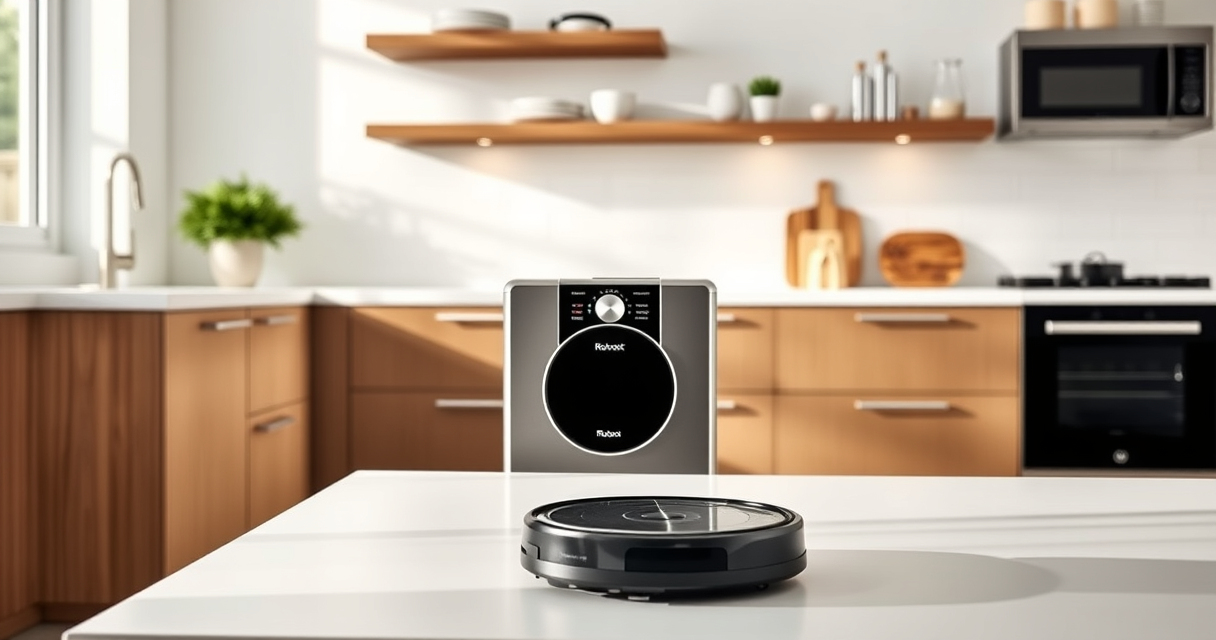
Roborock robot vacuums, like the Q7 M5+ (featured), are powerful tools for maintaining a clean home. However, like all technology, they can encounter issues over time. This comprehensive guide provides practical troubleshooting steps and maintenance tips to ensure your Roborock stays in top condition, delivering optimal cleaning performance. Whether you’re dealing with connectivity problems, cleaning inefficiencies, or routine upkeep, this guide covers everything you need.
Regular maintenance not only extends the lifespan of your device but also helps prevent unexpected breakdowns. Follow these step-by-step instructions carefully, and remember to perform routine checks to keep your Roborock operating at its best.
Key Takeaways
| Routine Cleaning & Maintenance | Regularly empty and clean the dust bag and filters to maintain suction power. |
| Troubleshooting Connectivity | Reset Wi-Fi or reconnect through the app to resolve connection issues. |
| Brush & Sensor Care | Clean brushes, sensors, and wheels to prevent tangling and ensure navigation. |
| Battery & Charging Tips | Ensure charging contacts are clean for optimal power and charging. |
| Preventative Care | Inspect for hair or debris entangling moving parts to avoid malfunctions. |
Basic Troubleshooting Steps
- Check the Power and Charging Status: Ensure your Roborock is properly charged. If it isn’t charging, clean the charging contacts on both the robot and charging dock with a dry cloth.
- Reset the Device: Turn off the robot, wait 10 seconds, then turn it back on. This can resolve minor glitches.
- Inspect for Obstructions: Remove hair, string, or debris from wheels, brushes, and sensors. Tangles can impair movement and cleaning efficiency.
Cleaning & Maintenance Routine
- Empty the Dust Bag: The Q7 M5+ features up to 7-9 weeks of self-emptying via a 2.7L sealed dust bag. Regularly check the status in the app and replace the bag when needed, or when prompted.
- Clean the Filters: Wash the washable HEPA filters (like the recommended 4 Pack Washable Filter) every 1-3 months for optimal suction and air quality.
- Clean the Main Brush & Side Brushes: Remove hair and debris using the provided tools. This prevents tangling and keeps cleaning effective.
Sensor & Navigation Maintenance
The PreciSense LiDAR navigation system relies on clear sensors. Use a soft cloth to gently wipe sensors and lenses. Avoid harsh chemicals that could damage sensitive parts. Keeping sensors clean ensures accurate mapping and efficient cleaning paths.
Connectivity & App Troubleshooting
- Check Wi-Fi Connection: Ensure your Wi-Fi network is stable. Reboot your router if needed.
- Re-establish Connection: In the Roborock app, disconnect and then reconnect your device. Follow prompts to re-link your robot.
- Update Firmware: Check for the latest firmware updates via the app, as updates fix bugs and improve performance.
Battery & Charging Tips
Ensure the charging contacts are free of dust or debris. If the robot isn’t charging properly, clean contacts with a dry cloth. Store the robot on the dock in a dry place, and avoid exposing it to extreme temperatures to prolong battery health.
The Products in This Guide

roborock Q7 M5+ Robot Vacuum and Mop
- ✔ Model: Q7 M5+
- ✔ Max Suction: 10,000Pa
- ✔ Battery Life: Up to 9 weeks

4 Pack Washable Filter
- ✔ Pack: 4 filters
- ✔ Material: HEPA
- ✔ Compatibility: Multiple Roborock models
roborock Q7 M5+ Robot Vacuum and Mop
The Roborock Q7 M5+ offers powerful suction of 10,000Pa, dual anti-tangle system, and self-emptying for up to 9 weeks, making it ideal for pet owners and busy households.
Pros:
- Powerful 10,000Pa suction
- Up to 9 weeks of self-emptying
- Dual anti-tangle system
- PreciSense LiDAR navigation
Cons:
- May require regular filter cleaning
- Self-emptying station can be bulky
- Wireless connection may drop in weak Wi-Fi areas
Best for: Pet owners, large homes, busy households
Not ideal for: Small spaces with weak Wi-Fi signals or minimal pet hair
Bottom line: A powerful, long-lasting robot vacuum ideal for pet hair and extensive cleaning needs.
4 Pack Washable Filter
These washable filters are compatible with Roborock models like Q7 Max and Q5 Pro, ensuring your vacuum maintains high suction and air purity over time.
Pros:
- Reusable and washable
- Compatible with multiple models
- Maintains suction efficiency
- Easy to install
Cons:
- Must be cleaned regularly
- Not OEM, but high quality
- Replacement needed every few months
Best for: Long-term filter maintenance, allergy sufferers
Not ideal for: For users looking for OEM filters only, or infrequent cleaning
Bottom line: Affordable, effective washable filters that keep your Roborock performing at its best.
Frequently Asked Questions
How often should I empty the dust bag on the Roborock Q7 M5+?
The Roborock Q7 M5+ features a 2.7L sealed dust bag designed to last up to 7-9 weeks before needing to be emptied, depending on usage and home size.
What is the best way to clean the sensors on my Roborock?
Use a soft, dry cloth to gently wipe the sensors and lenses. Avoid using harsh chemicals or liquids that could damage delicate parts, ensuring accurate navigation.
My Roborock is not connecting to Wi-Fi, what should I do?
Check your Wi-Fi network stability, reboot your router if needed, then re-establish the connection via the Roborock app. Make sure your firmware is up to date.
How do I maintain the brushes and wheels?
Remove hair and debris from the main brush and side brushes regularly using the provided cleaning tools. Check the wheels for obstructions that could impair movement.
Can I use the Roborock while it’s charging?
It’s best to allow the robot to charge fully before use. Using it while charging can interrupt the charging process and reduce battery longevity.
Keep Your Roborock Running Like New with These Tips
Regular maintenance and troubleshooting can significantly extend your Roborock’s lifespan and ensure it performs optimally. From cleaning sensors to replacing filters, staying proactive prevents common issues and keeps your home spotless. Use this guide as a reference to handle minor problems yourself and enjoy the convenience of a well-maintained robot vacuum.
Remember, keeping your device clean and updated is the key to long-term satisfaction. With proper care, your Roborock Q7 M5+ will continue to be a reliable cleaning companion for years to come.
Affiliate disclosure: As an Amazon Associate we earn from qualifying purchases. Prices and availability are accurate as of the time of publishing.