To perform seasonal ceiling fan maintenance, start by turning off the power and inspecting the blades for dust and debris, cleaning them with a soft cloth. Check and tighten all hardware, especially the mounting and blade screws, to prevent wobbling. Adjust the rotation direction by switching the fan’s motor housing switch: clockwise for winter to recirculate warm air, counterclockwise in summer for cooling. Ensuring proper airflow and hardware integrity extends your fan’s lifespan, and further tips will help you optimize performance.
Key Takeaways
- Switch fan rotation to counterclockwise in summer for cooling, and clockwise in winter to recirculate warm air.
- Turn off the fan and wait for blades to stop before adjusting the rotation direction switch.
- Inspect and clean fan blades and hardware to prevent wobbling and ensure secure mounting.
- Turn off power and check wiring, switches, and capacitor for damage or looseness to maintain safe operation.
- Perform regular inspections for unusual noises or vibrations to identify and address imbalance or mechanical issues.

Have you ever considered how proper maintenance extends the lifespan and efficiency of your ceiling fan? Regular seasonal adjustments are essential for guaranteeing peak performance and energy efficiency. One of the most critical aspects is verifying and adjusting the fan’s rotation direction, which directly impacts airflow and cooling effectiveness. During the warmer months, your fan should rotate counterclockwise to create a downward airflow that cools the room efficiently. Conversely, in the winter, switching the fan to a clockwise rotation at a low speed helps recirculate warm air trapped near the ceiling. To confirm or change the direction, locate the fan’s switch, typically on the motor housing, and toggle it accordingly. It’s crucial to turn off the fan before adjusting to prevent injury or damage, then wait for the blades to come to a complete stop before making any changes.
Regularly check and adjust your ceiling fan’s rotation for optimal airflow and efficiency.
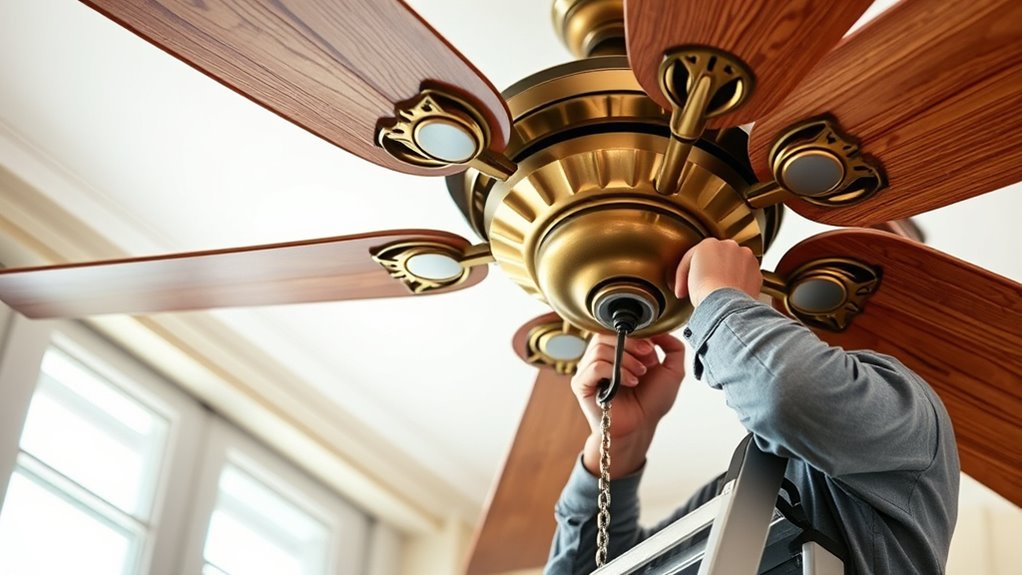
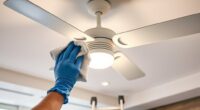
In addition to direction, seasonal inspections should include a thorough examination of the fan’s components. Remove the fan blades carefully to inspect for accumulated dust, dirt, or debris that can cause imbalance and increased noise. Use a soft cloth or a mild cleaning solution, avoiding harsh chemicals that could damage the blades. Once cleaned, reattach the blades securely, ensuring all screws are tightened to prevent wobbling or instability during operation. Check the mounting hardware for signs of wear or looseness, as vibrations caused by loose fittings can accelerate wear on the motor and reduce lifespan. If any hardware shows corrosion or damage, replace it immediately to avoid further mechanical failure.
Electrical connections also require seasonal scrutiny. Turn off the power supply at the circuit breaker before inspecting wiring and switch connections. Look for signs of fraying, corrosion, or loose terminals that could lead to electrical faults or short circuits. Tighten any loose connections and replace damaged wiring in accordance with electrical codes. Confirm that the pull chain or wall switch mechanisms operate smoothly, without sticking or excessive resistance, as mechanical failure here can impair control and safety. Additionally, inspect the capacitor, if accessible, for signs of swelling or damage, as a failing capacitor can cause motor overheating and reduced efficiency. Research professional maintenance services to ensure comprehensive and safe inspections when needed.
Finally, verify that the fan’s motor is functioning within normal parameters by listening for unusual noises or vibrations during operation. Excessive noise can indicate imbalance, misalignment, or bearing wear, all of which necessitate prompt attention. Regular seasonal maintenance, including direction verification and component inspections, preserves the fan’s mechanical integrity, reduces energy consumption, and prolongs operational lifespan. Adhering to these precise procedures ensures your ceiling fan remains a reliable, energy-efficient fixture year-round.
Frequently Asked Questions
How Often Should I Change My Ceiling Fan’s Direction Seasonally?
You should change your ceiling fan’s direction twice a year, typically when seasons change. In winter, set the fan to rotate clockwise to push warm air downward, enhancing heating efficiency. In summer, switch it to counterclockwise to create a cooling breeze. Regularly inspecting the fan’s motor and blades guarantees smooth operation. Make these adjustments promptly at seasonal transitions to optimize comfort and energy savings.
Can Incorrect Fan Direction Increase Energy Costs?
Incorrect fan direction can increase your energy costs by up to 14%, according to industry studies. When you run your ceiling fan in the wrong direction, it forces your HVAC system to work harder, using more energy to maintain comfort. Ensuring your fan’s rotation matches the season optimizes airflow, reducing strain on your heating and cooling systems. Proper directional settings are a simple, cost-effective way to lower your energy bills.
What Safety Precautions Are Necessary During Seasonal Inspections?
During seasonal inspections, you should turn off the fan and disconnect it from power to prevent electrical hazards. Use a sturdy ladder to reach the fan safely, and wear insulated gloves to prevent shocks. Confirm the blades are secure before inspection, and handle any wiring carefully. Avoid working in wet or humid conditions, and follow the manufacturer’s instructions for safe maintenance practices to prevent injury and equipment damage.
How Do I Troubleshoot Noise Issues After Direction Changes?
After changing your ceiling fan’s direction, if it’s noisy, start by inspecting the blades for looseness or debris, as in a case where loose blades caused rattling. Tighten any loose screws and clean dust buildup. Check if the fan’s mounting bracket is secure, and ensure the blades are balanced. If noise persists, turn off power, remove the blades, and re-align or replace them to eliminate imbalance-induced vibrations.
Is Professional Maintenance Required for Complex Ceiling Fan Repairs?
For complex ceiling fan repairs, professional maintenance isn’t optional. You should hire a licensed technician to guarantee proper diagnosis and safe, effective repairs. Attempting intricate fixes yourself might cause further damage or safety hazards. Professionals have the necessary tools, expertise, and experience to handle issues like motor replacements, wiring problems, or component failures. Trusting a pro guarantees your fan operates efficiently and safely, preventing costly future repairs.
Conclusion
Regular seasonal maintenance guarantees your ceiling fan operates efficiently and safely, aligning with the changing seasons. By performing direction checks and inspections, you prevent unexpected failures that often coincide with peak usage times. Proper maintenance not only extends the lifespan of your fan but also enhances energy use, saving you money. When you stay proactive, you naturally catch issues early—an unplanned coincidence that underscores the importance of routine upkeep in maintaining ideal comfort and performance.