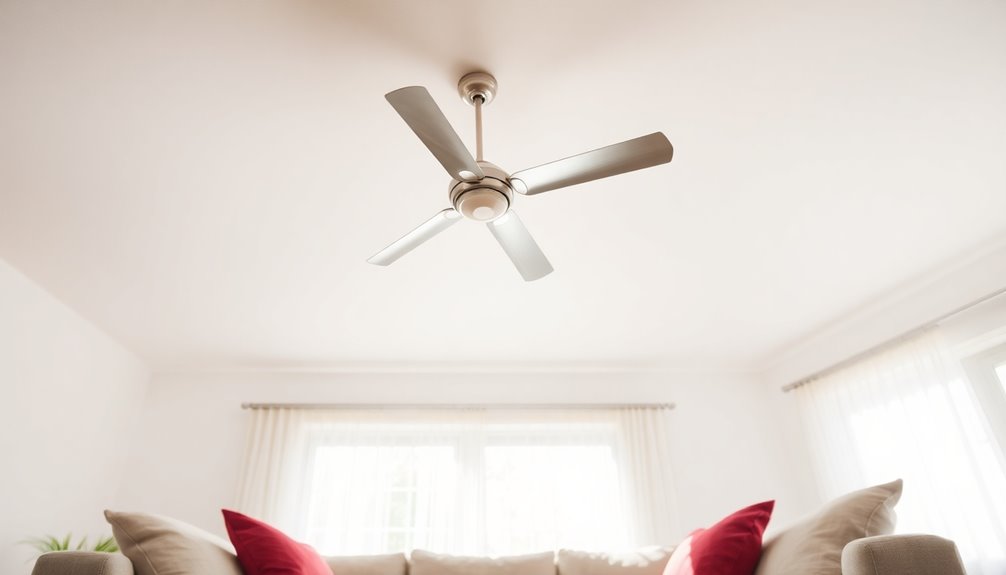
To upgrade your ceiling fan, consider compatible light kits that match your model’s wattage and bulb type, ensuring safe wiring and proper diffusion for ideal lighting. Remote controls provide convenient operation but require correct placement of the receiver and verification of compatibility with the fan’s motor and wiring. Downrods adjust height for airflow and safety, needing precise threading and compatibility with your ceiling height and mounting system. Explore these components in detail to improve your fan’s performance and aesthetics.
Key Takeaways
- Light kits enhance functionality and aesthetics, with options for different glass styles and integrated dimming controls.
- Remote controls offer convenient operation, supporting features like variable speeds, reverse, and timers, with proper compatibility.
- Downrods adjust fan height for optimal airflow, requiring careful selection based on ceiling height and technical compatibility.
- Proper installation of accessories ensures safety, balance, and prevents issues like wobbling or overheating.
- Compatibility and wiring considerations are essential for all accessories to ensure safe, seamless, and efficient operation.
Ever wonder what accessories can enhance your ceiling fan’s performance and aesthetic appeal? The right additions can transform a basic fixture into a highly functional and visually appealing component of your space. Among the most impactful accessories are light kits, remote controls, and downrods, each serving specific technical purposes that improve usability and design integration. Understanding the detailed mechanics and compatibility considerations of these accessories can help you optimize your ceiling fan’s functionality and appearance.
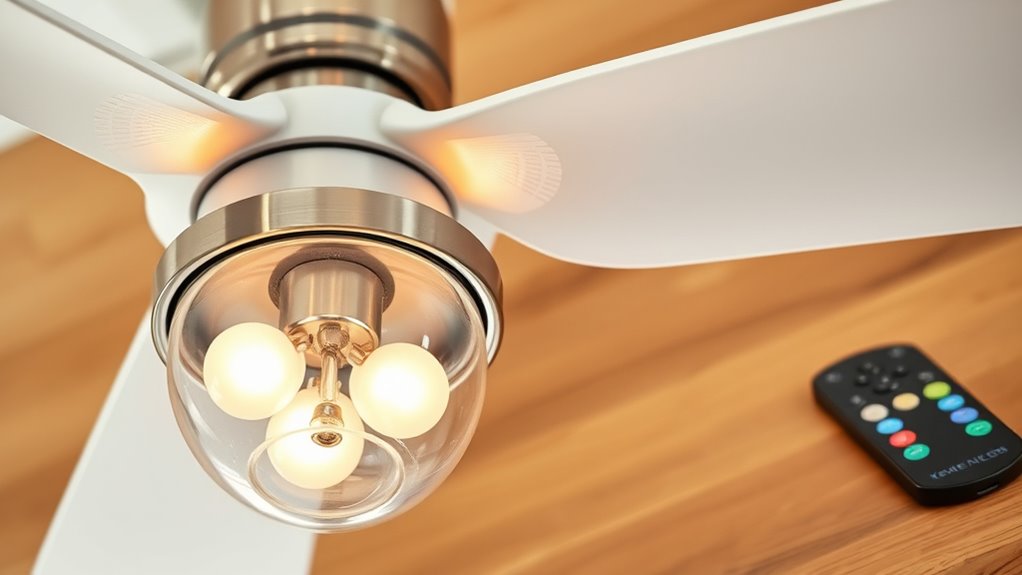
Light kits are designed to incorporate illumination into your ceiling fan setup, offering both practical lighting and decorative enhancement. These kits typically include a fixture, bulbs, and mounting hardware, and are engineered to fit specific fan models. When installing a light kit, you must consider the electrical connections—most are wired directly into the fan’s existing wiring harness, requiring careful matching of wiring colors and voltage specifications. Some light kits feature integrated dimming controls, which necessitate compatible dimmer switches and bulbs. The design of the light enclosure impacts light diffusion; frosted or opal glass provides softer illumination, while clear glass yields brighter, more direct light. Technically, the wattage rating of the bulbs must align with the fixture’s maximum capacity to prevent overheating. Proper installation not only guarantees safety but also maintains the balance of the fan’s weight, preventing wobbling or undue stress on the mounting bracket. Additionally, choosing compatible accessories ensures seamless operation and safety.
Light kits add illumination and style; ensure proper wiring, bulb wattage, and balanced weight for safe, effective installation.
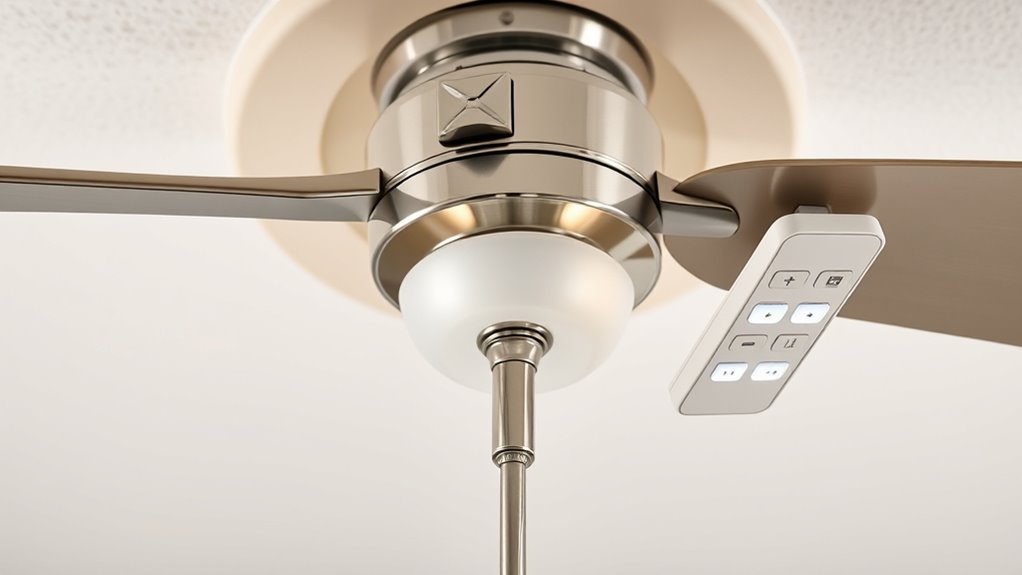
Remote controls are sophisticated electronic accessories that enable remote operation of your ceiling fan, offering convenience and enhanced control. These systems include a transmitter (remote), receiver (mounted inside the fan housing), and sometimes additional features like wall controls or smartphone connectivity. The receiver is wired into the fan’s existing wiring, often replacing or supplementing traditional pull chains. Compatibility hinges on voltage ratings, control protocols (such as RF or IR), and the fan motor type. Many remote systems support variable speed settings, reverse functions, and timers, which require precise programming and calibration during installation. When selecting a remote control, you must verify it matches your fan’s control module and wiring configuration to avoid compatibility issues. Proper placement of the remote sensor or receiver inside the fan housing is critical for reliable signal transmission, especially in environments with interference. Advanced remote systems may include battery management and security features, adding complexity but improving longevity and user safety.
Downrods are essential for adjusting the fan’s overall height and ensuring proper airflow and safety clearance. They are cylindrical metal rods, typically made of steel or aluminum, with precise threading to connect the fan motor housing to the mounting bracket and ceiling junction box. Selecting the correct length involves measuring the distance from the ceiling to the floor, accounting for ceiling height, furniture placement, and room size. Technical considerations include the downrod’s diameter, weight capacity, and compatibility with the fan’s mounting system—some fans require specific downrod types or adapters. Installing a longer or shorter downrod affects the fan’s balance and stability, requiring proper alignment and secure threading to prevent wobbling or detachment. Additionally, for sloped ceilings, specialized angled downrods or canopy adapters are necessary to maintain the fan’s level orientation. Properly chosen and installed downrods contribute to efficient airflow, reduce noise, and enhance the overall safety and durability of your ceiling fan assembly.
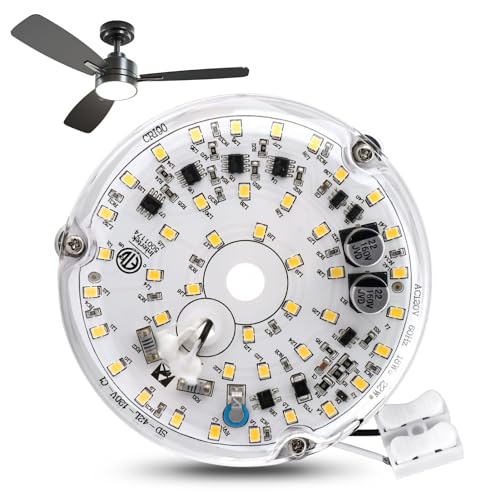
4 Inch 18w Universal Ceiling Fan Light Kit, 6000K 1800LM 120V LED Ceiling Fan Light Kit Replacement, Dimmable LED Retrofit Kit, Fan Light Kits for Ceiling Fan(White)
【Ceiling Fan Light Kit Replacement】You will receive 1pc 18w ac120v ceiling fan led light replacement(with transparent cover, safe…
As an affiliate, we earn on qualifying purchases.
As an affiliate, we earn on qualifying purchases.
Frequently Asked Questions
Can I Install Multiple Accessories on a Single Ceiling Fan?
Yes, you can install multiple accessories on a single ceiling fan, but confirm compatibility with your fan model. Check the manufacturer’s instructions for each accessory, such as light kits and remotes, to verify they support simultaneous installation. You may need specific mounting brackets or adapters. Proper wiring and electrical connections are essential for safety and functionality. When in doubt, consult a professional electrician to avoid damaging the fan or creating safety hazards.
Are Ceiling Fan Accessories Compatible With All Fan Brands?
Not all ceiling fan accessories are universally compatible across brands. You need to check the specific mounting hardware, wiring connectors, and control protocols. Many accessories are designed for particular brands or models, so verify manufacturer specifications. For best results, match accessories to your fan brand and model, or consult the manufacturer’s guidelines. Using incompatible accessories can cause installation issues or operational failures, so always confirm compatibility before purchase or installation.
How Do I Troubleshoot Issues With Remote-Controlled Fan Accessories?
Your remote-controlled fan accessory isn’t working? First, check the batteries—they’re often the villain behind these issues. Next, verify there’s a clear line of sight between the remote and receiver; even a tiny obstacle can cause chaos. Re-pair the remote and fan if needed—sometimes a simple re-sync fixes everything. Finally, inspect wiring connections and switch settings. If problems persist, reset the remote or consult the manufacturer’s troubleshooting guide for advanced diagnostics.
What Safety Precautions Should I Take When Installing Accessories?
You should always turn off the power at the circuit breaker before installation to prevent electrical shocks. Wear insulated gloves and use insulated tools to handle wiring safely. Verify voltage with a multimeter before working on connections. Follow manufacturer instructions carefully, ensuring all components are securely attached to avoid hazards. Keep the work area dry and well-lit, and if unsure, consult a qualified electrician to minimize risks during installation.
Do Accessories Affect the Energy Efficiency of My Ceiling Fan?
Accessories like light kits and remotes can slightly influence your fan’s energy efficiency. Light kits often add a small load to the motor, potentially increasing power consumption, while remotes enable more precise control, allowing you to reduce unnecessary operation. However, their overall impact remains minimal if you choose energy-efficient bulbs and use the remote to turn off the fan when not needed. Properly installed, accessories optimize performance without significant energy loss.
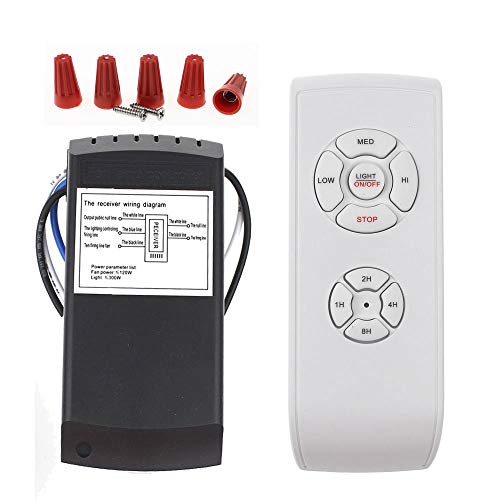
LPHUMEX Universal Ceiling Fan Remote Control Kit, 3-in-1 AC Motor Ceiling Fan Light Timing & Speed Remote, for Hunter/Harbor Breeze/Westinghouse/Honeywell/Other Ceiling Fan lamp
☞Easy Installation – Installation of the Universal Ceiling Fan Remote Controls Kit is a breeze and the looks…
As an affiliate, we earn on qualifying purchases.
As an affiliate, we earn on qualifying purchases.
Conclusion
Equipping your ceiling fan with the right accessories transforms it from a simple fixture into a tailored cooling solution. Light kits, remotes, and downrods are the gears that fine-tune performance and style to match your needs. Think of these accessories as the engine parts of your cooling system—precise, essential, and built to optimize efficiency. By selecting the correct components, you guarantee your fan operates smoothly, efficiently, and seamlessly integrates into your space’s aesthetic.

12 Inch Ceiling Fan Downrod Threaded, 1 Inch Outer Diameter Matte White Ceiling Fan Extension Rod (With Threads),Down Rods Compatible With Most Ceiling Fans,Easy Installation
【Universal Compatibility】 ✔ This single side threaded ceiling fan extension rod fits most ceiling fans with downrod connections,please…
As an affiliate, we earn on qualifying purchases.
As an affiliate, we earn on qualifying purchases.

KALIONE Ceiling Fan Blade Balancing Kit Including Fan Balancing Clips and 12pcs Metal Self-Adhesive 3G Weight Practical Fan Balance Kit for Ceiling Fan Weight Balancing 4pcs
Package Content: You will receive 4 sets of fan balancing kit, enough quantity meets all your needs.
As an affiliate, we earn on qualifying purchases.
As an affiliate, we earn on qualifying purchases.